Smart Print - Air Printer App
When it comes to printing directly from your smartphone, the Smart Print - Air Printer App is a game changer. You know those days when you’re scrambling to get something printed right before a meeting or a deadline? This app is here to save the day. Let's dive into what makes this app a must-have for anyone juggling documents and devices.
What is Smart Print?
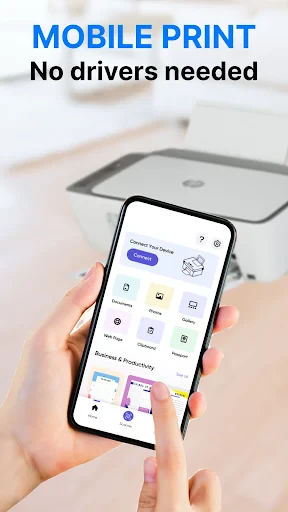
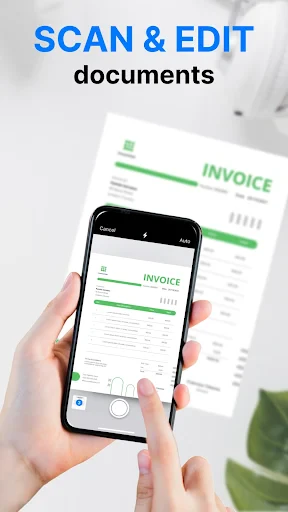
Smart Print is an intuitive app that allows you to print documents, photos, and even web pages directly from your iOS or Android device. Whether you’re at home, in the office, or on the go, the app connects seamlessly to a variety of printers using Wi-Fi or Bluetooth. Gone are the days of transferring files to your computer just to hit the print button. With Smart Print, everything you need is right at your fingertips.
Ease of Use
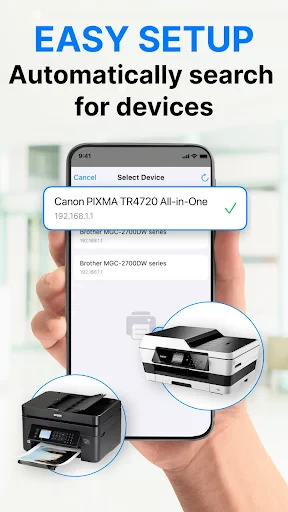
One of the first things I noticed about Smart Print is how user-friendly it is. The setup process is straightforward, and within minutes, I was connected to my printer. The interface is clean and easy to navigate, which is a huge plus if you’re not exactly tech-savvy. Whether you're printing a PDF, a Word document, or your latest photo masterpiece, the app makes it incredibly simple.
Compatibility and Features
Compatibility is key when it comes to printing apps, and Smart Print delivers. It works with a wide range of printers across various brands including HP, Canon, Epson, and Brother. Plus, the app supports a multitude of file formats, so you’re not limited in what you can print. Need to print something from your cloud storage? Not a problem. Smart Print integrates smoothly with services like Google Drive, Dropbox, and iCloud.
Another standout feature is the ability to adjust print settings directly from the app. You can choose paper size, orientation, and even the number of copies without having to fiddle around with your printer’s settings. It’s these little conveniences that make the app so appealing.
Performance
In terms of performance, Smart Print is pretty impressive. I tested it with various files, and the printing process was quick and efficient every time. The print quality was excellent, capturing all the details I needed for both text and images. Even with larger documents, the app handled the task smoothly without any hiccups.
Why You Should Consider Smart Print
If you frequently find yourself needing to print on the go, Smart Print is definitely worth checking out. It’s convenient, reliable, and saves you from the hassle of using multiple devices to get your documents printed. Plus, with its broad compatibility and easy-to-use interface, it’s a tool that fits seamlessly into both personal and professional settings.
In conclusion, the Smart Print - Air Printer App transforms the way we think about mobile printing. It’s a handy app that delivers on its promises, making printing tasks less of a chore and more of a seamless experience. So go ahead, give it a whirl, and enjoy the freedom of printing from wherever you are.


- Developer
- MAPLE LABS CO., LTD
- Version
- 3.2.4
- Installs
- 1,000,000+
- Android Version
- 8.0
- Content Rating
- Everyone
- Price
- Free
- Seamless integration with various printer brands.
- User-friendly interface with intuitive navigation.
- Supports multiple file formats for printing.
- Offers wireless printing from any device.
- Quick setup with easy-to-follow instructions.
- Limited free features
- premium needed for full access.
- Occasional connectivity issues with some printers.
- Some advanced settings can be confusing.
- Requires stable internet for optimal performance.