Solocator - GPS Field Camera
Ever been on a hike and wished you could capture not just the beauty around you, but also the exact location and details of where you were standing? Enter Solocator - GPS Field Camera, an app that does exactly that, and trust me, it’s a game-changer for outdoor enthusiasts and professionals alike.
Capturing Moments with Precision
Let’s dive right into what makes Solocator stand out from the sea of camera apps. The app isn’t just about snapping pictures; it’s about snapping pictures with context. With Solocator, every photo you take is stamped with GPS coordinates, compass direction, altitude, and even date and time. It’s like having a little digital diary embedded in your photos, which is super handy for anyone who needs to keep track of locations, whether you’re a surveyor, architect, or just someone who loves documenting their adventures.
User-Friendly Interface
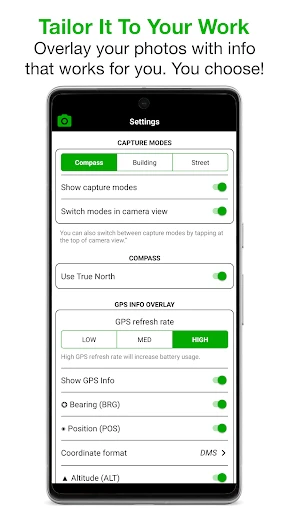
I know what you’re thinking. All these features must make the app complicated, right? Wrong! Solocator boasts a clean and intuitive interface. Even if you’re not tech-savvy, you’ll find navigating through the app a breeze. The main screen gives you easy access to camera functions and settings, and you can toggle between different overlays to customize what information appears on your photos. It’s all very straightforward, which I appreciate because who wants to fiddle with settings when you could be out exploring?
Rich Features for Every Need
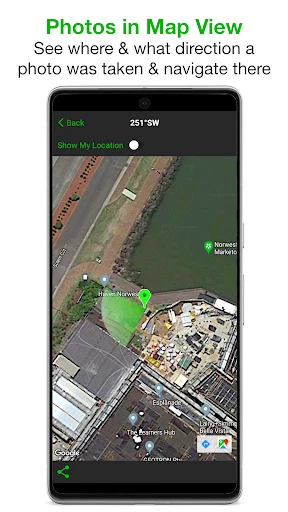
Beyond the basics, Solocator offers several features that elevate your photo documentation. You can switch between different measurement units depending on your region (like feet or meters), choose from various date and time formats, and even select different color schemes for overlays to suit your style or visibility needs. There’s also a handy map view feature where you can see all your geotagged photos in one place, which is fantastic for visualizing your travels or projects.
Performance and Reliability
Now, let’s talk performance. In my experience, Solocator runs smoothly without any hiccups. The photos are crisp, and the GPS tagging is accurate. It’s also lightweight, so it won’t hog your phone’s resources or battery life, which is crucial when you’re out in the field without easy access to a charger. The app is regularly updated, ensuring that any bugs are swiftly dealt with, and new features are added to keep up with user needs.
The app is available for both Android and iOS, which is great because everyone should have the chance to try this gem. Whether you’re using an iPhone or an Android device, the functionality remains consistent, and the user experience is seamless across platforms.
My Final Thoughts
So, would I recommend Solocator? Absolutely! Whether you're a professional needing precise data or a hobbyist looking to add a little extra to your travel photos, Solocator is a must-have. Its blend of functionality, ease of use, and reliability makes it a standout choice in the crowded field of camera apps. Give it a try, and you might just find it’s the app you’ve been missing all along.
In a world where data is king, having an app like Solocator that can enrich your photos with detailed information is invaluable. Happy exploring, and don't forget to capture those incredible moments with precision!


- Developer
- Civi Corp
- Version
- 2.6.0
- Installs
- 50,000+
- Android Version
- 7.0
- Content Rating
- Everyone
- Price
- $0.99
- Accurate GPS tagging for every photo.
- User-friendly interface for quick navigation.
- Customizable overlays for detailed data.
- Works offline
- ideal for remote locations.
- Limited photo editing features.
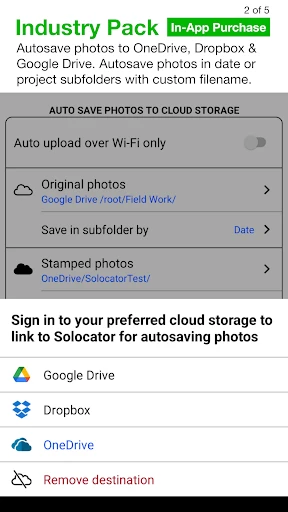
- No cloud backup for photos.
- Overlays can clutter the image.
- Battery consumption is high during use.
- Limited sharing options directly from app.