Stop Motion Studio
Stop Motion Studio: Bringing Your Creativity to Life
Have you ever watched a claymation film and wondered how they managed to bring those little figures to life? Well, folks, wonder no more! With Stop Motion Studio, you can create your own stop-motion animations right from your smartphone. Available on both Android and iOS, this app is perfect for animators of all levels, whether you’re a total newbie or a seasoned pro!
First Impressions
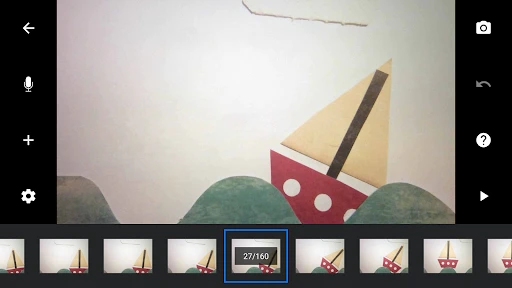
Upon launching Stop Motion Studio, I was immediately struck by its user-friendly interface. The app doesn’t waste any time with unnecessary frills; instead, it focuses on what you’re here to do—create amazing stop-motion videos. The home screen is clean and intuitive, offering quick access to your projects and the option to start a new one with just a tap.
Features that Make You Go "Wow!"
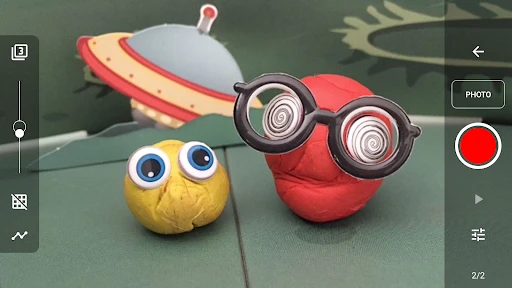
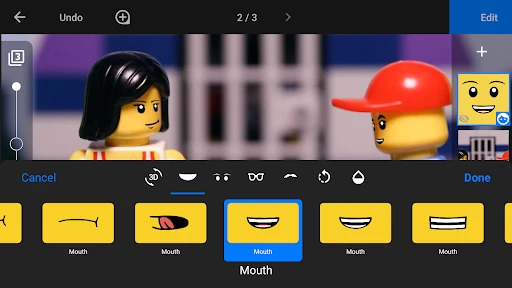
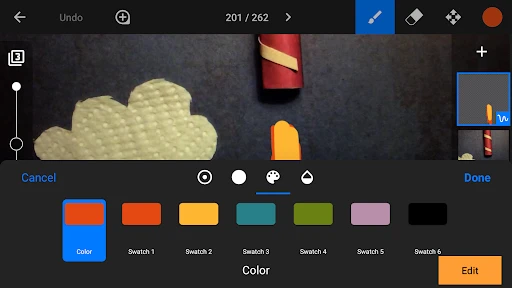
What sets Stop Motion Studio apart from other animation apps is its extensive range of features. You’ve got everything from frame-by-frame editing to a virtual camera overlay that helps you line up your shots perfectly. There’s even a grid mode, which is super handy for keeping everything aligned.
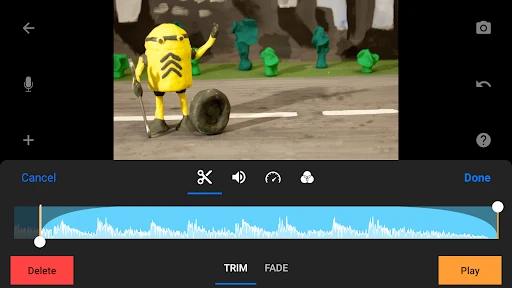
One of my favorite features has to be the ability to add audio clips and soundtracks directly within the app. It’s a game-changer for creating a more immersive experience. Plus, you can add text and credits, making it feel like a real cinematic production!
Performance and Usability
Using Stop Motion Studio is a breeze. The app runs smoothly without any noticeable lag, which is crucial when you're trying to perfect those tiny movements in your animation. The tools are responsive and designed to make the animation process as simple as possible. Even if you’re just starting out, the app includes a handy tutorial to guide you along the way.
Sharing your creations is also incredibly straightforward. You can export your videos in various formats, including 4K, and share them directly to social media platforms like YouTube or Instagram. It’s all about making your work seen by the world with minimal hassle.
What Could Be Improved?
While Stop Motion Studio is pretty fantastic, it’s not without its minor hiccups. One thing I noticed is that the free version is somewhat limited in terms of features. To unlock everything the app has to offer, you’ll need to opt for the paid version. That being said, the cost is quite reasonable considering the sheer amount of tools and capabilities you gain access to.
Another small gripe is the learning curve for complete beginners. While the app is intuitive, it does pack in a lot of features, which might feel a bit overwhelming at first. However, investing a little time in understanding the app’s full potential is undoubtedly worth it.
Final Thoughts
Overall, Stop Motion Studio is a fantastic tool for anyone interested in animation. It offers a comprehensive suite of features that can transform your smartphone into a mini animation studio. Whether you’re making a short film or just having some fun with clay figures, this app is bound to ignite your creative spark.
So, if you’ve ever felt the urge to dabble in the world of stop-motion animation, give Stop Motion Studio a whirl. Trust me, you’ll be amazed at what you can create!
- Developer
- Cateater
- Version
- 24.11.8574
- Installs
- 10,000,000+
- Android Version
- 6.0
- Content Rating
- Everyone
- Price
- Free
- User-friendly interface for beginners.
- Comprehensive editing tools available.
- Cross-platform support enhances access.
- Supports 4K resolution for high quality.
- Affordable pricing for premium features.
- Limited features in free version.
- Occasional app crashes reported.
- In-app purchases can be costly.
- Lacks advanced audio editing tools.
- Exporting can be slow for large files.