SmartThings
Get Smart with SmartThings!
Hey there, tech enthusiasts! Ever wished you could control everything in your house just with a tap on your phone? Well, let me introduce you to SmartThings, the app that turns your smartphone into a universal remote for your smart home devices. Let’s dive into this world of convenience and see what makes this app a must-have for any gadget lover.
What is SmartThings?
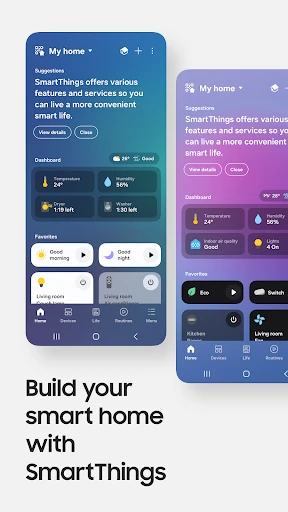
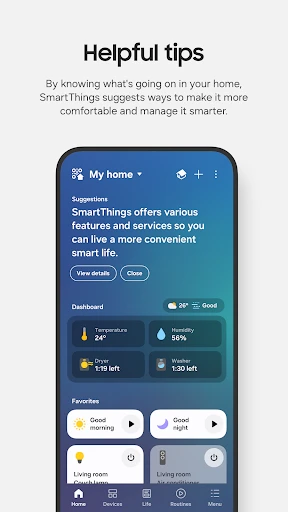
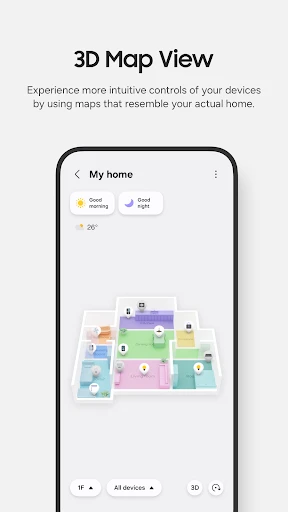
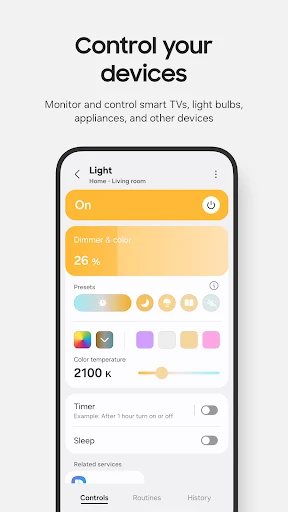
Imagine having all your smart devices—lights, locks, thermostats, cameras—in one place. Sounds dreamy, right? SmartThings by Samsung makes it happen! It’s like the command center for all your smart gadgets, allowing you to manage them effortlessly. Whether you’re chilling on the couch or halfway across the world, SmartThings keeps you connected to your home.
Setting Up: A Walk in the Park
Setting up SmartThings is as easy as pie. Just download the app from the Google Play Store or Apple App Store, and you’re good to go. The app guides you through the setup with simple, easy-to-follow instructions. Connecting your devices is mostly a seamless experience, although occasionally, you might need a little patience with some stubborn gadgets.
Features That Make Life Easier
Now, let's talk features! SmartThings lets you automate daily routines with ease. You can set your lights to turn on automatically when you enter a room or have your coffee maker start brewing as soon as your alarm goes off. It’s like living in the future!
One of my favorite things is the Scenes feature. You can customize scenes for different times of the day or activities. Fancy a romantic dinner? Just activate the ‘Dinner’ scene, and voilà, the lights dim, and your favorite playlist starts. It’s these little touches that make SmartThings so delightful.
Security at Your Fingertips
In today’s world, security is a big deal, and SmartThings doesn’t disappoint. You can monitor your home security cameras in real-time, receive instant alerts for any unusual activity, and even lock or unlock your doors remotely. It’s like having your personal security detail, minus the bodyguards!
Compatibility: A Mixed Bag
While SmartThings works with many devices, it’s worth mentioning that not all gadgets play nice. Some brands integrate better than others, so it’s wise to check compatibility before going all-in. However, the app does support a wide range of devices, from major brands to smaller, lesser-known ones.
Final Thoughts
All in all, SmartThings is a fantastic app for anyone looking to streamline their smart home experience. It offers ease of use, comprehensive control, and the ability to automate your daily life. Sure, there might be minor hiccups with device compatibility, but the benefits far outweigh the drawbacks. So, if you’re ready to transform your home into a smart haven, give SmartThings a try. Trust me, once you go smart, you won’t want to go back!
- Developer
- Samsung Electronics Co., Ltd.
- Version
- Varies With Device
- Installs
- 1,000,000,000+
- Android Version
- 11
- Content Rating
- Everyone
- Price
- Free
- Easy integration with various smart devices.
- User-friendly interface and setup.
- Supports voice control with Alexa and Google.
- Wide range of compatible devices.
- Reliable performance and connectivity.
- Limited support for some third-party devices.
- Occasional app crashes reported.
- Requires stable internet connection.
- Complex automation rules can be confusing.
- Some features locked behind premium.