

Screen Recorder - XRecorder
Getting to Grips with Screen Recorder - XRecorder
Hey folks! So, I recently got my hands on the Screen Recorder - XRecorder app, and I’ve got quite a bit to spill about this handy little tool. Whether you’re a gamer, a tutorial maker, or just someone who loves capturing moments on their screens, this app might just be your go-to. Let’s dive into what makes XRecorder tick, shall we?
User Interface: Friendly or Frustrating?
First off, let’s talk about the interface. Honestly, navigating through XRecorder is a breeze. You know how some apps just throw everything at you, and you're left wondering what button does what? Well, not this one. The design is clean, intuitive, and straightforward. Whether you're a tech whiz or someone who just picked up a smartphone yesterday, you'll find your way around with ease. The buttons are clearly labeled, and the settings aren’t buried under a pile of menus.
Performance: Does It Deliver?
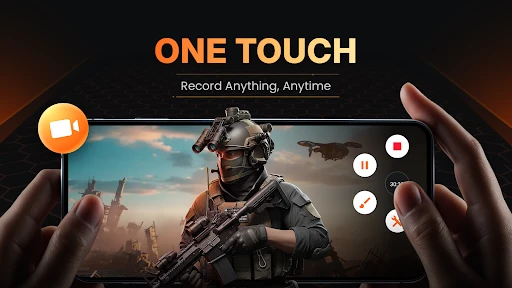
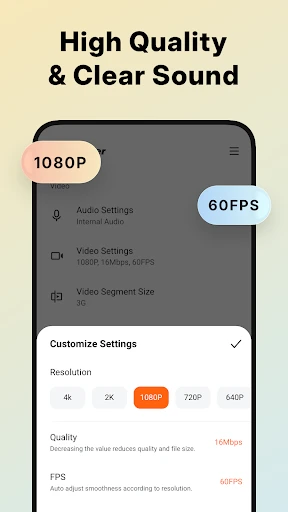
Now, on to the meat of the matter: performance. I’ve tested quite a few screen recording apps, and XRecorder is up there with the best of them. The recordings are smooth as butter. No lag, no weird glitches, just pure, crisp video. Plus, you can record in high definition, which is a massive plus if you're planning to share your videos on platforms like YouTube or Instagram.
Oh, and did I mention the audio? You can choose to record with the internal audio of your device or through the microphone, which is fantastic for commentary or voiceovers. It’s like having a mini professional studio in your pocket.
Features: More Than Just Recording
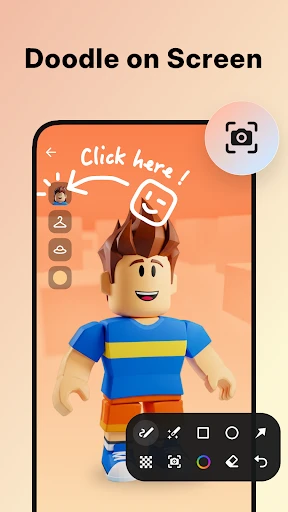
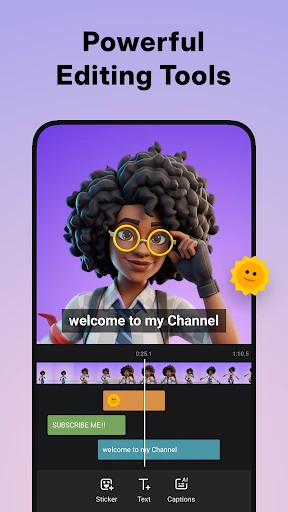
Alright, let’s chat about the features. Aside from the basic screen recording, XRecorder offers a ton of extras. One of my favorites is the ability to edit videos right after recording. You can trim your clips, add music, or even insert text. It’s super convenient not having to juggle between different apps just to polish up your recordings.
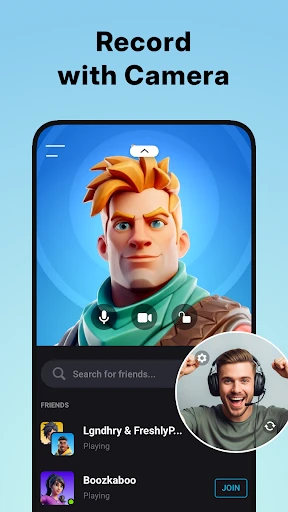
And for all you gamers out there, there’s a nifty feature where you can record your face cam while playing. It’s perfect for those reaction videos or walkthroughs. Plus, there’s no time limit on recordings, which is a godsend when you’re in the middle of an epic gaming session.
Storage and Sharing: Easy Peasy!
One thing that really stood out to me was how easy it is to manage your recordings. You can save them directly to your SD card or internal storage, which is great for keeping your device clutter-free. Sharing is a breeze too. Whether you’re sending your latest tutorial video to a friend or posting it on social media, XRecorder has got you covered with quick sharing options.
Final Thoughts: Is XRecorder Worth It?
So, what’s the verdict? XRecorder is definitely worth checking out if you need a reliable screen recording app. It’s user-friendly, packed with features, and performs like a champ. Whether you’re capturing gameplay, tutorials, or anything in between, this app won’t let you down.
In a world where good screen recorders are a dime a dozen, XRecorder stands out with its seamless performance and robust features. So go ahead, give it a spin, and see for yourself why it’s making waves!
- Developer
- InShot Inc.
- Version
- 2.4.1.2
- Installs
- 100,000,000+
- Android Version
- 5.0
- Content Rating
- Everyone
- Price
- Free
- Easy to use interface
- High-quality video output
- Supports multiple formats
- No watermark on videos
- Allows audio recording
- Contains ads
- Limited free features
- May lag on older devices
- Requires in-app purchases
- Large storage usage


