

BlockSite: Block Apps & Sites
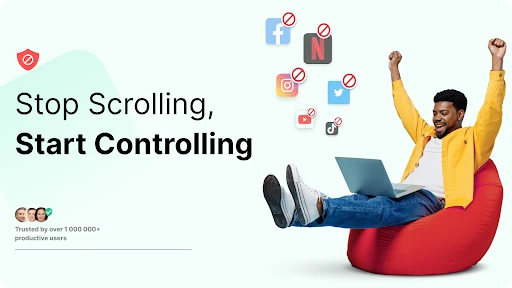
Have you ever found yourself mindlessly scrolling through social media or getting lost in a rabbit hole of web surfing when you should be working or studying? Well, my friend, I’ve been there too, and I think I’ve found the perfect little helper app that can save us from our procrastination habits. Let me introduce you to BlockSite: Block Apps & Sites, a nifty app that does exactly what it says on the tin.
What is BlockSite?
BlockSite is an intuitive app available on both Android and iOS platforms designed to help you regain control of your time and productivity. It allows you to block distracting apps and websites with just a few taps. The interface is super user-friendly, so even if you’re not particularly tech-savvy, you’ll find it easy to navigate.
Getting Started with BlockSite
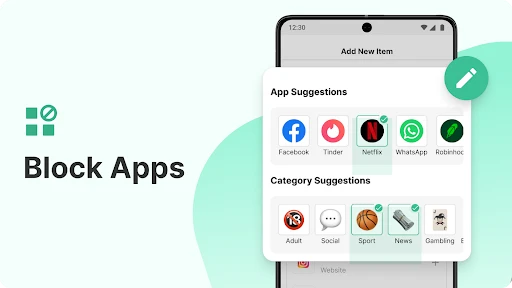
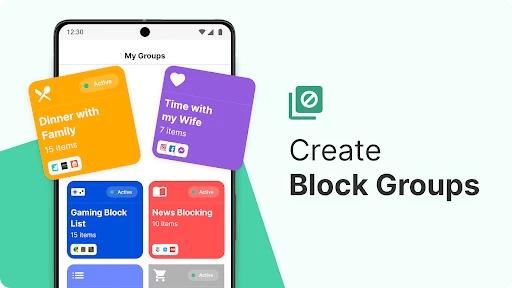
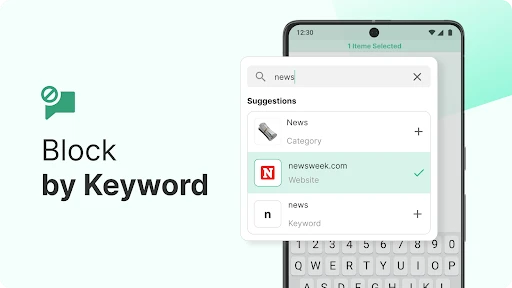
Once you download and install BlockSite, setting it up is a breeze. You start by giving the app the necessary permissions to monitor your app usage. Don’t worry, it’s all safe and secure. After that, you can either manually add apps and websites to your block list or select from pre-defined categories like social media, news, or adult content. There’s even a feature to schedule your blocking times, so you can set it and forget it.
Features That Stand Out
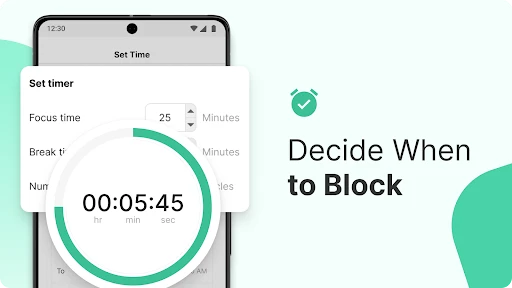
One of my favorite features of BlockSite is the "Focus Mode." It’s like having a personal productivity coach. You can set it up to block all distractions during work hours or study sessions. There’s also a "Break Mode" that lets you take scheduled breaks, so you don’t burn out. Plus, if you’re trying to cut back on your screen time, the "Insights" feature provides detailed reports on your app usage and browsing habits.
For those looking to add a bit of fun, BlockSite offers a "Motivation" feature where you can set motivational quotes or images to pop up when you try to access blocked content. It’s a cheeky reminder to stay on track and not fall back into old habits.
Why You Should Consider BlockSite
We all know how easy it is to lose track of time online, and BlockSite provides a straightforward solution. It’s not just about blocking apps and websites, but about fostering better time management and productivity habits. Whether you’re a student, a professional, or just someone looking to cut down on digital distractions, BlockSite is a versatile tool that can help you achieve your goals.
Another great aspect is its cross-device synchronization. If you’re like me and switch between your phone and tablet, you’ll appreciate how BlockSite keeps your settings consistent across all your devices. No need to worry about reconfiguring everything each time.
Final Thoughts
In a world where digital distractions are just a click away, having an app like BlockSite is a game-changer. It empowers you to take back control of your time and focus on what truly matters. Give it a try, and you might just find that you’re getting more done in less time, with fewer distractions to boot. So, if you’re ready to boost your productivity and minimize your screen time, BlockSite might just be the app you didn’t know you needed.
- Developer
- BlockSite
- Version
- 2.9.2.6.8900
- Installs
- 10,000,000+
- Android Version
- 7.0
- Content Rating
- Everyone
- Price
- Free
- User-friendly interface
- Customizable block schedules
- Sync across devices
- Password protection for settings
- Minimal battery usage
- Limited free version
- May slow down older devices
- Ads in free version
- Occasional app crashes
- Requires device admin access


