Samsung Music
Music lovers, gather around! If you're someone who thrives on good tunes, you're probably always on the lookout for the perfect app to manage your music library. Well, let me introduce you to Samsung Music, an app that's been making waves among Android users. As someone who's been using it for a while, let me share my experience with you.
Getting Started with Samsung Music
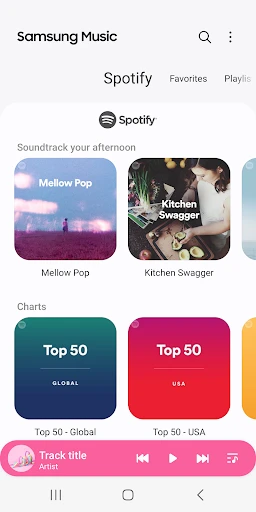
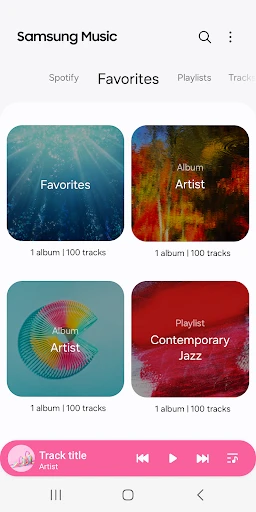
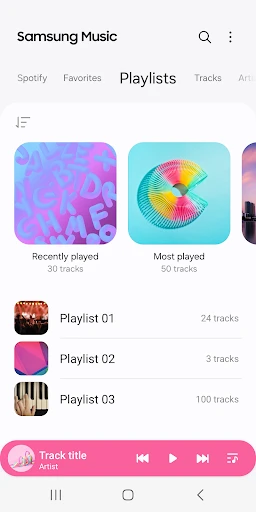
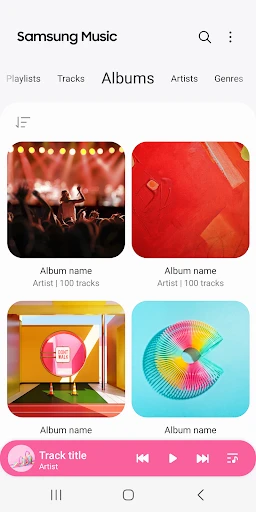
The first thing I noticed about Samsung Music is how clean and intuitive the interface is. Setting it up is a breeze, and even if you're not the most tech-savvy person, you'll find yourself navigating through your playlists like a pro. You can easily import your music files and start creating playlists in no time. Plus, the app supports a wide range of audio formats, which is a big plus for audiophiles who have varied music collections.
Features That Stand Out
One of the standout features of Samsung Music is its seamless integration with Samsung devices. If you're already in the Samsung ecosystem, this app feels like a natural extension. It syncs effortlessly with your Samsung account, allowing you to access your music across different devices.
Another feature that I absolutely love is the equalizer. It gives you the power to tweak the sound settings according to your preferences. Whether you're into bass-heavy tracks or prefer a more balanced sound, the equalizer has got you covered. And let's not forget about the sleep timer, which is a lifesaver for those who like to fall asleep to their favorite songs without worrying about their phone playing music all night long.
Listening Experience
Now, let's talk about the actual listening experience. Samsung Music delivers crystal-clear sound quality that does justice to your favorite tracks. The playback is smooth, and I haven't encountered any glitches or sudden crashes, which is always a good sign. The app also offers a "smart playlist" feature that automatically curates your music based on your listening habits. It's like having a personal DJ who knows exactly what you want to hear.
I also appreciate the fact that Samsung Music is ad-free. There's nothing more annoying than having your music interrupted by random ads, and thankfully, with this app, you don't have to worry about that.
Room for Improvement
While Samsung Music is fantastic, it's not without its quirks. For instance, the app works best on Samsung devices, and while it does function on other Android phones, some features might not be available. It's something to keep in mind if you're using a device from a different brand.
Another thing I'd love to see in future updates is better integration with streaming services. Currently, Samsung Music focuses more on your local music files, which is great, but having the option to integrate Spotify or Apple Music would take it to the next level.
In conclusion, Samsung Music is a solid choice for anyone looking to manage their music library on an Android device, especially if you're already a Samsung user. Its user-friendly interface, combined with great features like the equalizer and ad-free experience, make it a must-try app. Sure, it's got a few areas for improvement, but overall, it's an app that delivers on its promise of providing an excellent music listening experience. So, why not give it a whirl and let the music play?

- Developer
- Samsung Electronics Co., Ltd.
- Version
- 16.2.38.2
- Installs
- 1,000,000,000+
- Android Version
- 11
- Content Rating
- Teen
- Price
- Free
- User-friendly interface with easy navigation.
- Seamless integration with Samsung devices.
- Supports a wide range of audio formats.
- Offline music playback available.
- Customizable playlists and equalizer settings.
- Limited features compared to other music apps.
- Some features exclusive to Samsung devices.
- Ads may appear in the free version.
- No lyrics support for songs.
- Lacks advanced music discovery options.