
PhotoGrid: Video Collage Maker
When it comes to photo and video editing on your smartphone, there’s a plethora of apps claiming to be the best. But let me introduce you to PhotoGrid: Video Collage Maker, an app that truly lives up to its promises of creativity and ease-of-use. If you’re like me, always looking for that perfect app to spice up your social media posts, then you’re in for a treat!
Unleashing Creativity with PhotoGrid
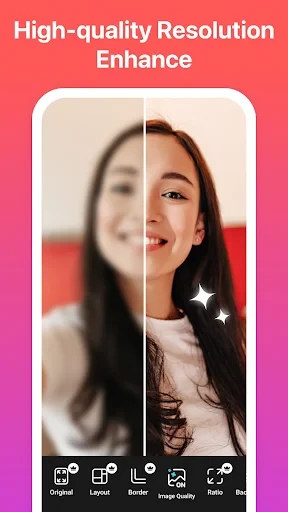
First things first, let’s dive into what PhotoGrid offers. This app is like a Swiss army knife for photo and video editing. With over 300 layouts, you can create stunning photo collages effortlessly. It doesn’t stop there; you also have the ability to customize your collages with various backgrounds, frames, and filters. The app’s interface is user-friendly, making it easy for anyone, even those who aren’t tech-savvy, to navigate through its features.
What I really love about PhotoGrid is the video collage feature. You can combine photos and videos into a single frame, adding music and text to create a dynamic visual story. It’s perfect for making birthday videos, travel diaries, or just a fun montage of your day.
Filters, Stickers, and More
Who doesn’t love a good filter? PhotoGrid offers a wide array of filters to choose from, instantly transforming your photos and videos into something magical. Whether you’re going for a vintage look or something more modern, there’s a filter for every mood. And let’s not forget the stickers! With thousands of stickers available, you can add a fun, quirky touch to your creations. From cute animals to funky sunglasses, the sticker options are endless.
Moreover, the app includes basic editing tools like cropping, resizing, and adjusting brightness and contrast. It’s a one-stop-shop for all your editing needs. And the best part? You can share your creations directly to social media platforms like Instagram, Facebook, and TikTok with just a tap.
Ease of Use and Accessibility
One of the standout features of PhotoGrid is its accessibility. The app is available on both Android and iOS, ensuring that everyone can enjoy its features regardless of their device. It occupies minimal space on your phone, which is a blessing if you’re like me and constantly battling storage issues.
The app is free to download, with an option for a premium subscription. The free version is packed with features, but if you’re looking for an ad-free experience and access to exclusive content, the premium version is worth considering.
Final Thoughts
In conclusion, PhotoGrid: Video Collage Maker is a fantastic tool for anyone looking to add a creative touch to their photos and videos. Its wide range of features, combined with its ease of use, make it a must-have app for any budding photographer or videographer. Whether you’re a social media influencer or just someone who loves to share memories with friends and family, PhotoGrid has something to offer.
So, what are you waiting for? Give PhotoGrid a try and unleash your creativity. Trust me, you won’t be disappointed!




- Developer
- PhotoGrid Corporation
- Version
- 9.04
- Installs
- 5,000,000+
- Android Version
- 9
- Content Rating
- Everyone
- Price
- Free
- User-friendly interface with intuitive navigation.
- Wide variety of collage templates available.
- High-quality video export options.
- Supports both photo and video editing.
- Frequent updates with new features.
- Contains in-app purchases for premium features.
- Advertisements can be intrusive for free users.
- Limited music library for video editing.
- Some features require a stable internet connection.
- Occasional crashes on older devices.