Google Calendar
Discovering Google Calendar: A Must-Have for the Organized Mind
If you're anything like me, juggling work, personal life, and a seemingly endless list of commitments, Google Calendar might just be your new best friend. Let me take you on a tour of this nifty app that's become my go-to for staying on top of things.
First Impressions: Sleek and User-Friendly
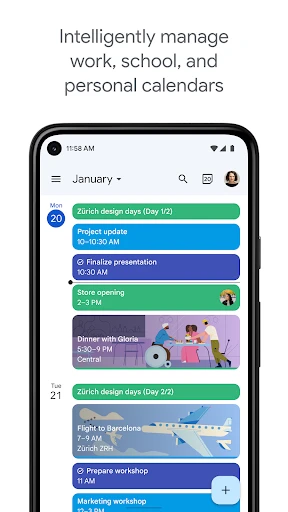
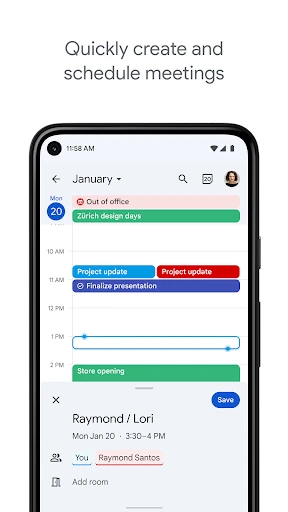
Downloading and setting up Google Calendar is a breeze. As soon as you open the app, you're greeted with a clean, intuitive interface that doesn’t overwhelm you with options. The design is minimalistic and easy on the eyes, which is always a plus when you're trying to plan your day without getting a headache. The colors are vibrant yet calming, not too flashy but enough to make each entry stand out.
Features That Make Life Easier
So, what makes Google Calendar stand out from the crowd? For starters, it syncs seamlessly across all your devices. I can't tell you how many times I've added something on my phone and had it pop up on my laptop without lifting a finger. It’s like magic, but better because it's real!
Another feature I absolutely love is the ability to share calendars with others. Whether you’re planning a group project or just trying to keep track of family events, having a shared calendar means everyone’s on the same page. Plus, you can customize notifications so you never miss a beat.
Integration at Its Best
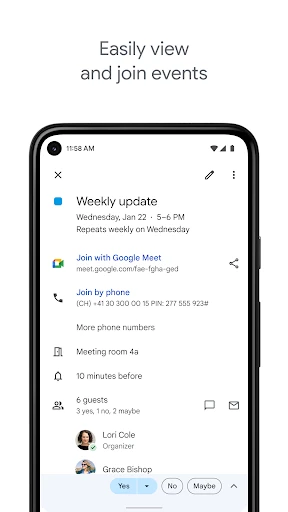
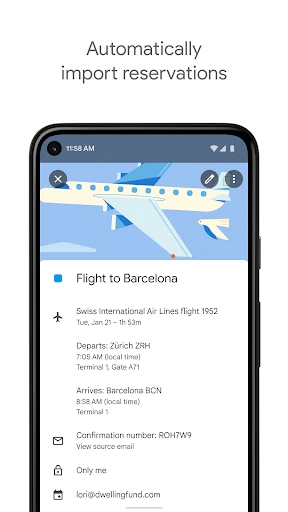
Google Calendar doesn’t just work in isolation; it plays well with other apps too. It integrates smoothly with Google Meet for those countless video calls we all have these days. You can even tie in your Gmail to automatically add events from your emails. Talk about convenience!
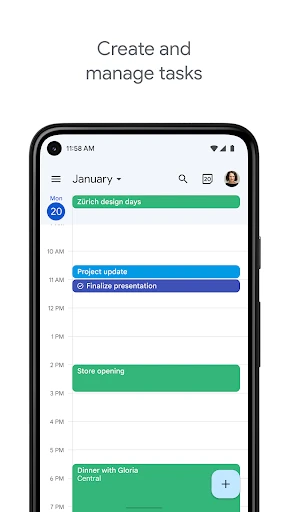
And let’s not forget about the integration with other productivity tools like Task and Keep. If you’re someone who likes to plan everything to the T, you’ll appreciate how it brings all your to-dos and notes under one roof.
Personal Touch: Customization Galore
One of my favorite things about Google Calendar is how customizable it is. You can color-code events to differentiate between work, personal, and other activities. It's a small feature, but trust me, it makes a world of difference when you’re scanning your week at a glance.
And if you’re someone who likes to get a little creative, you can even set different views for your calendar – daily, weekly, monthly – whatever floats your boat. It’s all about making it work for you, not the other way around.
Final Thoughts: Why You Should Give It a Go
In a world where time is of the essence, having a reliable calendar app is crucial. Google Calendar is not just a tool; it’s your personal assistant that helps you navigate through life’s chaos with grace. Whether you’re a student, a professional, or just someone trying to keep track of their day-to-day, this app has something to offer.
So, if you haven’t already, give Google Calendar a whirl. You might just find yourself wondering how you ever managed without it. And remember, staying organized doesn’t mean you have to sacrifice style or simplicity. With Google Calendar, you truly get the best of both worlds.
- Developer
- Google LLC
- Version
- Varies With Device
- Installs
- 5,000,000,000+
- Android Version
- Varies With Device
- Content Rating
- Everyone
- Price
- Free
- Syncs with multiple devices seamlessly.
- Integrates with other Google services.
- Allows setting of reminders and notifications.
- User-friendly interface with easy navigation.
- Customizable event colors for better organization.
- Limited offline functionality.
- Requires a Google account to use.
- Privacy concerns with data sharing.
- Occasional sync issues with other apps.
- Can be overwhelming with too many events.