LINE: Calls & Messages
In the ever-evolving world of instant messaging, LINE stands out as a versatile app offering more than just the basics. Whether you’re looking to chat, make calls, or explore a myriad of features, LINE: Calls & Messages has something for everyone. Let me walk you through why this app might just become your new favorite virtual hangout spot.
Seamless Communication at Your Fingertips
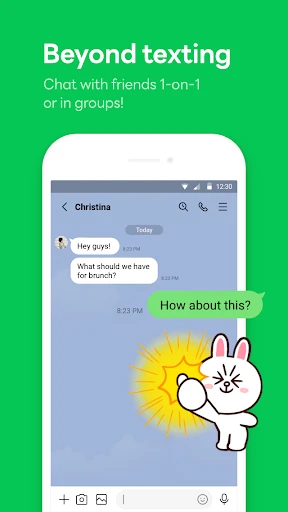
First off, the primary reason why most folks turn to LINE is for its robust communication features. The app lets you send unlimited messages, make voice calls, and conduct video calls without a hitch. I’ve personally found the call quality to be top-notch, even when my Wi-Fi signal wasn’t at its best. Plus, the video calls are clear, with minimal lag, making it perfect for those virtual catch-ups with friends or family who live far away.
More Than Just Text
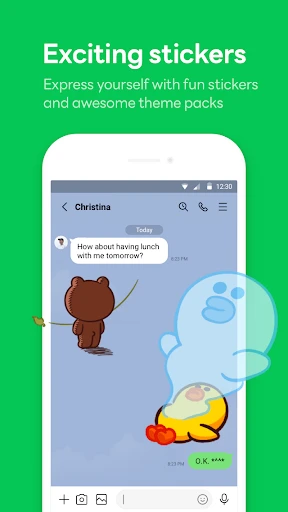
Now, if you’re someone who loves to express themselves beyond words, you’re in luck. LINE offers a plethora of stickers and emojis that can brighten up any conversation. The sticker store is packed with options, ranging from cute and quirky to downright hilarious. Trust me, once you start using LINE’s exclusive stickers, there’s no going back!
A Social Hub You Didn’t Know You Needed
Beyond messaging, LINE transforms into a mini social network. You can follow official accounts ranging from celebrities to news portals, and stay updated on the latest trends. I particularly enjoy the timeline feature, which is similar to a Facebook wall, where you can share updates, images, and even short videos. It’s a great way to stay connected with what’s happening in your circle.
Privacy and Security
In today’s digital age, privacy is a big deal, and LINE gets it. The app offers end-to-end encryption, ensuring your chats are private and secure. There’s also a nifty feature called ‘Hidden Chats’ for those conversations you’d rather keep under wraps. You can set a timer for messages to disappear, adding an extra layer of privacy.
Entertainment Galore
But wait, there’s more! LINE isn’t just about communication; it’s a hub for entertainment. From LINE Games that are bound to keep you hooked for hours to LINE Today, a news service that keeps you informed, there’s never a dull moment. I’ve spent countless hours exploring LINE Manga and LINE Webtoon, which offer a vast library of comics and webtoons for those lazy Sunday afternoons.
Easy-to-Use Interface
One of the things I appreciate most about LINE is its user-friendly interface. Whether you’re tech-savvy or not, navigating through the app is a breeze. The layout is intuitive, and everything is where you’d expect it to be. Setting up an account is straightforward, and syncing across devices is seamless, ensuring you never miss a beat.
Final Thoughts
All in all, LINE: Calls & Messages isn’t just an app; it’s an experience. It caters to both your communication and entertainment needs with flair. Whether you’re catching up with a friend, sharing your day with your followers, or diving into a webtoon, LINE has got you covered. If you haven’t tried it yet, I’d say it’s high time you do. Download it, explore its features, and let it redefine how you connect with the world.


- Developer
- LINE (LY Corporation)
- Version
- Varies With Device
- Installs
- 1,000,000,000+
- Android Version
- Varies With Device
- Content Rating
- Everyone
- Price
- Free
- Free voice and video calls
- User-friendly interface
- Supports large group chats
- Wide variety of stickers
- Secure with end-to-end encryption
- Consumes a lot of battery
- Occasional connectivity issues
- Limited customization options
- Ads can be intrusive
- Large app size