
Okta Verify
Alright folks, let’s dive into the world of digital security with Okta Verify. Now, I know what you’re thinking – security apps can sometimes be a snooze fest, right? But trust me, Okta Verify is like that dependable friend who’s got your back, ensuring your online accounts are as secure as Fort Knox. Let’s get into the nitty-gritty and see what makes this app tick.
What’s the Deal with Okta Verify?
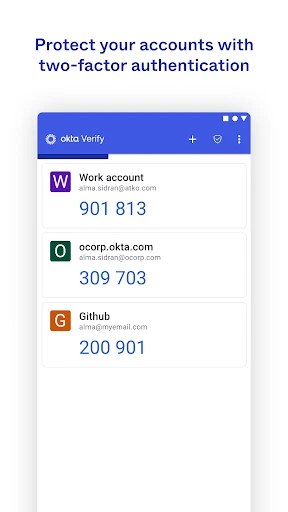
First off, Okta Verify is a multi-factor authentication app. In simpler terms, it adds an extra layer of security to your online accounts. Think of it as a bouncer that only lets you into the club if you’ve got the right credentials. You download the app, link it to your accounts, and voila – enhanced security!
Setting It Up
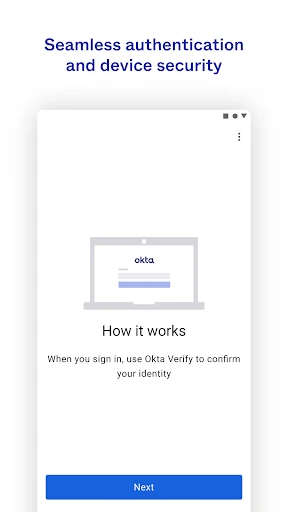
Setting up Okta Verify is a breeze. I was pleasantly surprised at how user-friendly it was. You just download the app from the Google Play Store or Apple’s App Store, follow a few simple steps to pair it with your Okta account, and you’re good to go. It’s like setting up a new gadget – pretty straightforward, even for the less tech-savvy among us.
How Does It Work?
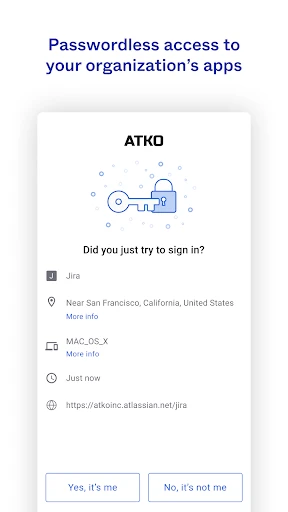
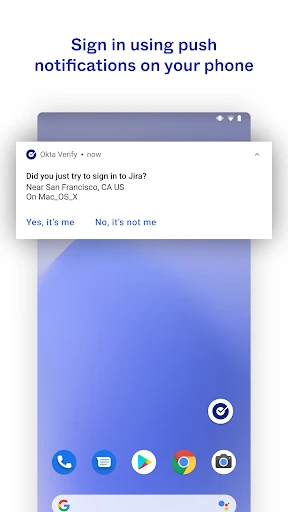
Once you’ve got it set up, Okta Verify sends you a push notification whenever there’s a login attempt to your linked accounts. You can approve or deny the attempt with a simple tap on your phone. It’s quick and efficient – no more fumbling around with codes or waiting for text messages.
User Experience
Using Okta Verify feels seamless. The interface is clean and intuitive, which is a big win in my book. I didn’t experience any lags or crashes, which is always a bonus. Plus, the app doesn’t bombard you with unnecessary notifications – it only alerts you when it matters.
Security Features
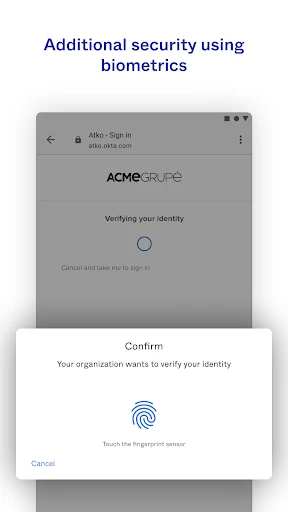
Now, let’s talk about the security features because that’s the bread and butter of Okta Verify. It supports fingerprint and face recognition, which makes logging in not only secure but also super convenient. And if you’re worried about privacy, rest assured that Okta takes it seriously. Your data stays encrypted and secure.
Honestly, in a world where digital threats are ever-present, having an app like Okta Verify is a no-brainer. It gives you peace of mind knowing your accounts are protected. Plus, it’s free – so you don’t have to shell out any bucks for this added security.
The Final Verdict
So, what’s the final word on Okta Verify? If you’re after a reliable, easy-to-use security app that doesn’t compromise on features, then this one’s for you. It’s perfect for both individuals and businesses looking to bolster their security without any hassle. And let’s be real, who doesn’t want that?
To wrap it up, Okta Verify gets a thumbs up from me. It’s efficient, user-friendly, and does exactly what it promises – keeping your accounts safe and sound. So go ahead, give it a whirl, and let it safeguard your digital life.
- Developer
- Okta Inc.
- Version
- Varies With Device
- Installs
- 10,000,000+
- Android Version
- Varies With Device
- Content Rating
- Everyone
- Price
- Free
- Secure authentication process.
- Easy to set up and use.
- Supports multiple accounts.
- Push notifications for quick access.
- Integrates well with other apps.
- Limited offline functionality.
- May drain battery quickly.
- Requires internet connection.
- Limited customization options.
- Not suitable for all apps.