OBD Fusion (Car Diagnostics)
Getting Started with OBD Fusion
If you’re anything like me and love to keep tabs on what’s happening under the hood of your car, then OBD Fusion might just be the app you’ve been searching for. Available on both Android and iOS, this app transforms your smartphone into a powerful diagnostic tool, giving you insights into your vehicle’s health like never before.
Setting Up Your OBD Fusion
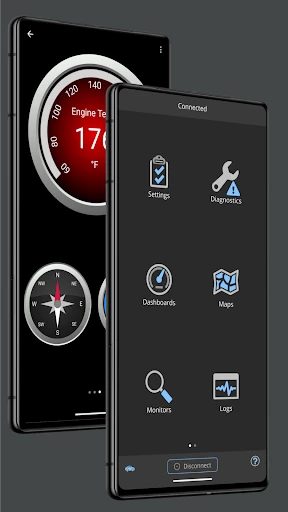
First things first, let’s talk about setting up OBD Fusion. You’ll need an OBD-II adapter to get started, which plugs into your car’s OBD-II port. Don’t worry if you don’t know where that is; the app has got you covered with handy guides. Once you’ve plugged it in, connect it to your phone via Bluetooth or Wi-Fi, and you’re all set to dive into the world of car diagnostics.
Exploring the Features
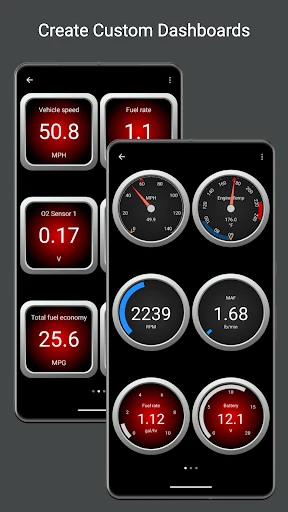
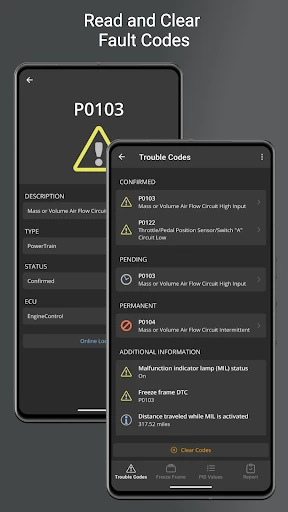
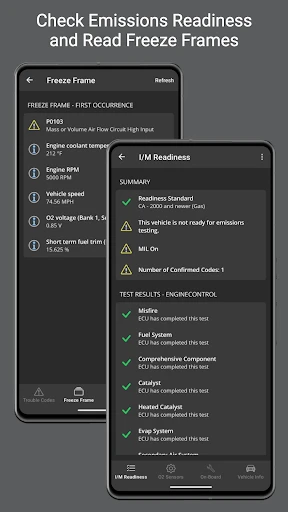
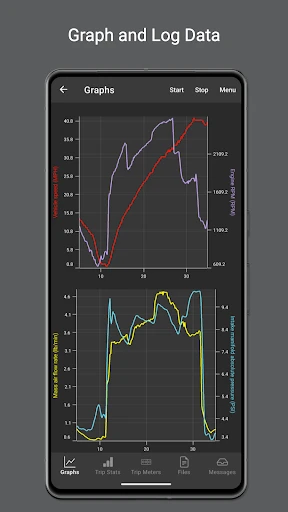
Now, onto the good stuff! OBD Fusion offers a plethora of features that are both informative and user-friendly. From reading and clearing diagnostic trouble codes (DTCs) to monitoring real-time data like speed, RPM, and fuel consumption, this app does it all. There’s something incredibly satisfying about being able to see what’s going on with your car in real-time, and it’s especially handy if you’re trying to improve your fuel efficiency or troubleshoot issues before they become serious problems.
Customizable Dashboards
One of my favorite features has to be the customizable dashboards. You can tailor these to display the data you’re most interested in, whether that’s engine performance, fuel usage, or even the temperature of each cylinder. It’s like having a mini command center in your pocket, and trust me, it’s as cool as it sounds.
User Experience
OBD Fusion is designed with the user in mind. The interface is intuitive and easy to navigate, even if you’re not a car enthusiast. The app provides detailed explanations for each diagnostic code, so you’re not left scratching your head wondering what ‘P0420’ means. Plus, their customer support is pretty responsive, which is always a bonus.
Compatibility and Updates
The app is compatible with a wide range of vehicles, which is great if you have more than one car or are thinking of switching in the future. Regular updates ensure that OBD Fusion stays current with new vehicle models and diagnostic protocols, so you’re always getting the most accurate data possible.
Final Thoughts
In conclusion, OBD Fusion is a fantastic tool for anyone interested in car diagnostics. Whether you’re a seasoned mechanic or just someone who wants to keep their vehicle in tip-top shape, this app offers invaluable insights at your fingertips. It’s easy to use, packed with features, and offers a level of detail that can help you avoid costly trips to the mechanic. So, if you’re looking to take control of your car’s health, give OBD Fusion a try – you won’t regret it!
- Developer
- OCTech, LLC
- Version
- 6.7.0
- Installs
- 50,000+
- Android Version
- 6.0
- Content Rating
- Everyone
- Price
- $4.99
- Comprehensive real-time car diagnostics.
- User-friendly interface with easy navigation.
- Customizable dashboards for personalized view.
- Supports multiple vehicle brands and models.
- Regular updates enhance functionality.
- Requires a compatible OBD-II adapter.
- Advanced features may need in-app purchases.
- Initial setup can be time-consuming.
- Some data may overwhelm casual users.
- Limited support for older car models.