Car Gauge Pro (OBD2 + Enhance)
Rev Up Your Engines with Car Gauge Pro (OBD2 + Enhanced)
Hey there, car enthusiasts and tech aficionados! If you’re like me and love diving under the hood of your car to see what makes it tick, then you’re in for a treat. Today, I’m going to chat about an app that’s been a game changer in my automotive adventures – Car Gauge Pro (OBD2 + Enhanced).
Getting Started with Car Gauge Pro
First things first, let’s talk about the setup. You’ll need an OBD2 adapter, which connects to your car’s diagnostic port. Once you’ve got that sorted, downloading the Car Gauge Pro app is as easy as pie. It’s available on both Android and iOS, so you’re covered no matter what device you’re rocking.
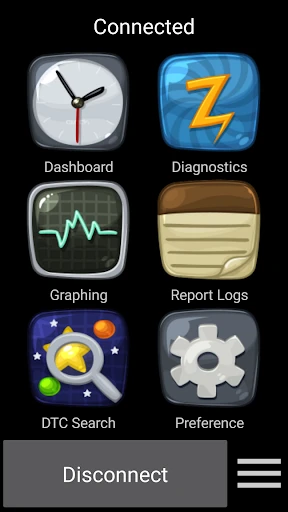
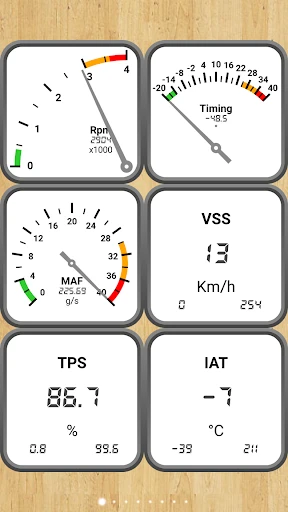
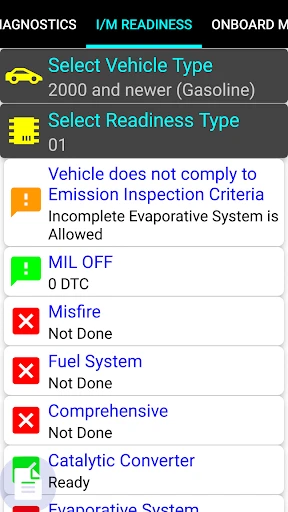
The interface is pretty intuitive. I remember feeling a bit overwhelmed when I first opened it – so many numbers and graphs! But once you get the hang of it, it’s like having a personal mechanic riding shotgun with you. The app reads your car’s data in real-time, offering insights into your vehicle’s performance and health.
Diving into Features
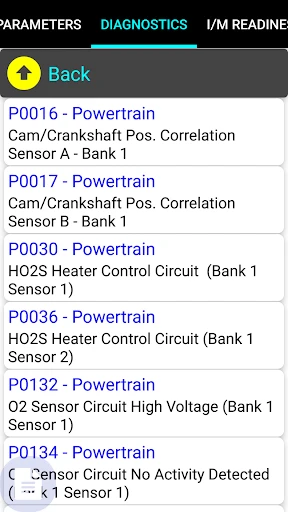
Now, let’s get into the nitty-gritty of what this app can do. One of the standout features is the ability to read and clear diagnostic trouble codes. We’ve all been there – that pesky check engine light pops on, and it’s a trip to the mechanic. With Car Gauge Pro, you can see exactly what’s causing that light and even clear the codes yourself if it’s something minor.
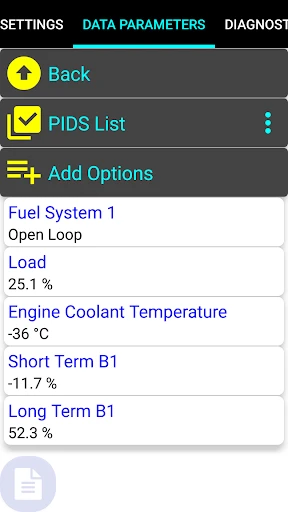
Another cool feature is the enhanced diagnostics. This isn’t just your run-of-the-mill OBD2 scanner. It offers advanced diagnostics for various car brands, giving you a deeper understanding of your vehicle’s systems. Whether you’re checking fuel trims or oxygen sensor readings, this app has got you covered.
User Experience
Let’s talk about user experience – because, honestly, that can make or break an app. Car Gauge Pro is designed with the user in mind. The layout is clean, and the data is presented in a way that’s easy to digest. One of my favorite things is the graph displays, which allow you to track your car’s performance over time. It’s like having a fitness tracker for your vehicle!
Plus, the app doesn’t bombard you with ads, which is a huge win in my book. It keeps things smooth and lets you focus on what matters – your car.
Final Thoughts
So, is Car Gauge Pro worth the download? If you’re someone who loves taking control of your vehicle’s maintenance and enjoys a bit of tech, then absolutely. It’s a handy tool that keeps you informed and empowers you to make decisions about your car’s health.
Whether you’re a seasoned gearhead or just someone who likes to know what’s going on under the hood, Car Gauge Pro offers a comprehensive suite of tools that are both informative and easy to use. So go ahead, give it a spin and let me know how it revs your engine!
- Developer
- OBD Scantech
- Version
- 8.29
- Installs
- 1,000+
- Android Version
- 5.0
- Content Rating
- Everyone
- Price
- $8.99
- Comprehensive OBD2 diagnostics.
- User-friendly interface.
- Real-time data monitoring.
- Supports multiple vehicle makes.
- Customizable dashboard.
- Limited free features.
- Occasional connectivity issues.
- Interface can be overwhelming.
- Battery consumption is high.
- Requires OBD2 adapter purchase.