Nextcloud News
Alright, let me take you on a little journey through the digital wonderland of Nextcloud News. If you’re like me and love staying updated with the latest happenings without the constant bombardment of ads, then you're in for a treat. I spent a good chunk of time exploring this app, and let me tell you, it’s like having your own personalized news station right in your pocket.
A Seamless News Experience
One of the first things I noticed about Nextcloud News is how seamlessly it integrates with your Nextcloud account. If you’re already on the Nextcloud bandwagon, adding this app to your suite of tools feels like a natural extension. It syncs your feeds effortlessly, and guess what? It’s all open-source. I’m talking about transparency and control at your fingertips, which is something we all can appreciate in this age of digital privacy concerns.
Customizable Feed for the Win
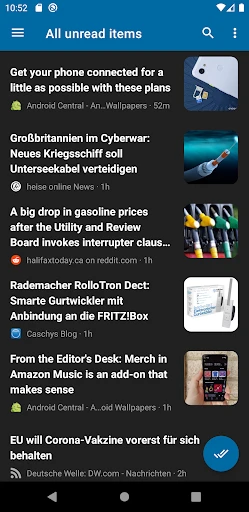
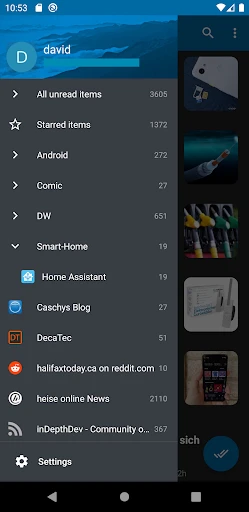
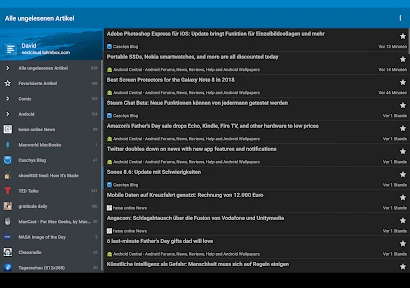
The app allows you to curate your news feed exactly the way you want it. You can subscribe to your favorite RSS feeds, and it supports a range of formats, so you’re not restricted in any way. I found this feature incredibly handy because I could filter through the noise and focus on the content that truly matters to me. And the best part? The app doesn’t pelt you with ads every five seconds. Hallelujah!
User-Friendly Interface
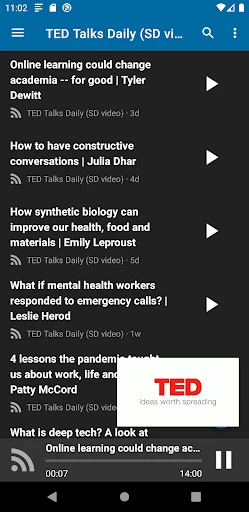
Let’s talk about the user interface. It’s clean, intuitive, and pretty much anyone can navigate it without needing a manual. I’m not the most tech-savvy person, but getting around Nextcloud News was a breeze. It has this minimalist design that doesn’t overwhelm you with too many options, yet it’s feature-rich enough to satisfy even the most discerning users.
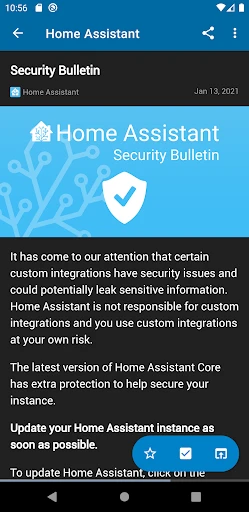
Also, the reading experience is top-notch. The text is clear and easy on the eyes, which is perfect for those late-night scrolling sessions. I also love that you can switch between light and dark modes depending on your preference or the time of day. It’s these little touches that make a big difference.
Offline Reading Capability
Now, this is a feature I didn’t know I needed until I had it. The offline reading capability means you can download your articles when you have a connection and peruse them later when you’re offline. This came in handy during my commute when I was in a no-signal zone. It’s like having your library that travels with you.
In conclusion, Nextcloud News is a fantastic app for anyone who loves staying informed without the hassle. It combines functionality, privacy, and ease of use in a neat little package. Whether you’re a news junkie or just someone who likes to catch up on the latest trends, this app has got you covered. So why not give it a whirl? Trust me, your future well-informed self will thank you.
- Developer
- David Luhmer
- Version
- Varies With Device
- Installs
- 5,000+
- Android Version
- Varies With Device
- Content Rating
- Everyone
- Price
- $2.49
- Open-source and free to use
- Cross-platform compatibility
- Offers offline reading
- Supports RSS
- Atom feeds
- Requires self-hosted server setup
- Limited third-party integrations
- May need technical expertise
- Occasional sync issues
- Lacks advanced features of some competitors