NotanIzer
Ever wondered why every photo you take seems to lack that creative punch? Enter NotanIzer, a nifty app that transforms your photos into stunning black-and-white compositions, helping you explore the art of Notan. Now, if you’re scratching your head and asking, "What on earth is Notan?" let’s dive right into it.
Exploring the Art of Notan
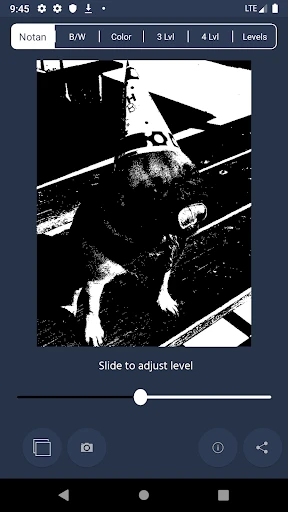
Notan is a Japanese term meaning "light-dark balance." It's an artistic concept that plays with the interplay of light and dark to create a cohesive image. With NotanIzer, you can experiment with this technique right from your smartphone. The app allows you to convert your photos into striking monochrome masterpieces, highlighting contrasts in ways you never imagined possible.
First Impressions and User Interface
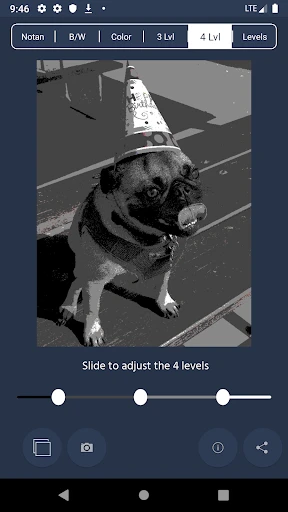
Upon launching NotanIzer, the first thing that caught my eye was its intuitive interface. The design is minimalistic yet functional, ensuring you don’t get overwhelmed with options. It’s like the app whispers, "Hey, focus on your creativity, not on fumbling through menus." The navigation is smooth, and everything is where you’d expect it to be, making it easy for even the most tech-challenged among us.
Features that Stand Out
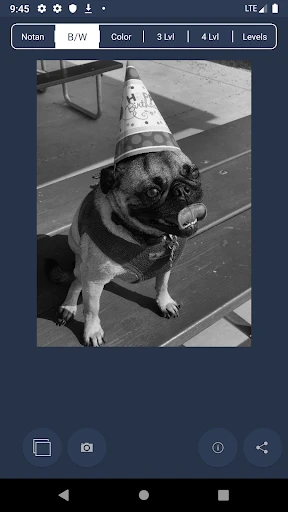
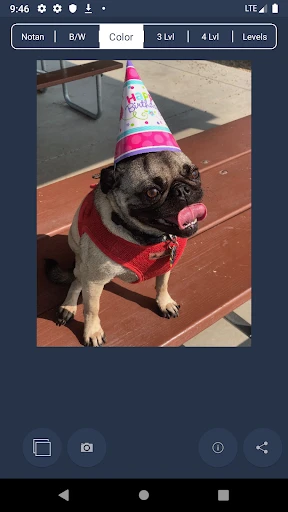
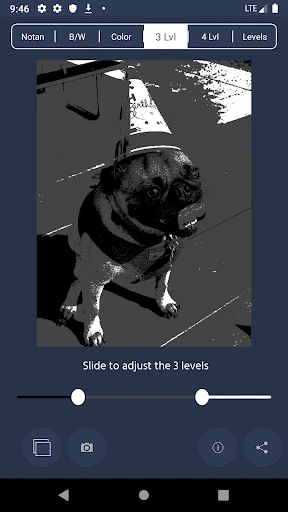
Now, let’s talk features. NotanIzer offers a variety of filters that adjust the light and dark balance in your photos. You can customize the contrast levels to suit your artistic vision. And the best part? It’s not just for existing photos. The app lets you capture images directly, applying Notan effects in real-time. There’s something oddly satisfying about seeing your composition come to life the moment you click the shutter.
Moreover, for those who like a bit more control, the app provides sliders to fine-tune the brightness and contrast. It’s like having a portable darkroom in your pocket. And if you’re someone who loves sharing your creativity, NotanIzer makes it easy to export your images to social media or save them to your gallery.
Performance and Usability
Performance-wise, NotanIzer runs like a dream. I didn’t experience any lag, which is a major plus when you’re in the creative zone. The app processes images quickly, so you’re not left twiddling your thumbs waiting for a filter to apply. It’s clear that the developers prioritized a seamless user experience, and it shows.
One of the things I genuinely appreciate is how NotanIzer caters to both beginners and seasoned artists. If you’re just starting, the preset filters give you a great jumping-off point. For the more experienced, the manual adjustments offer the flexibility to experiment.
Final Thoughts
In a world overflowing with photo editing apps, NotanIzer stands out by offering something truly unique. It doesn’t try to be everything to everyone, but rather, it focuses on doing one thing exceptionally well—harnessing the beauty of light and dark. Whether you’re an artist looking to explore new techniques or just someone who enjoys tinkering with photos, NotanIzer is definitely worth checking out. It’s like having a little piece of art school in your pocket, ready to inspire at any moment.
So, next time you’re scrolling through your camera roll, wondering how to add a touch of creativity, remember NotanIzer. It might just be the tool you need to see your photos in a whole new light. Literally.
- Developer
- bigpantsgroup
- Version
- 2.97
- Installs
- 5,000+
- Android Version
- 7.0
- Content Rating
- Everyone
- Price
- $1.99
- User-friendly interface enhances accessibility.
- Fast processing speeds up task completion.
- Customizable settings for personalized use.
- Supports multiple file formats for flexibility.
- Regular updates improve functionality.
- Limited features in the free version.
- Occasional bugs disrupt user experience.
- Requires internet for full functionality.
- Ads can be intrusive without purchase.
- Customer support response can be slow.