Print Photo - Print to Size
Have you ever found yourself scrolling through your phone’s photo gallery, reminiscing over all those cherished memories, and thought, "Wow, I’d love to print these out, but I wish I could adjust the size to fit the frames I have"? If so, then Print Photo - Print to Size might just be the app you’ve been dreaming about.
What is Print Photo - Print to Size?
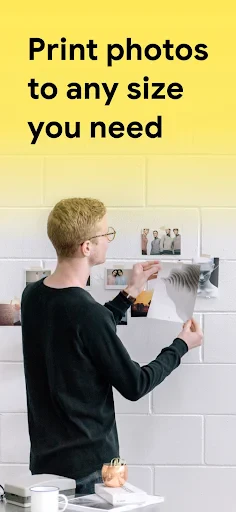
Okay, let’s dive right in. Print Photo - Print to Size is this nifty little app that lets you print your favorite photos directly from your phone, and the best part? It allows you to customize the size to perfectly fit your needs. No more awkward, "almost fits but not quite" photos in your frames. It’s available for both Android and iOS, so no one’s missing out.
Getting Started
First things first, downloading and setting up the app is a breeze. Head over to the Google Play Store or Apple’s App Store, hit that download button, and you’re halfway there. The user interface is super intuitive. I didn’t even need to look at a manual or tutorial video—everything’s pretty straightforward. Once installed, the app quickly syncs with your photo gallery, so you can start selecting pics to print almost immediately.
Features that Stand Out
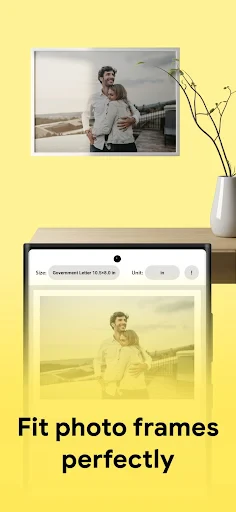
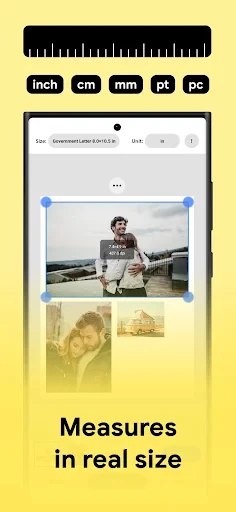
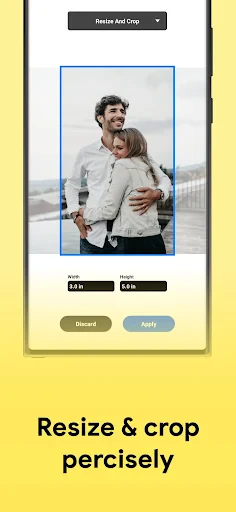
What really sets Print Photo - Print to Size apart is its ability to adjust photo sizes with just a swipe of your finger. You can choose standard sizes or go totally custom. Have a quirky frame that needs a photo with dimensions not typically offered? Not a problem! This app has got your back.
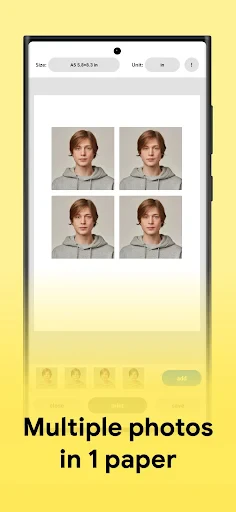
Plus, the app supports multiple print formats. Whether you need a 4x6 for your desk or an 8x10 for your living room wall, you’re covered. Oh, and did I mention the border options? You can add a border to your photos if you’re feeling fancy, or keep it simple with borderless prints. It’s all about giving you options!
Seamless Printing Experience
Now, I know what you’re thinking, "Great, but how’s the actual printing process?" Honestly, it’s smooth sailing. The app connects to your printer via WiFi, and the print quality is surprisingly impressive. I tried printing on both standard and photo paper, and the results were consistently good. The colors were vibrant, and the details were crisp. There's nothing worse than a pixelated print, and thankfully, that's not an issue here.
My Personal Experience
I decided to give it a whirl with some vacation photos and a few family portraits. Setting the size and hitting print was almost therapeutic. Watching those images come to life on paper made me appreciate the digital age we live in. It’s like magic, but better—because it’s real!
One thing that I found particularly useful was the app’s ability to save my custom sizes. I didn’t have to redo my settings every time I wanted to print more photos. Talk about a time-saver!
Final Thoughts
In a world where everything is digital and fleeting, there’s something incredibly satisfying about holding a physical photo in your hand. Print Photo - Print to Size makes it easy to bring those digital memories into the real world, all while offering customization that fits your unique style.
If you love photography or simply enjoy displaying your memories around your home, this app is definitely worth checking out. It’s user-friendly, versatile, and delivers on its promises. So go ahead, give it a try, and start printing those memories today. You won’t regret it!
- Developer
- TAPUNIVERSE
- Version
- 1.2.1
- Installs
- 10,000+
- Android Version
- 6.0
- Content Rating
- Everyone
- Price
- $2.99
- User-friendly interface.
- Variety of print sizes.
- High-quality print output.
- Supports multiple file formats.
- Seamless integration with cloud services.
- Limited free features.
- Requires in-app purchases.
- Occasional app crashes.
- Needs stable internet connection.
- Print quality varies by printer.