Meta Ads Manager
If you’re anything like me, juggling multiple ad campaigns can feel like herding cats. Enter Meta Ads Manager, a tool that claims to be the ultimate companion for anyone diving into the world of digital advertising. But does it really deliver, or is it just another app promising more than it can offer? I took it for a spin, and here’s my take on it.
Getting Started with Ease
First things first, downloading the Meta Ads Manager app was a breeze, available for both Android and iOS. Once installed, the first thing that greets you is a neat, user-friendly interface. The dashboard is clean and intuitive, making it easy even for beginners to navigate through their ad campaigns. I was able to link my Facebook and Instagram accounts in a snap, which was a huge plus.
Features That Stand Out
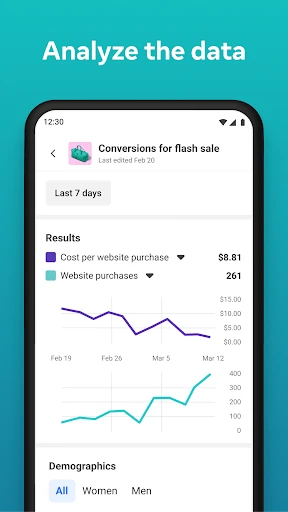
One of the standout features of this app is the ability to manage multiple ad accounts without breaking a sweat. I could switch between different campaigns and see their performance metrics in real-time. This feature is particularly handy for small business owners and marketers who are constantly on the move and need to make quick adjustments to their ads.
The app also offers detailed analytics that are crucial for assessing the effectiveness of your ads. From impressions to clicks and conversions, you get a comprehensive overview of how your ads are performing. I found the analytics section to be quite detailed, yet simple enough to understand without having a PhD in data science.
What Sets It Apart?
One thing that really sets Meta Ads Manager apart is its notification system. You can set up alerts for whenever your ads hit certain metrics or thresholds, which is a lifesaver for busy marketers. Imagine getting a notification when your ad is performing exceptionally well, or when it needs a little tweak. This feature alone can help optimize ad spending and increase ROI.
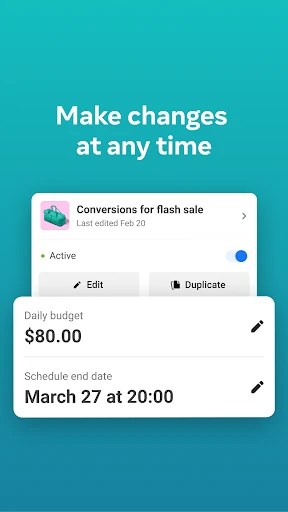
Moreover, the app’s integration with Facebook and Instagram is seamless. You can easily create, edit, and manage ads directly from the app, which saves a lot of time and hassle. I was particularly impressed with the creative tools available. They allow you to tweak your ad creatives on the go, which is perfect for those last-minute changes.
Final Thoughts
In conclusion, Meta Ads Manager is a solid app for anyone serious about digital marketing. It’s not just for the big players; small businesses and solo entrepreneurs can benefit greatly from its features. The app’s ability to streamline ad management and provide actionable insights is impressive. While it might not revolutionize your ad strategy overnight, it certainly makes managing ads a whole lot easier and more efficient. So, if you’re looking to take your ad game to the next level, this app is definitely worth a try.



- Developer
- Meta Platforms, Inc.
- Version
- 428.0.0.72.109
- Installs
- 10,000,000+
- Android Version
- Varies With Device
- Content Rating
- Everyone
- Price
- Free
- User-friendly interface for beginners.
- Comprehensive analytics dashboard.
- Real-time ad performance tracking.
- Seamless integration with other Meta apps.
- Customizable ad creation tools.
- Requires constant internet connection.
- Limited functionality on mobile version.
- Complex for non-tech users.
- Occasional bugs in ad reports.
- High learning curve for advanced features.