

Lightroom Photo & Video Editor
We all love capturing moments, don't we? Whether it's a scenic sunset, a bustling cityscape, or just a random selfie, our smartphones have become our go-to cameras. But what happens when you want to give those photos a little extra love and care? Enter Lightroom Photo & Video Editor, a powerhouse app that promises to transform your ordinary shots into extraordinary ones.
The Magic of Lightroom
First things first, let me tell you, Lightroom is not just your average photo editor. It's a full-fledged editing suite that packs a punch with its versatile features. The app is available for both iOS and Android, so no matter what device you're using, you're covered.
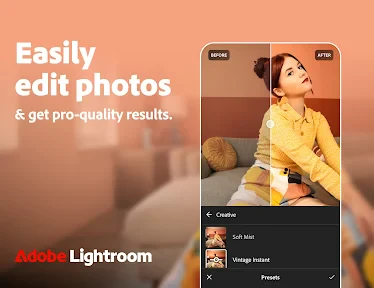
Once you open the app, you're greeted with a clean, intuitive interface that’s surprisingly easy to navigate. You know how some apps can be overwhelming with too many buttons and options? Well, Lightroom manages to keep it simple yet effective. There’s a certain joy in tweaking your photos with sliders and seeing immediate results, and Lightroom nails this experience.
Features That Stand Out
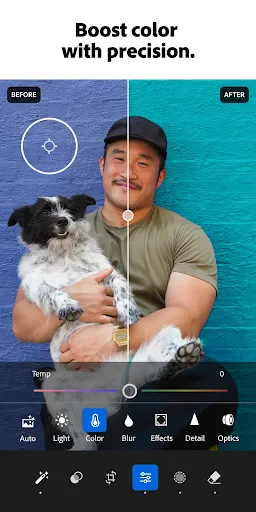
What really sets Lightroom apart from the crowd is its range of editing tools. You can adjust exposure, contrast, and highlights with precision. The color correction tools are top-notch, allowing you to play with hues and saturation like a pro. And let's not forget the presets! Oh boy, the presets are a game-changer. Whether you're going for a vintage look or a modern aesthetic, there's a preset for every mood.
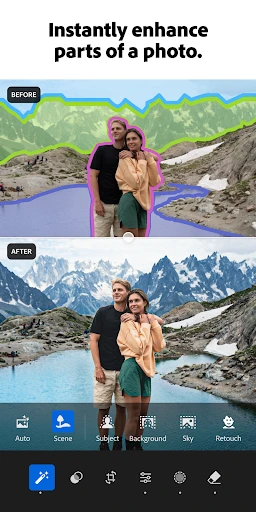
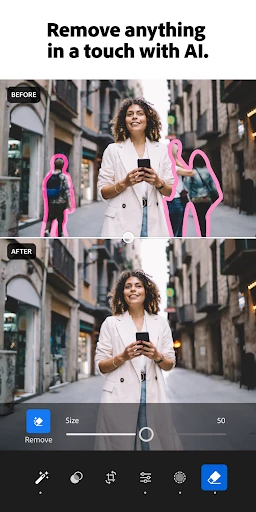
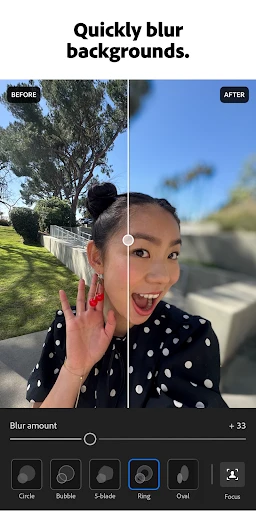
But wait, there's more! Lightroom also offers advanced features like selective edits and healing brushes that are usually reserved for desktop software. It's like having a mini Photoshop right in your pocket. And for those who love shooting videos, Lightroom doesn’t disappoint. The video editing capabilities are robust, letting you fine-tune every frame with the same precision as photos.
Seamless Integration and Cloud Sync
Another aspect worth mentioning is Lightroom’s integration with Adobe's Creative Cloud. This means all your edits are synced across devices. Start editing on your phone and finish on your tablet or desktop without missing a beat. It's perfect for those who are always on the go and need their work accessible anytime, anywhere.
Is It Worth the Hype?
Now, you might be wondering, is Lightroom really worth all the hype? Well, speaking from experience, it absolutely is! Whether you're a casual photographer or a professional, the app offers something for everyone. The basic version is free, which is great for beginners, but if you're serious about your craft, the premium features are definitely worth the investment.
In conclusion, Lightroom Photo & Video Editor is a must-have app for anyone passionate about photography and videography. Its blend of powerful features, user-friendly design, and seamless cloud integration make it a standout choice in the crowded world of photo editing apps. So, go ahead, download it, and let your creativity run wild!
- Developer
- Adobe
- Version
- Varies With Device
- Installs
- 100,000,000+
- Android Version
- 8.0
- Content Rating
- Everyone
- Price
- Free
- Intuitive user interface for beginners.
- Wide range of editing tools available.
- Supports RAW photo editing.
- Cloud sync feature for easy access.
- Regular updates with new features.
- Requires subscription for full features.
- Can be resource-intensive on devices.
- Limited video editing capabilities.
- Occasional lag on older devices.
- No offline editing without downloads.


