Learn To Draw Step By Step
If you've ever found yourself doodling on the corner of your notebook or dreaming of creating breathtaking sketches but didn't know where to start, then Learn To Draw Step By Step might just be the app for you. This app aims to take you from a stick figure amateur to a sketching savant in no time. But does it deliver on its promise? Let's dive in and find out.
Getting Started with Your Artistic Journey
Opening up Learn To Draw Step By Step feels like stepping into a virtual art classroom. The interface is welcoming, with a clean layout that's easy to navigate. The app kicks off with a tutorial that guides you through its features, ensuring you don’t feel lost even if you’re just starting out. The learning curve is gentle, making it accessible for both complete beginners and those looking to refine their skills.
A Treasure Trove of Lessons
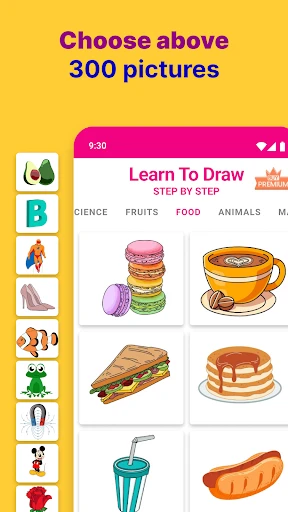
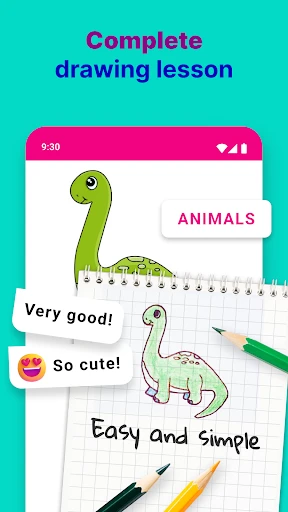
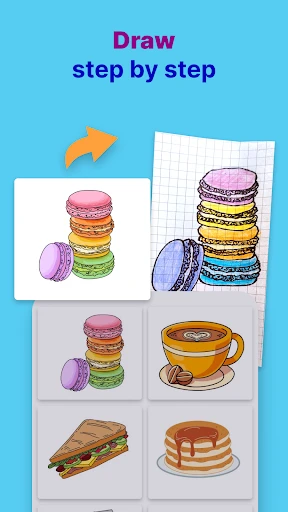
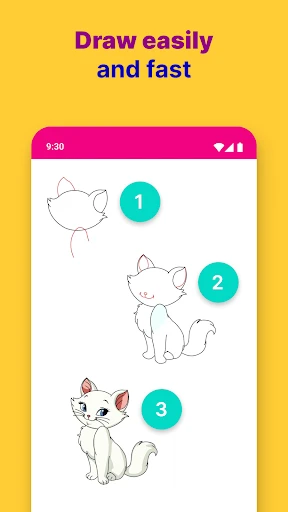
One of the standout features of this app is its extensive library of lessons. From basic shapes to complex portraits, each lesson is structured to build on the previous one, reinforcing skills as you progress. The step-by-step instructions are clear and concise, accompanied by visual aids that make following along a breeze. You’ll find yourself nodding in approval as you complete each lesson, eager to move on to the next.
Interactive Tools and Techniques
The app doesn’t just stop at providing lessons. It offers a suite of interactive tools that you can use to practice your newly learned skills. The digital sketchpad is responsive and feels surprisingly close to the real thing. You can zoom, erase, and even choose different pencil types to suit your drawing style. It’s like having a mini art studio in your pocket!
Community and Feedback
Another great feature is the community aspect. You can share your creations with other users, receive feedback, and even participate in drawing challenges. This not only helps in improving your skills but also keeps you motivated. After all, who doesn’t like a little friendly competition?
Overall, Learn To Draw Step By Step is an excellent tool for anyone looking to improve their drawing skills. It's packed with useful features, and its structured approach makes learning easy and enjoyable. So, if you're ready to unleash your inner artist, give this app a try. Who knows? You might surprise yourself with what you can create.

- Developer
- Firehawk
- Version
- 3.1.4
- Installs
- 1,000,000+
- Android Version
- 5.0
- Content Rating
- Everyone
- Price
- Free
- Easy for beginners to follow.
- Wide variety of drawing tutorials.
- Interactive and engaging interface.
- Supports offline usage.
- Regularly updated content.
- Ads can be intrusive.
- Limited advanced tutorials.
- In-app purchases for extra content.
- Requires initial internet setup.
- Some tutorials load slowly.