

Floor Plan Creator
Ever Dreamed of Becoming an Architect? Meet Floor Plan Creator!
If you've ever found yourself daydreaming about redesigning your living space or even sketching out fantasy homes, then Floor Plan Creator might just be the app you've been waiting for. As someone who’s always been fascinated by architecture and interior design, I downloaded this app with high hopes. And let me tell you, it didn't disappoint!
Getting Started: User-Friendly Interface
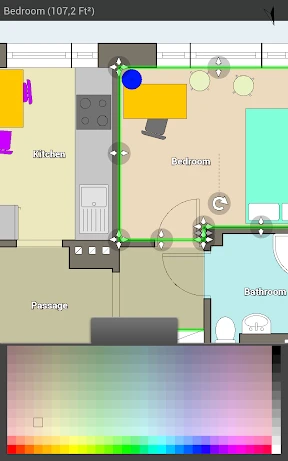
First things first, let’s talk about the interface. Upon launching Floor Plan Creator, I was pleasantly surprised by its clean and intuitive design. Navigating through the app feels like a breeze, thanks to its well-organized layout. Whether you’re tech-savvy or a newcomer to digital design, you’ll find it easy to get your bearings.
When I first started using it, I expected a steep learning curve, but boy, was I wrong! The app provides an interactive tutorial that guides you through the basic features, making it easy to dive right into creating your first floor plan.
Features Galore: More Than Just a Sketchpad
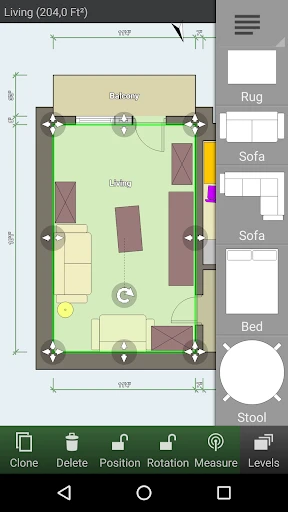
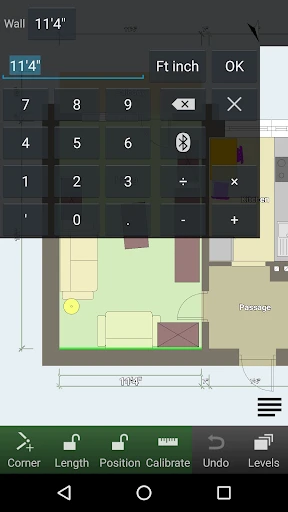
One of the standout features of Floor Plan Creator is its extensive toolset. The app offers a variety of tools to help you create detailed and precise floor plans. From adding walls and windows to customizing measurements and materials, it’s all there at your fingertips.
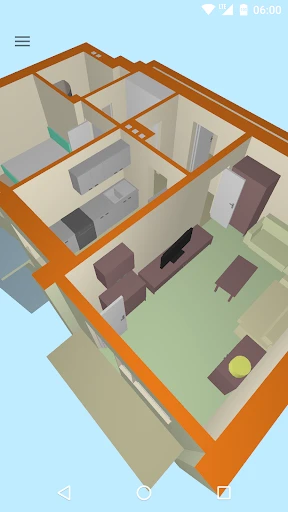
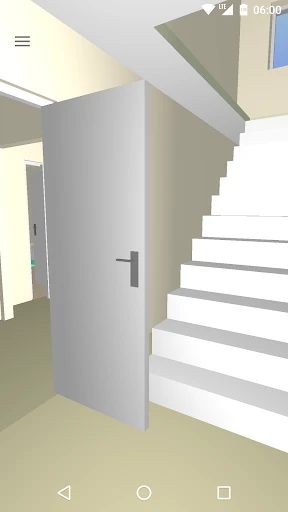
What really blew me away was the ability to switch between 2D and 3D views. It’s one thing to see your design laid out flat, but seeing it come to life in 3D is something else entirely. This feature gives you a better sense of space and scale, making it easier to visualize the end result.
Another cool feature is the app’s integration with AR. Yes, augmented reality! You can project your design into the real world, which is not only super fun but also incredibly practical when planning out real-life renovations.
Collaboration Made Easy
If you’re working on a project with a team or just want to share your designs with friends, Floor Plan Creator has you covered. The app allows for easy sharing and collaboration, so you can get feedback and make adjustments in real-time. This is perfect for those big home renovation projects where input from others is crucial.
Final Thoughts: A Must-Have for Design Enthusiasts
After spending some quality time with Floor Plan Creator, I can confidently say this app is a gem for anyone interested in design, whether professionally or as a hobby. Its user-friendly interface, robust features, and collaborative capabilities make it a standout choice in the app store.
So, if you’re ready to unleash your inner architect and bring your design dreams to life, give Floor Plan Creator a try. Trust me, you’ll be hooked!
- Developer
- Marcin Lewandowski
- Version
- 3.6.9
- Installs
- 10,000,000+
- Android Version
- 6.0
- Content Rating
- Everyone
- Price
- Free
- Intuitive interface for easy navigation.
- Supports 2D and 3D floor plans.
- Real-time collaboration feature.
- Extensive library of objects.
- Works offline
- Limited free version features.
- Occasional app crashes.
- Ads in the free version.
- Some features need subscriptions.
- Complex designs can lag.




![[KNA008] COMBINE](https://appnexuszone.com/wp-content/uploads/2025/11/image1190636060267623625.webp)


