Drawing Desk: Learn to Draw
Diving into Creativity with Drawing Desk: Learn to Draw
If you’ve ever found yourself doodling on the margins of your notebook or dreaming up vibrant images in your mind, then Drawing Desk: Learn to Draw might just be the app you’ve been looking for. Designed to unleash your inner artist, this app offers a playground filled with colors, brushes, and endless possibilities. So, grab your stylus or even just your finger, and let’s dive into the world of digital drawing!
A Palette of Tools at Your Fingertips
From the moment you open the app, you're greeted with an interface that's both welcoming and intuitive. As someone who’s always been a bit hesitant about digital art, I was pleasantly surprised by how easy it was to navigate. The app offers a variety of tools that cater to different styles and preferences, whether you're into sketching, doodling, or full-fledged digital painting.
Brushes and Colors Galore: With a plethora of brushes available, from pencils and markers to watercolors and airbrushes, you’re sure to find the perfect tool for your masterpiece. The color palette is equally impressive, allowing you to mix and match until you find the perfect hue.
Layering Made Simple: One of the standout features of Drawing Desk is its layering capability. Much like professional desktop software, you can add multiple layers to your artwork, making it easy to edit and refine without disturbing your original work. It's like having a digital canvas that you can tweak to perfection!
Learning and Growing as an Artist
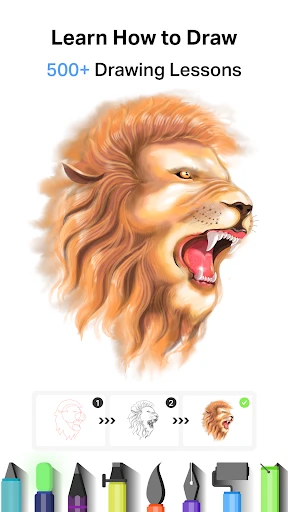
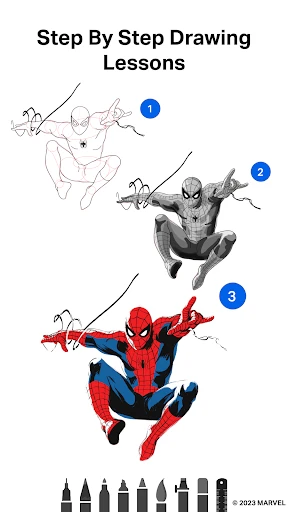
What sets Drawing Desk apart from other drawing apps is its focus on learning. Whether you’re a beginner just starting out or an experienced artist looking to hone your skills, the app provides numerous tutorials and step-by-step guides. These resources are incredibly helpful, breaking down complex techniques into manageable steps. It's like having a personal art teacher right at your fingertips!
Community and Inspiration: The app also connects you with a vibrant community of artists. You can share your creations, get feedback, and even be inspired by the work of others. It's a great way to stay motivated and continuously improve your craft.
A Few Scribbles and Thoughts
While Drawing Desk is packed with features that cater to both beginners and pros, it’s not without its quirks. Occasionally, there’s a lag when using some of the more complex brushes, especially on older devices. However, this is a minor hiccup compared to the overall performance and versatility the app offers.
Subscription Options: The app offers a free version with basic functionalities, but if you’re serious about your art, the premium subscription is the way to go. It unlocks additional tools and resources, providing a more comprehensive drawing experience.
Final Thoughts
Drawing Desk: Learn to Draw is more than just an app; it’s a gateway to creativity. Whether you’re sketching for fun or diving into a serious art project, this app provides the tools and resources to help you succeed. It’s user-friendly, packed with features, and, most importantly, it makes drawing fun and accessible to everyone.
So, whether you’re a seasoned artist or just someone looking to explore your creative side, give Drawing Desk a try. Who knows? You might just discover a hidden talent you never knew you had!



- Developer
- 4Axis Technologies
- Version
- 10.1.7
- Installs
- 10,000,000+
- Android Version
- 6.0
- Content Rating
- Everyone
- Price
- Free
- Intuitive interface for all ages
- Wide variety of drawing tools
- Offline mode available
- Regular updates with new features
- Supports multiple file formats
- Ads can be intrusive
- In-app purchases required for premium features
- Occasional lag on older devices
- Limited free version features
- No collaboration option