File Miner
Have you ever found yourself in the middle of a digital mess, with files scattered everywhere on your phone? Well, that's where File Miner swoops in like a digital superhero! I've recently been diving into this app, and let me tell you, it’s been quite the journey.
Unearthing the Basics
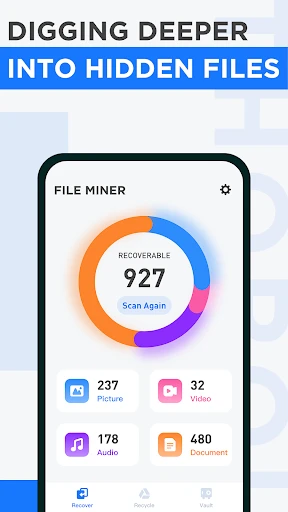
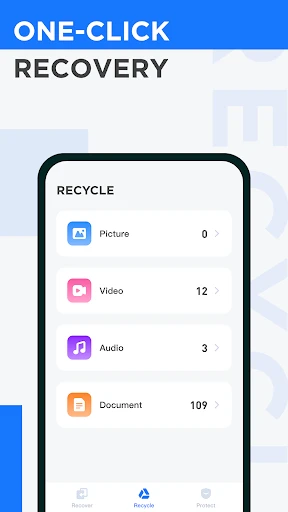
First things first, File Miner is essentially a file management app designed for both Android and iOS users. It's like having a personal assistant that helps you organize, search, and manage your files efficiently. What caught my eye was its sleek, user-friendly interface which makes it super easy for anyone to navigate, even if you're not particularly tech-savvy.
File Organization Made Easy
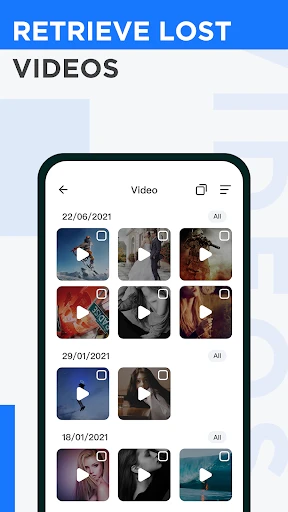
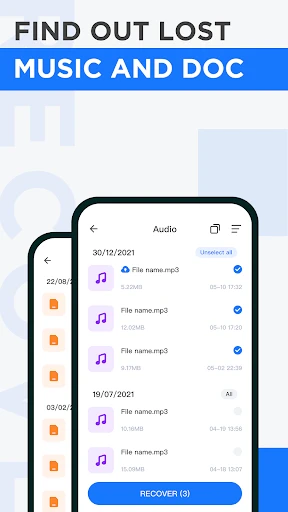
One of the standout features of File Miner is its robust search capability. You can type in just a few keywords, and voilà, the app digs through your files like a pro. It's perfect for those moments when you can't quite remember where you saved that important document. Plus, it supports a wide range of file formats, so you’re not limited to just the basics. Whether it's a PDF, a JPG, or a simple text file, File Miner handles it all with ease.
Another aspect worth mentioning is its ability to categorize files automatically. The app intelligently sorts files into different folders, which means less clutter and more organization. It's like having Marie Kondo in your pocket, constantly tidying up your digital space!
Security at Its Core
In today's digital age, security is paramount, and File Miner doesn't disappoint. With its encryption features, your files are kept safe from prying eyes. You can even set passwords on sensitive files, ensuring that your personal information remains just that—personal. It's a reassuring touch, especially when dealing with confidential documents.
Performance and Usability
Let's talk about performance. File Miner is surprisingly lightweight, meaning it doesn’t hog your phone's resources. Even on older devices, it runs smoothly, which is a big plus in my book. The app also supports cloud integration, allowing you to sync files across different devices seamlessly. It's a game-changer for those who work on the go and need quick access to their files from multiple gadgets.
Usability-wise, File Miner is a breeze. The developers have clearly put thought into making the app intuitive, with clear labels and easy-to-navigate menus. Whether you're moving files, renaming them, or sharing them with friends, it all feels straightforward and hassle-free.
The Final Verdict
So, is File Miner worth downloading? In my opinion, absolutely! It's a well-rounded app that delivers on its promises of efficient file management. Whether you’re a student, a professional, or just someone who loves a tidy digital space, File Miner is a must-have. It's not just an app; it's a tool that enhances productivity and organization in your daily digital life.
In conclusion, if you’re tired of sifting through a chaotic mess of files on your phone, give File Miner a try. It's like having a personal assistant dedicated to keeping your digital life in order, and honestly, who wouldn't want that?

- Developer
- Cheryl Cook
- Version
- 1.4.9
- Installs
- 10,000,000+
- Android Version
- 7.0
- Content Rating
- Everyone
- Price
- Free
- Efficiently organizes files for easy access.
- User-friendly interface with intuitive features.
- Supports a wide range of file formats.
- Fast file search and retrieval process.
- Regular updates with new features.
- Limited cloud integration options.
- Some advanced features require in-app purchases.
- Occasional ads in the free version.
- Initial setup can be a bit confusing.
- May consume significant storage space.