

myColorado
Have you ever found yourself fumbling through a stack of paperwork trying to find your ID or insurance card? Well, those days might just be over, thanks to the myColorado app. As a resident of Colorado, I was thrilled to stumble upon this handy tool that promises to keep all my essential documents in one digital place. But does it live up to the hype? Let's dive in and explore.
One-Stop Shop for Digital Identification
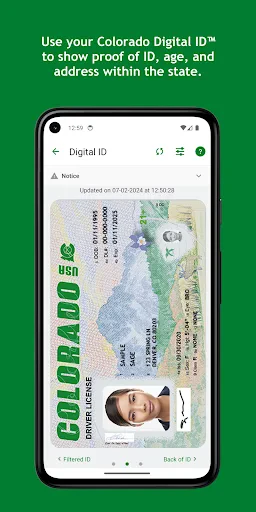
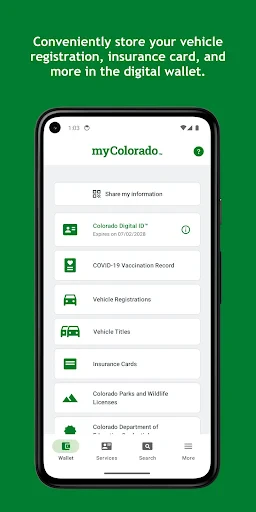
At its core, myColorado serves as a digital wallet where you can store your Colorado Digital ID™. It’s an official state app, verified through all the necessary channels, which means it's not just some random app on the Play Store. This feature is particularly useful for moments when you accidentally leave your physical ID at home. With just a few taps on your smartphone, you can pull up your ID and go about your business as usual.
Simplifying Everyday Tasks
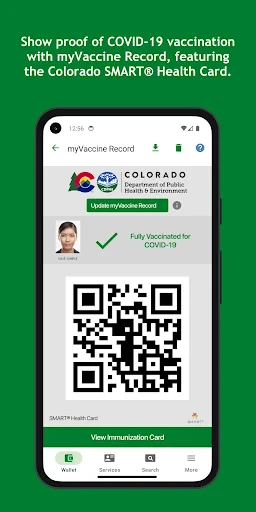
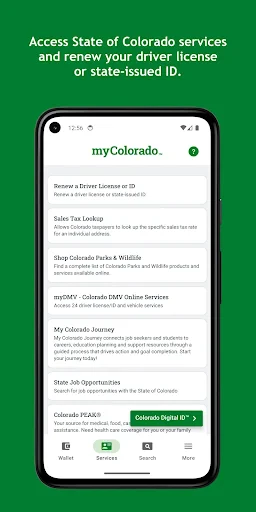
Besides storing your ID, the app goes above and beyond by allowing you to store your vehicle registration and insurance information. Say goodbye to rummaging through your glove compartment during a traffic stop. The app also provides access to Colorado's state services, enabling you to renew your driver's license, vehicle registration, and even voter registration right from your phone. It's like having the DMV in your pocket—minus the long lines and outdated magazines.
Usability and Design
The design is straightforward, which I appreciate. No one wants to navigate a complicated interface when they're in a hurry. The app is user-friendly and intuitive, making it easy even for those who aren't particularly tech-savvy. The myColorado app is available for both Android and iOS, ensuring that no one is left out. It's seamless, and dare I say, almost fun to use.
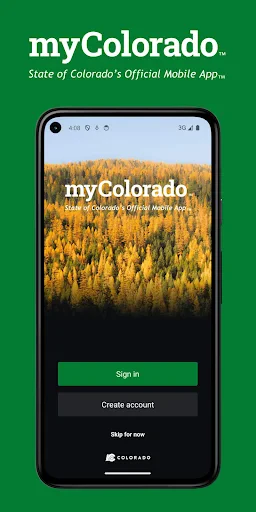
Setting up your account is pretty straightforward. You download the app, verify your identity using a few simple steps, and you're good to go. Within minutes, I had my digital ID ready and waiting to be used at a moment’s notice.
Security Features
Now, I know what you're thinking—Is it safe? The app uses advanced encryption methods to ensure that your information is secure. Moreover, you can add another layer of protection by securing the app with a password or biometric authentication. In an age where data breaches seem to be a dime a dozen, these security measures provide a much-needed peace of mind.
However, it's worth noting that while the app is pretty secure, nothing is ever 100% foolproof. Always be cautious and make sure your phone itself is secure. A little vigilance goes a long way.
Overall, the myColorado app is a well-rounded tool that simplifies life for Colorado residents. From the convenience of a digital ID to the ease of accessing state services, it offers a modern solution to everyday hassles. So, if you're like me and appreciate anything that makes life just a little bit easier, give this app a try. You might find yourself wondering how you ever lived without it.
- Developer
- State of Colorado - Governor's Office of IT
- Version
- 11.10
- Installs
- 500,000+
- Android Version
- 9
- Content Rating
- Everyone
- Price
- Free
- User-friendly interface
- Secure digital ID storage
- Access to state services
- Customizable notifications
- Integrated with other apps
- Limited to Colorado residents
- Requires internet connection
- Some features need improvement
- Occasional app crashes
- Registration can be complex


