HotSchedules
If you’ve ever worked in the restaurant or hospitality industry, you know how chaotic scheduling can get. Enter HotSchedules, a lifesaver for managers and employees alike. This app is here to simplify, streamline, and make schedule management as smooth as a perfectly brewed espresso.
Getting Started with HotSchedules
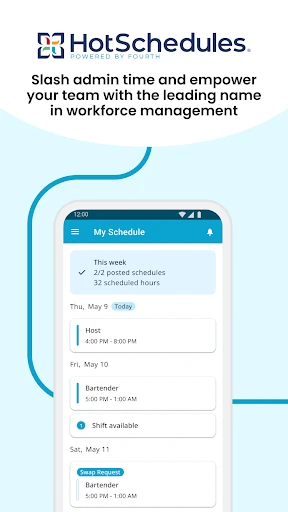
First things first, downloading and setting up HotSchedules is a breeze. Available on both Android and iOS, it’s as simple as pie. Once you’ve installed the app, you’ll quickly find that its user-friendly interface does half the work for you. You’re greeted with a clean, intuitive dashboard that even the least tech-savvy among us can navigate without breaking a sweat.
Features That Make Life Easier
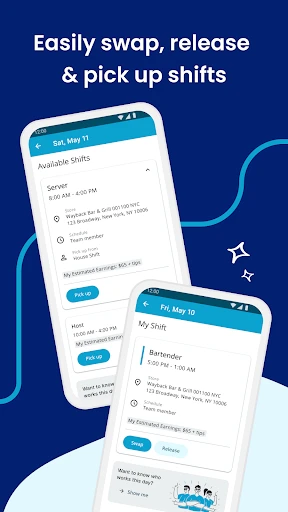
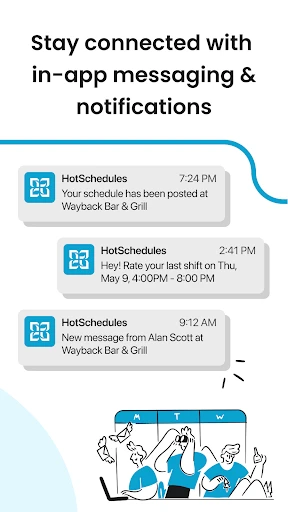
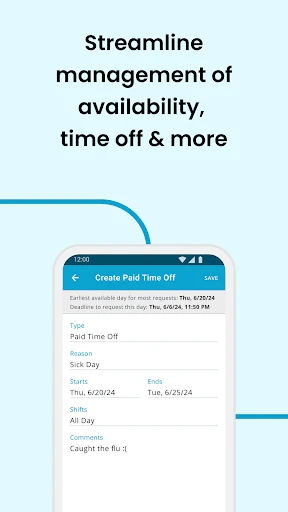
What sets HotSchedules apart is its robust feature set aimed at making scheduling a cakewalk. You can view your schedule, swap shifts with colleagues, and request time off with just a few taps. It’s like having a personal assistant in your pocket. Moreover, the app sends you notifications for any schedule changes, so you’re always in the loop. Forget about checking the break room bulletin board—everything you need is right on your phone.
For managers, it’s a whole new ballgame. Creating schedules, approving shifts, and communicating with staff have never been easier. The app even offers labor forecasting tools, which, let’s be honest, is a godsend when trying to keep labor costs in check during the holiday rush.
Why You’ll Love It
HotSchedules isn’t just about making management happy; it’s about employee satisfaction too. The flexibility it offers means you can manage your work-life balance better. Say goodbye to the days of being stuck with an unwanted shift because now, swapping shifts is as easy as sending a text.
Plus, the app’s communication features ensure that everyone’s on the same page. Need to remind your team about an upcoming meeting? Just send a quick message via the app. It’s like having a group chat dedicated solely to work, minus the endless memes and GIFs.
Performance and Usability
Now, let’s talk about how the app runs. Performance-wise, HotSchedules is pretty solid. It’s quick, responsive, and doesn’t hog your phone’s resources. The app’s design is sleek and modern, which makes using it a pleasant experience. It’s clear that the developers put a lot of thought into making sure it’s not just functional but also enjoyable to use.
Usability is top-notch. The learning curve is practically non-existent, and even if you do run into a snag, there’s a comprehensive help section to guide you through. Customer support is also just a tap away, ready to assist you with any hiccups.
Final Thoughts
In a nutshell, HotSchedules is a game-changer for the hospitality industry. It’s packed with features that make scheduling simpler and more efficient for everyone involved. Whether you’re a manager looking to streamline operations or an employee wanting more control over your schedule, this app has you covered. So, if you’re tired of the old-school methods and want something that fits right into your digital lifestyle, give HotSchedules a whirl. Trust me, it’s worth it!
- Developer
- Fourth Enterprises, LLC
- Version
- 5.5.1-1698
- Installs
- 1,000,000+
- Android Version
- 5.0
- Content Rating
- Everyone
- Price
- $2.99
- User-friendly interface makes scheduling easy.
- Syncs with popular calendar apps.
- Allows shift swapping between employees.
- Offers labor cost forecasting.
- Mobile access for on-the-go management.
- Can be pricey for small businesses.
- Occasionally slow to load schedules.
- Limited customer support options.
- Requires stable internet connection.
- Complex setup for first-time users.