Infinite Design
Have you ever stumbled upon an app that makes you feel like an artist even if you can barely draw a stick figure? That's what Infinite Design does for me. This app is a hidden gem for budding artists and seasoned designers alike, offering a digital canvas that's as limitless as your imagination.
Unleashing Creativity
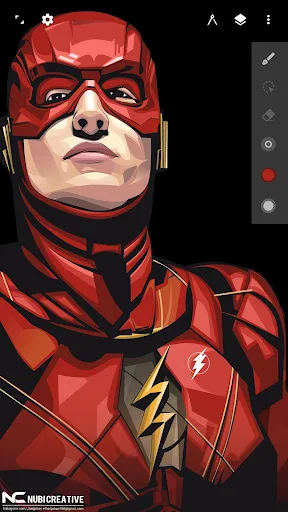
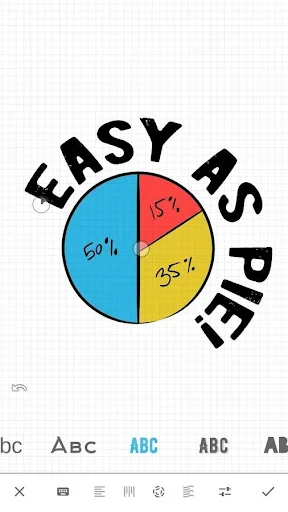
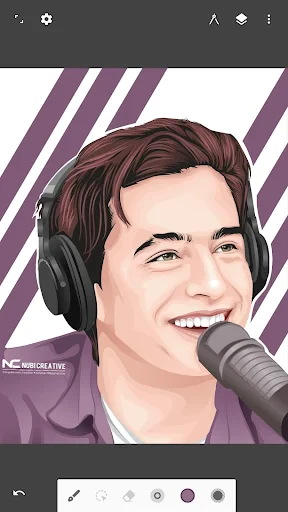
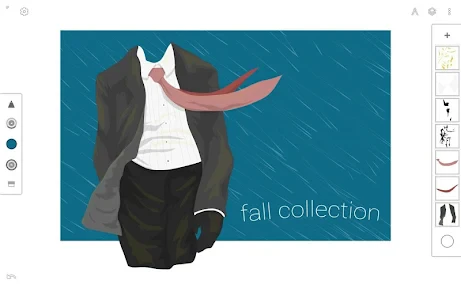
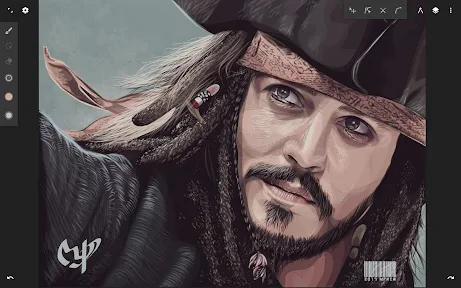
From the moment I opened Infinite Design, I knew I was in for a treat. The interface is sleek, intuitive, and doesn’t overwhelm you with too many buttons or menus. It’s like stepping into an art studio where everything is exactly where you want it to be. The app offers a wide range of tools, from simple brushes to complex vector designs, making it perfect for those who want to experiment with different styles.
Features That Stand Out
One feature I absolutely love is the infinite canvas. You can literally zoom out as much as you need, giving you the freedom to create expansive designs without worrying about running out of space. The app also supports layers, which is a game-changer if you’re into detailed artwork. You can manipulate each layer separately, allowing for sophisticated compositions.
Infinite Design also comes with a plethora of brush presets and the ability to customize your own. This means you can have brushes that mimic real-life textures or create entirely new ones that suit your artistic needs. Additionally, the symmetry tool is a boon for creating mandalas or symmetrical patterns effortlessly.
Learning Curve and Usability
Now, I won’t lie, there’s a bit of a learning curve if you’re not familiar with design software. But the app does a great job of easing you into it. There are plenty of tutorials and guides available to help you get the hang of things. Plus, once you start exploring and messing around with the tools, it becomes pretty addictive!
Another aspect worth mentioning is the export options. Whether you want to share your artwork on social media or print it out, Infinite Design has got you covered. You can export your designs in various formats and resolutions, ensuring your creation looks stunning wherever it ends up.
Final Thoughts
In the end, Infinite Design is a powerful tool that can transform your smartphone or tablet into a professional-grade art studio. It’s perfect for anyone looking to explore their creative side without the need for expensive software or equipment. Whether you’re doodling in your free time or crafting intricate designs, this app provides all the tools you need.
If you’re on the lookout for a versatile design app that grows with your skills, give Infinite Design a try. It might just be the digital canvas you’ve been searching for.
- Developer
- Infinite Studio LLC
- Version
- 3.5.8
- Installs
- 10,000,000+
- Android Version
- 9
- Content Rating
- Everyone
- Price
- Free
- Intuitive interface for easy design creation.
- Wide range of customizable brushes.
- Supports vector-based designing.
- Seamless layer management.
- Frequent updates with new features.
- Free version has limited features.
- Steep learning curve for beginners.
- Occasional app crashes reported.
- Limited export options in free version.
- Requires in-app purchases for advanced tools.