ZArchiver
When it comes to managing files on your Android device, ZArchiver is a name that often pops up. This nifty little app is a lifesaver for anyone who regularly deals with compressed files. Let me walk you through why it’s become my go-to for file management.
Getting to Know ZArchiver
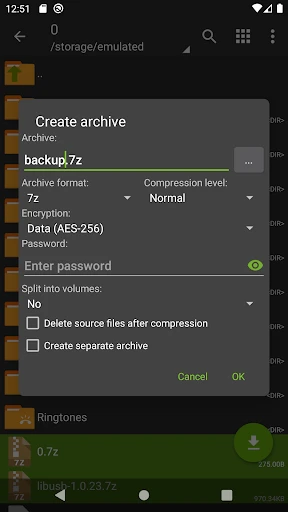
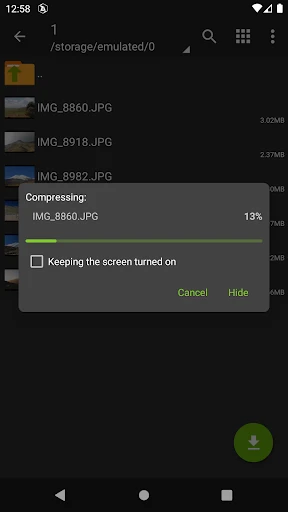
First things first, ZArchiver is an app designed for file archiving and management. Whether you need to open, extract, or compress files, this app has got your back. It supports a wide range of archive formats like zip, rar, 7z, and even some lesser-known ones. What’s cool is that it doesn’t just stop at opening these files; you can also create your own compressed files to save space on your device.
User-Friendly Interface
One of the things that impressed me the most is how user-friendly the interface is. Even if you’re not tech-savvy, you’ll find it pretty easy to navigate. The app is lightweight, meaning it doesn’t hog your device’s resources. I’ve used a few file managers before, and let me tell you, some of them can be clunky and slow. But with ZArchiver, everything runs smoothly.
Features That Stand Out
Okay, let’s talk about some of the features that make ZArchiver stand out from the crowd. First, the app supports multi-threading, which is a fancy way of saying it can handle multiple tasks at once without breaking a sweat. This is particularly useful when you’re working with large files. You can also set passwords for your archives, adding an extra layer of security to your private data.
Another feature worth mentioning is the partial archive decompression. Say you’ve got a huge archive but only need a specific file from it; ZArchiver lets you extract just that one file, saving you time and storage space.
Real-Life Usage
I’ve been using ZArchiver for a while now, and it’s become an indispensable tool for managing my files. Whether I’m downloading music, backing up photos, or sharing documents, it’s always reliable. The app has never crashed on me, which is a huge plus in my book. Plus, it’s free! There’s a pro version available for a small fee, but the free version covers most of what you’d need for day-to-day use.
In a world where we’re bombarded with apps promising to do it all, it’s refreshing to find one that actually delivers on its promises. If you’re tired of struggling with file management on your Android device, give ZArchiver a shot. It’s streamlined, efficient, and won’t let you down when you need it the most.
So, there you have it, folks. If you haven’t already, download ZArchiver and see for yourself why it’s a must-have app for anyone serious about managing their files efficiently. It might just become your new favorite app.


- Developer
- ZDevs
- Version
- 1.0.10
- Installs
- 100,000,000+
- Android Version
- Varies With Device
- Content Rating
- Everyone
- Price
- Free
- Supports a wide range of archive formats.
- Easy-to-use interface for beginners.
- Doesn't require internet access.
- Fast compression and decompression.
- Allows password protection for archives.
- No built-in file viewer or editor.
- Limited cloud storage support.
- Ads in the free version might be intrusive.
- Advanced features can be confusing.
- No support for iOS devices.