VSCO: Photo & Video Editor
If you've ever wanted to dive into the world of creative photo and video editing, then VSCO: Photo & Video Editor might just be your new favorite app. With its sleek design and intuitive interface, it's no wonder why so many creators swear by it. Let's take a closer look at what makes this app a must-have for both amateurs and seasoned pros.
Aesthetic Delight
First off, the user interface is a visual treat. It's minimalist yet functional, allowing you to focus on your content without unnecessary distractions. The moment you open the app, you're greeted with a clean workspace that inspires creativity. Plus, the dark theme is easy on the eyes, making long editing sessions less of a strain.
Editing Tools Galore
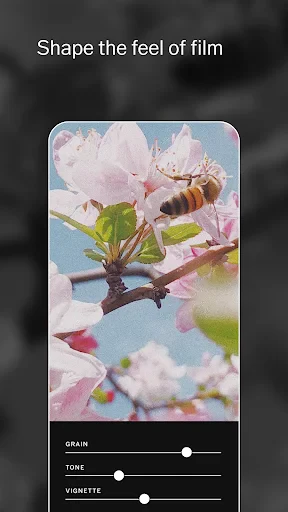
One of the standout features of VSCO: Photo & Video Editor is its wide array of editing tools. Whether you're looking to tweak the brightness of your vacation snaps or add a moody filter to your latest portrait, VSCO has got you covered. The app offers a variety of presets that can instantly transform your photos, but for those who love to tinker, the manual adjustment sliders provide endless possibilities.
Let's not forget about the video editing capabilities. With the same ease as photo editing, you can trim, adjust, and add filters to your videos. It's like having a mini editing studio right in your pocket. And the best part? You don't need to be a professional to make your edits look top-notch.
Community and Inspiration
VSCO isn't just about editing; it's also about connecting. The app features a vibrant community of creators who share their work and inspire others. You can follow your favorite artists, discover new trends, and even participate in weekly challenges. It's a fantastic way to keep your creative juices flowing and to see what others are crafting around the world.
Moreover, VSCO offers educational content in the form of tutorials and articles, which are perfect for those just starting out or looking to refine their skills. It's like having a mentor guiding you through the intricacies of editing, all within the app.
A Few Quirks
While VSCO is packed with features, it's worth noting that some of the more advanced tools are locked behind a subscription. However, if you're serious about editing, the investment might be worth it. The subscription unlocks a treasure trove of additional presets and tools that can elevate your work to new heights.
Another point to consider is the learning curve. While the app is user-friendly, beginners might find the sheer number of options a bit overwhelming at first. But with a little patience and practice, you'll be navigating the app like a pro in no time.
In conclusion, VSCO: Photo & Video Editor is a powerhouse of an app that caters to both budding creators and seasoned editors. Its combination of sleek design, robust tools, and community features make it a standout choice in the crowded world of editing apps. Whether you're looking to spruce up your Instagram feed or create a masterpiece, VSCO has the tools you need to make your vision a reality.


- Developer
- VSCO
- Version
- 399
- Installs
- 100,000,000+
- Android Version
- 6.0
- Content Rating
- Teen
- Price
- Free
- Intuitive user interface
- High-quality editing tools
- Wide range of filters
- Syncs across devices
- Ad-free experience
- Limited features in free version
- Requires subscription for full access
- Occasional app crashes
- No desktop version
- Slow customer support