YouCam Makeup - Selfie Editor
Hey there beauty enthusiasts! If you're anything like me, you probably love experimenting with new makeup looks but sometimes dread the hassle of actually putting on makeup. Well, let me introduce you to a little app that's been a game changer for my selfie game – YouCam Makeup - Selfie Editor. It's like having a makeup artist right in your pocket!
What is YouCam Makeup?
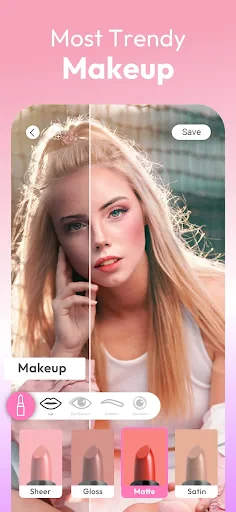
Let's dive straight into what YouCam Makeup is all about. Essentially, it’s a virtual beauty studio that lets you try on hundreds of makeup looks and styles without ever having to pick up a brush. This nifty app uses advanced augmented reality (AR) technology to apply makeup in real-time as you’re looking at your phone. Pretty cool, right?
Endless Possibilities
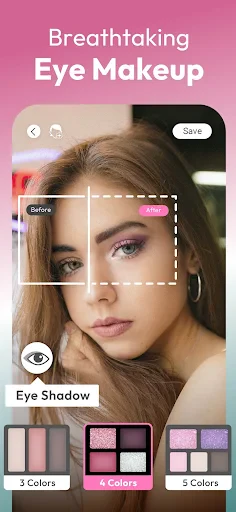
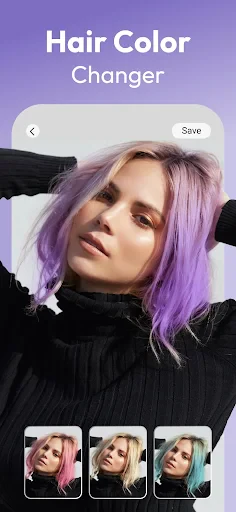
One of the things I love about YouCam Makeup is the sheer variety of options it offers. From subtle everyday looks to bold and dramatic transformations, there's something for everyone. You can experiment with different lipstick shades, eyeshadow palettes, and even try out new hairstyles. It’s perfect for those days when you’re feeling adventurous but don’t want to commit to a new style permanently.
User-Friendly Interface
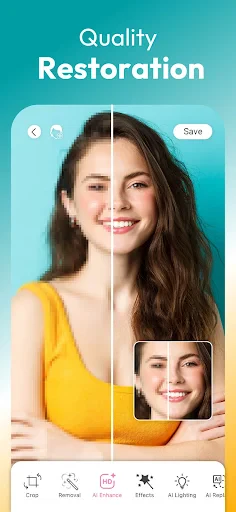
Now, I’m not the most tech-savvy person out there, but navigating through YouCam Makeup is a breeze. The app is designed with user-friendliness in mind, making it easy for anyone to use. Everything is pretty intuitive, and you can quickly find your way around to start your beauty journey. Plus, the real-time editing feature means you get to see your changes instantly, which is super satisfying.
More Than Just Makeup
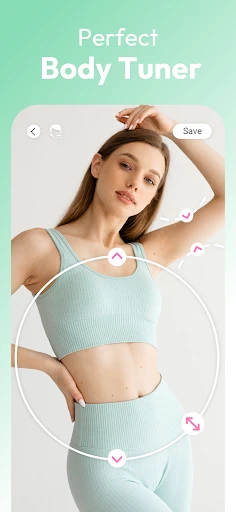
While the main focus of YouCam Makeup is, of course, makeup, the app also offers a range of other features that are worth mentioning. For instance, it includes a skin analysis tool that gives you insights into your skin’s health. This feature is quite handy if you're looking to tweak your skincare routine. Additionally, there are tutorials and beauty tips that you can explore, making it not just an app but a complete beauty companion.
Sharing is Caring
Once you've created your perfect look, sharing it with friends is just a tap away. The app integrates seamlessly with social media platforms, allowing you to flaunt your new look on Instagram, Facebook, or wherever your friends are hanging out. And let’s be honest, who doesn’t love a good selfie moment?
Final Thoughts
In conclusion, YouCam Makeup - Selfie Editor is a fantastic app for anyone who loves makeup or is just looking to have some fun with their selfies. It’s easy to use, packed with features, and offers endless creative possibilities. Whether you're a makeup novice or a seasoned pro, this app is definitely worth checking out. So why not give it a try and unleash your inner beauty guru? Happy experimenting!
- Developer
- Perfect Mobile Corp.
- Version
- Varies With Device
- Installs
- 100,000,000+
- Android Version
- Varies With Device
- Content Rating
- Everyone
- Price
- Free
- Wide range of makeup filters.
- Real-time editing feature.
- User-friendly interface.
- Virtual try-on for beauty products.
- Regular updates with new features.
- Contains in-app purchases.
- Requires internet for full features.
- Ads can be intrusive.
- Large app size.
- May drain battery quickly.