Meitu
Let’s dive into the world of Meitu, an app that’s been turning heads in the photo editing scene for quite some time now. Whether you're a selfie enthusiast or someone who just loves to tinker with images, Meitu promises a powerhouse of features at your fingertips. Let me take you on a little tour of what this app has to offer.
First Impressions
The first thing you’ll notice about Meitu is its sleek and user-friendly interface. Honestly, for an app packed with so many tools, it's surprisingly easy to navigate. The design is minimalistic, which I absolutely love because it doesn’t overwhelm you the moment you open it. Everything is neatly categorized, making it a breeze to find exactly what you need without any fuss.
Features Galore
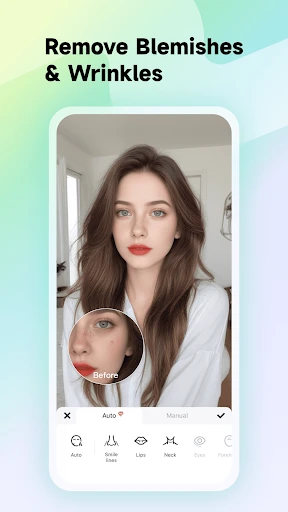
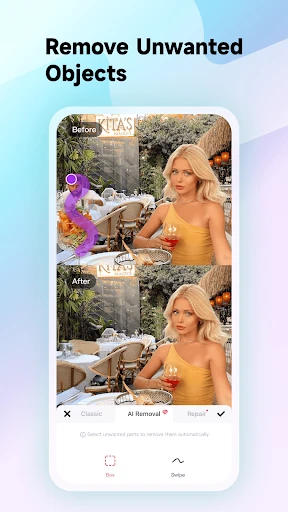
What makes Meitu stand out are its extensive features. From basic editing tools like crop and rotate to advanced features like AI-driven beautification and AR filters, this app has it all. The beautification feature deserves a special mention. It’s like having a personal makeup artist at your disposal. You can smooth out skin, enlarge eyes, and even tweak your jawline with just a few taps. It’s almost like magic!
AR Filters and More
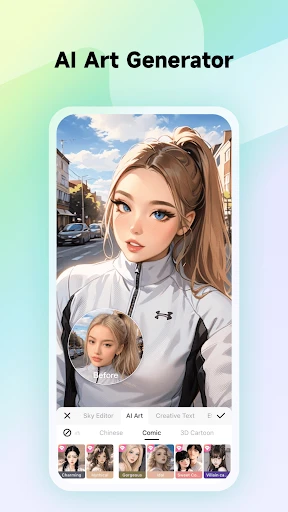
Meitu has hopped on the AR bandwagon, and boy, do they do it well! The AR filters are not just fun but also incredibly realistic. You can transform into a cute animal or add some glam with a sparkling crown. And if you’re into anime, the app offers some cool anime-style filters that are a hit among fans. It’s like having Snapchat and a professional editing app rolled into one.
Creative Edits
Besides beautification, Meitu offers a plethora of creative editing options. You can add text, stickers, and even doodles to your photos. The collage feature is another highlight, allowing you to stitch together multiple images with various layouts. It’s perfect for creating Instagram-worthy posts or simply preserving memories in a fun way.
Sharing and Saving
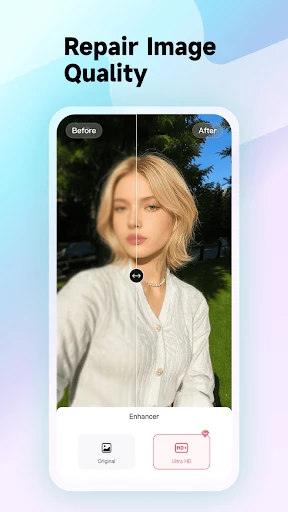
Sharing your creations is a cinch with Meitu. The app allows direct sharing to social media platforms like Instagram, Facebook, and Twitter, so you can flaunt your masterpiece instantly. Plus, the app saves your edited photos in high resolution, which is a big plus if you’re a stickler for quality like me.
Performance and Usability
On the performance front, Meitu runs smoothly without any noticeable lag. It’s compatible with both Android and iOS, which is a win-win for users across different devices. However, some features require an internet connection, which might be a bummer if you’re editing on the go with no Wi-Fi.
Final Thoughts
All in all, Meitu is a fantastic app for both novices and seasoned photo editors. It combines advanced editing tools with fun filters, making it a versatile choice for anyone looking to enhance their photos. While it offers in-app purchases, the free version is quite generous, allowing you to explore many of its features without spending a dime. So, if you haven’t already, give Meitu a whirl—it might just become your new favorite app for photo magic!
- Developer
- Meitu (China) Limited
- Version
- 11.8.5
- Installs
- 100,000,000+
- Android Version
- 8.0
- Content Rating
- Teen
- Price
- Free
- Easy-to-use interface for quick edits.
- Variety of filters for creative expression.
- Powerful AI features enhance photos effortlessly.
- Regular updates improve features and stability.
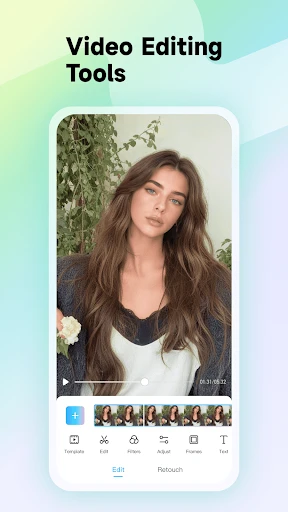
- Supports both photo and video editing.
- Contains ads in the free version.
- Some features require in-app purchases.
- Can be resource-intensive on older devices.
- Occasional bugs in new updates.
- Requires internet for some functionalities.