
United Airlines
Flying High with United Airlines App: Your Travel Companion
Let me take you on a journey through the skies with the United Airlines app. Whether you're a frequent flyer or just planning your next vacation, this app claims to be the ultimate travel companion. But does it really live up to the hype? Let’s dive in and find out!
Smooth Takeoff: Getting Started
First things first, downloading the app is a breeze. Available on both iOS and Android, it’s just a tap away on the App Store or Google Play. Once installed, you’re greeted with a sleek, user-friendly interface. Logging in is straightforward; you can use your MileagePlus account or simply book as a guest. The app recognizes your past bookings and preferences, which is a nifty little detail that makes a big difference.
Flight Booking Made Easy
Booking flights with the United Airlines app is as easy as pie. You can search for flights based on your destination, date, and class preference. The results are displayed in a clear, organized manner, making it simple to compare prices and times. What I love about this app is the ability to filter flights based on stops, duration, and even aircraft type. Trust me, as someone who’s spent hours sifting through flight options, this feature is a lifesaver!
Managing Your Journey
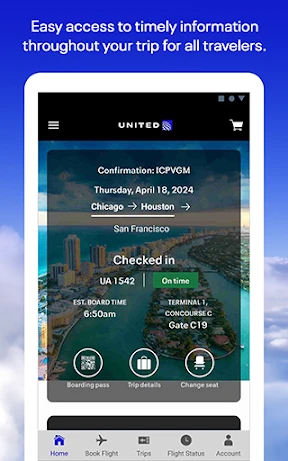
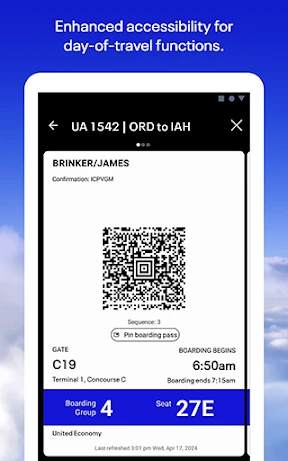
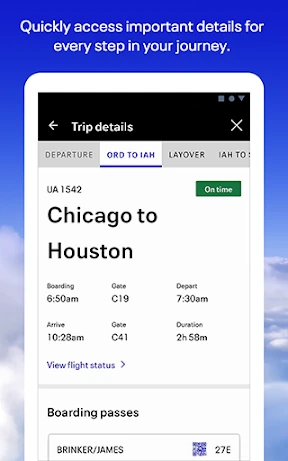
The app not only helps you book flights but also keeps you updated throughout your journey. From real-time flight status updates to gate change alerts, it’s like having a personal travel assistant in your pocket. You can also check in for your flights through the app and download your boarding pass straight to your phone. No more fumbling with papers at the airport!
Extra Perks and Features
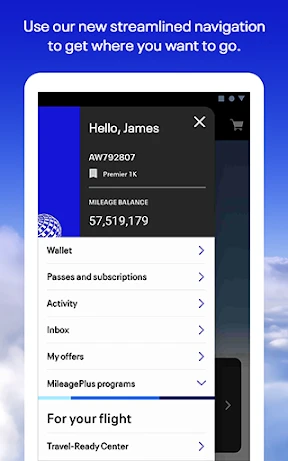
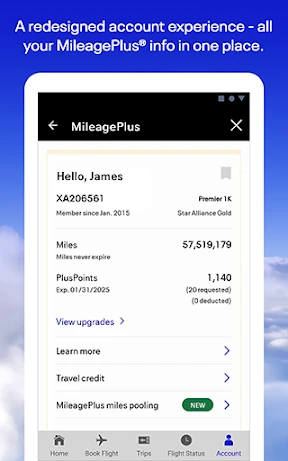
One of the standout features of the United Airlines app is its integration with the MileagePlus program. You can easily track your miles, check your status, and use your miles for booking flights. The app also provides access to in-flight entertainment and lets you explore United Club locations if you’re a member. Plus, if you need any help, the customer service chat is just a tap away, offering quick assistance without the hassle of long phone calls.
The Final Descent: My Takeaway
In a nutshell, the United Airlines app is a must-have for anyone flying with United. It’s user-friendly, packed with features, and genuinely simplifies the travel experience. Whether you’re booking a flight, checking in, or managing your MileagePlus account, this app does it all with ease. If you haven’t tried it yet, I highly recommend giving it a go before your next trip. Happy flying!
- Developer
- United Airlines
- Version
- 4.2.37
- Installs
- 10,000,000+
- Android Version
- 10
- Content Rating
- Everyone
- Price
- Free
- User-friendly interface for easy navigation.
- Detailed flight status and updates.
- Easy booking and check-in process.
- Loyalty program integration.
- Real-time notifications for changes.
- Occasional app crashes reported.
- Limited offline functionality.
- Some features require internet.
- Frequent login issues.
- Limited language support.