Western Union Send Money Now
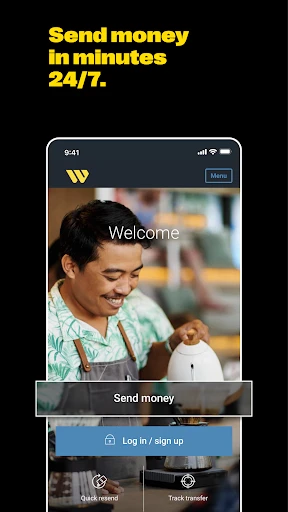
If you’ve ever found yourself in a pinch, needing to send money across borders, you’re probably familiar with the hassle and stress that can come with it. Enter Western Union's "Send Money Now" app, your potential new best friend in the digital money-sending world. I took it upon myself to dive deep into this app, and let me tell you, it’s like having a bank in your pocket, minus the long queues and the stern-faced tellers.
Getting Started with Ease
Downloading and setting up the Western Union app is as straightforward as it gets. Available on both Android and iOS, you just head over to your respective app store, hit download, and voila! The installation is seamless, and the user interface is quite intuitive. I mean, even if you’re someone who thinks "cloud" is just a fancy word for the sky, you’ll find this app a breeze to navigate.
Features that Make a Difference
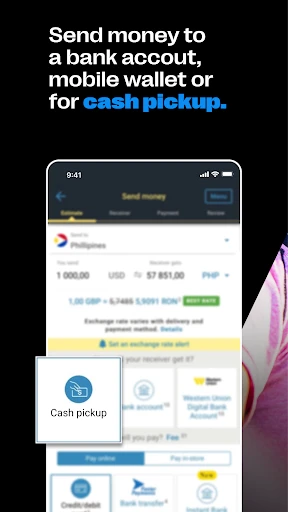
Once you’re in, the app offers a plethora of features designed to make your life easier. First off, the "Send Money" feature is the star of the show. It allows you to transfer money to over 200 countries and territories worldwide. You can choose to send money directly to a bank account, a mobile wallet, or even for cash pickup at any Western Union location. Talk about flexibility!
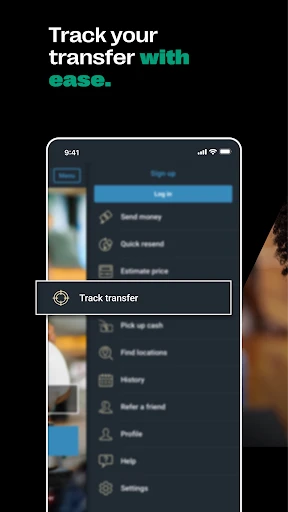
One of the features that really stood out to me was the ability to track your transfers in real-time. No more sleepless nights wondering if your money is floating somewhere in the digital abyss. You get notified at every stage of the transfer, so you’re always in the loop.
Security and Support
Now, I know what you’re thinking. "Is my money safe?" I had the same concern, but rest assured, Western Union takes security seriously. The app employs advanced encryption and fraud prevention technologies. Plus, if you ever hit a snag, their customer support is just a tap away. I tested it (for science, of course), and the response was prompt and helpful.
Fees and Exchange Rates
Let’s talk money, shall we? The reality is, sending money abroad can be expensive. Western Union does charge a fee for its services, and these can vary based on where you’re sending money and how. It’s best to check the app before initiating a transfer to get a clear picture of the costs involved. The exchange rates are also something to keep an eye on, as they can fluctuate. But hey, that’s the nature of international money transfers.
In conclusion, Western Union's "Send Money Now" app is a solid choice for anyone looking to send money across the globe without the typical hassle. It’s user-friendly, secure, and offers a range of features that cater to different needs. Whether you’re helping out family back home or paying for that exotic vacation rental, this app has got you covered. Just keep an eye on those fees and exchange rates, and you’re golden!


- Developer
- Western Union Apps
- Version
- 14.4
- Installs
- 10,000,000+
- Android Version
- 8.0
- Content Rating
- Everyone
- Price
- Free
- Fast international money transfers.
- User-friendly interface.
- Supports multiple currencies.
- Reliable customer support.
- Wide network of locations.
- High transfer fees.
- Exchange rates may vary.
- Requires account verification.
- Limited promotions or offers.
- App may experience occasional bugs.