U.S. Bank Mobile Banking
Get Ready to Simplify Your Banking: U.S. Bank Mobile Banking App Review
Let me tell you, in this digital age, who has the time to stand in long queues at the bank? I mean, we all have places to be and things to do, right? That's why when I stumbled upon the U.S. Bank Mobile Banking app, I was all in to give it a shot and see if it truly lives up to the hype of bringing the bank to your fingertips.
First Impressions: Sleek and User-Friendly
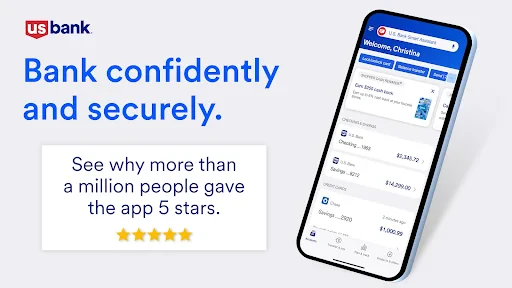
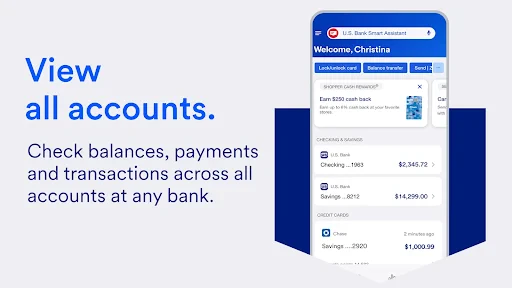
Right out of the gate, installing the app was a breeze. It was like downloading any other app from the Play Store or App Store—quick and painless. Once installed, I was greeted with a sleek, modern interface. It's intuitive, which means you don't have to be a tech wizard to navigate through it. Big plus in my books! The home screen neatly displays your account balances, recent transactions, and even offers a shortcut to frequently used features. It's like having a personal banker in your pocket.
Key Features: More Than Just Checking Balances
Now, let’s dive into the meat of the app. What really caught my attention was the range of features it offers. You can do the obvious, like check your account balances and view recent transactions, but there's so much more. Need to transfer money to a friend? Easy peasy. The app allows you to transfer funds between U.S. Bank accounts or even to external accounts with just a few taps.
Oh, and let's not forget about the mobile check deposit feature. Say goodbye to those awkward trips to the ATM. Simply snap a picture of your check and deposit it directly through the app. It's as easy as taking a selfie!
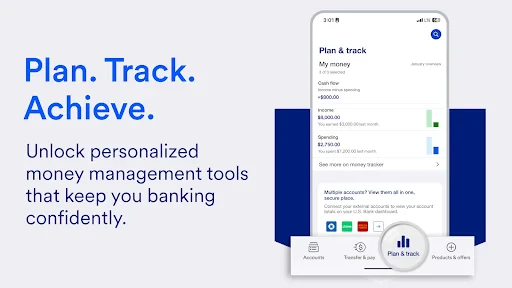
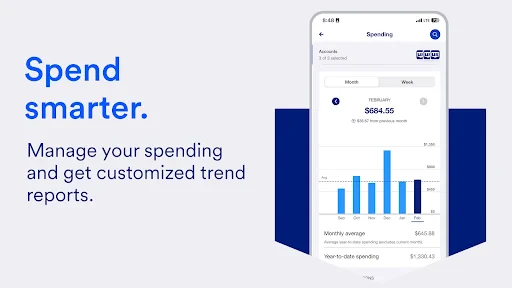
For those of you who love to stay on top of your spending, the app provides detailed transaction histories and spending insights. It’s like having a financial advisor whispering in your ear, "Hey, maybe skip that extra coffee today."
Security: Your Money Is Safe and Sound
Of course, with all this convenience, security is a top priority. I was relieved to find that the U.S. Bank Mobile Banking app takes this seriously. It packs in features like biometric login options—think fingerprint and face recognition—and multi-factor authentication to ensure your data is locked tighter than Fort Knox. Plus, you can set up real-time alerts for any suspicious activity, so you can sleep easy knowing your money is in good hands.
Overall Experience: A Must-Have for U.S. Bank Customers
Wrapping it up, the U.S. Bank Mobile Banking app is a game-changer for anyone who wants to manage their finances without the hassle of traditional banking. It’s user-friendly, packed with features, and most importantly, secure. Whether you’re checking your balance, transferring funds, or depositing checks, it’s all at your fingertips. If you’re like me and value convenience and efficiency, this app is a no-brainer.
So, if you’re a U.S. Bank customer and haven’t tried their mobile app yet, what are you waiting for? Trust me, once you go mobile, you’ll never go back to the old ways of banking.

- Developer
- U.S. Bank Mobile
- Version
- 3.65.40
- Installs
- 10,000,000+
- Android Version
- 9
- Content Rating
- Everyone
- Price
- Free
- User-friendly interface for easy navigation.
- Quick access to account balances and transactions.
- Secure login with biometric authentication.
- Real-time notifications for account activity.
- Convenient mobile check deposit feature.
- Limited features compared to desktop version.
- Occasional app crashes reported by users.
- Some features require internet connection.
- Transfer limits on certain transactions.
- Delayed updates on transaction history.