Threads
Hey there app enthusiasts! Today, I'm diving into the latest buzz in the social media world with my thoughts on a new app that's turning heads: Threads. If you're like me, always on the lookout for platforms that offer something fresh and exciting, then you might want to stick around as I unravel the ins and outs of this intriguing new service.
What's All the Fuss About?
So, Threads is basically like the cooler, younger sibling of Instagram, designed to give your inner circle a platform to connect and share without the clutter of a wide audience. It's all about intimacy and instant connections, focusing on sharing with your closest friends. Imagine a space where you can be your true self without the pressure of perfect posts. Sounds liberating, right?
The User Experience
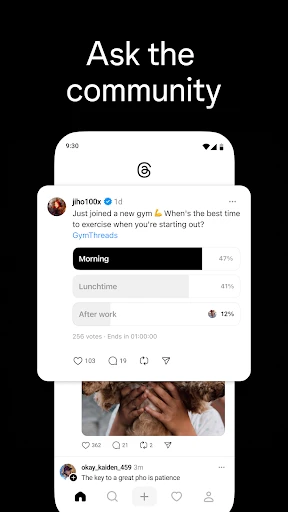
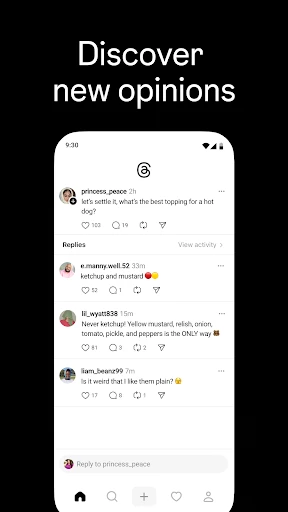
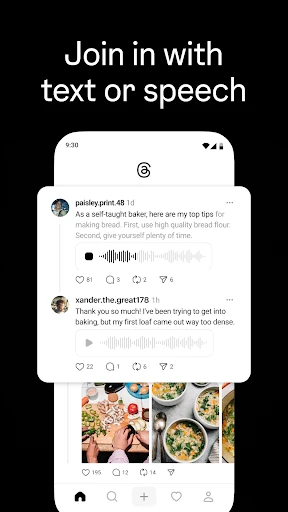
Once I downloaded the app, I was greeted with a sleek and minimalistic interface that screams simplicity. Signing up was a breeze, especially if you already have an Instagram account. You can easily import your close friends list, making it super convenient to get started.
One thing that stood out to me was the Status feature. This nifty tool lets you share what you're up to without having to type a single word. Just set your emoji status, and voila! Your friends get the gist of your mood or activity in an instant. I found myself using this feature more than I anticipated because, let’s face it, sometimes I’m just too lazy to type!
Sharing Made Simple
Threads really shines when it comes to sharing photos and videos. The camera opens up right when you launch the app, encouraging you to capture and share in the moment. It’s quick, it’s seamless, and it’s refreshingly straightforward. I loved how the app prioritizes speed and spontaneity, something that's often missing from its competitors.
And, of course, there’s the Auto Status feature. It’s kind of like magic – it uses your phone’s sensors to automatically update your status based on your location, movement, and even battery level. I was a bit skeptical at first, but after seeing it in action, I found it surprisingly intuitive and, dare I say, a bit fun!
Privacy – A Breath of Fresh Air
In an era where privacy concerns are at an all-time high, Threads reassures users with its focused approach on sharing only with those you trust. The app is designed with privacy in mind, ensuring that your updates and statuses are visible only to your selected close friends. This aspect really appealed to me because, frankly, who doesn’t appreciate a little digital privacy?
Final Thoughts
All in all, Threads offers a refreshing take on social networking. It's perfect for those who cherish their close-knit circles and wish to maintain a more personal connection with friends. This app isn’t trying to replace the big players in the social media space, but rather, it complements them by providing a sanctuary for genuine interactions.
If you’re someone who values simplicity, privacy, and a bit of fun in your social media experience, then Threads might just be the app you didn’t know you needed. Give it a whirl and see if it fits into your digital repertoire. Personally, I’m enjoying the ride and can’t wait to see how it evolves!

- Developer
- Version
- 380.1.0.54.88
- Installs
- 100,000,000+
- Android Version
- Varies With Device
- Content Rating
- Teen
- Price
- Free
- Intuitive user interface
- easy to navigate.
- Seamless integration with Instagram accounts.
- Real-time updates and notifications.
- Supports multimedia sharing
- Limited features compared to competitors.
- Occasional bugs affecting performance.
- Requires Instagram account for full access.
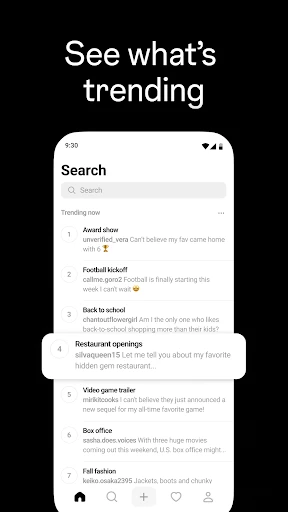
- Lacks advanced search functionality.
- No desktop version available.