StbEmu (Pro)
If you've been on the hunt for an app that can transform your Android device into a full-fledged IPTV setup, then StbEmu (Pro) might just be the hidden gem you're looking for. Trust me, I've tinkered with quite a few IPTV apps, and this one has a charm of its own, especially if you're a tech enthusiast who loves to customize.
Setting Up: A Breeze or a Challenge?
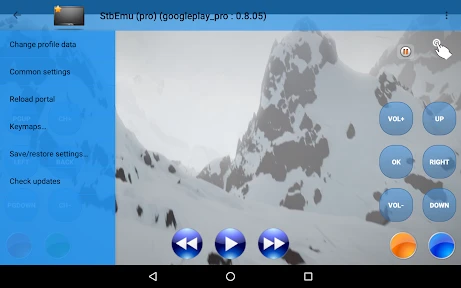
Setting up StbEmu (Pro) can feel a bit like assembling IKEA furniture without the manual—exciting yet slightly daunting. But once you get the hang of it, you'll appreciate the flexibility it offers. The app mimics the interface of a MAG set-top box, a popular choice for IPTV streaming. You’ll need to have your own portal and MAC address ready to dive in. It’s not exactly plug-and-play, but the level of customization you get is worth the effort.
The Interface: Not Winning Beauty Contests, But...
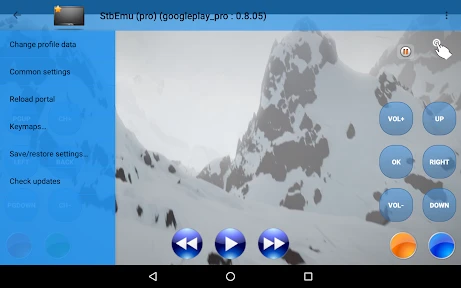
Alright, let’s talk about the interface. Is it the prettiest app on the block? Not really. But what it lacks in aesthetics, it makes up for in functionality. The user interface is straightforward and no-nonsense, focusing on delivering content rather than dazzling with graphics. If you’re someone who values substance over style, you'll find it perfectly adequate.
Features That Stand Out
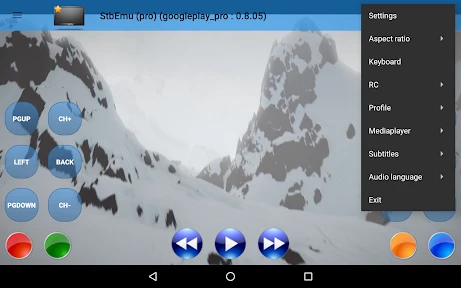
StbEmu (Pro) comes packed with features that make streaming a seamless experience. It supports EPG (Electronic Program Guide), allowing you to browse through channels just like you would with a traditional cable setup. The app also gives you the ability to customize your remote control settings, which is a big plus for those who have specific viewing habits.
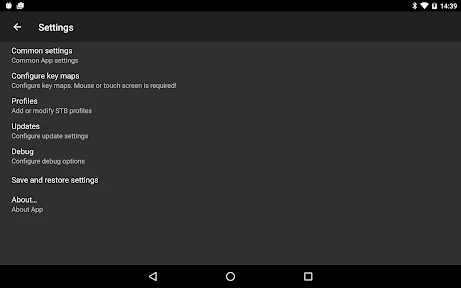
One of the standout features has to be its ability to support multiple profiles. This means you can set up different configurations for different users or IPTV services, which is super handy if you share your device with family or roommates.
Performance: Smooth Sailing or Choppy Waters?
In terms of performance, StbEmu (Pro) generally delivers smooth streaming with minimal buffering, provided you have a decent internet connection. I’ve tested it on both Wi-Fi and mobile data, and while Wi-Fi offers a better experience, mobile streaming isn’t too shabby either. However, like any streaming app, your mileage may vary depending on your network conditions.
One thing to note is that this app is quite resource-intensive. It tends to gobble up RAM like there’s no tomorrow, so make sure your device is up for the task to avoid any sluggishness.
Final Thoughts: Is It Worth the Investment?
So, is StbEmu (Pro) worth your hard-earned cash? If you’re an IPTV aficionado who loves tweaking settings and doesn’t mind a bit of a learning curve, I’d say absolutely. It’s a powerful tool in the right hands and can transform your Android device into a robust streaming setup.
However, if you’re looking for something more user-friendly with less setup hassle, you might want to explore other options. But for those who enjoy the thrill of customization and control, StbEmu (Pro) is a fantastic choice that offers plenty of bang for your buck.
In the end, it all boils down to what you value most in an IPTV app. If it’s customization and control, then give StbEmu (Pro) a whirl. You might just find it’s exactly what you’ve been searching for.

- Developer
- M Vasilchuk
- Version
- v2.0.13.13
- Installs
- 100,000+
- Android Version
- 6.0
- Content Rating
- Everyone
- Price
- $5.49
- Supports multiple IPTV services.
- User-friendly interface.
- Customizable settings.
- Regular updates.
- High compatibility with devices.
- Requires technical knowledge.
- Subscription needed for full features.
- Occasional streaming lag.
- Limited customer support.
- Complex setup for beginners.