Splice - Video Editor & Maker
Splice - Video Editor & Maker is a popular mobile video editing app that has made a name for itself by offering a wide array of features that cater to both novice and professional video editors. The app is available on both Android and iOS platforms, making it accessible to a wide audience. In this review, I'll dive into the various aspects of Splice and share my thoughts on its performance and features.
Getting Started with Splice
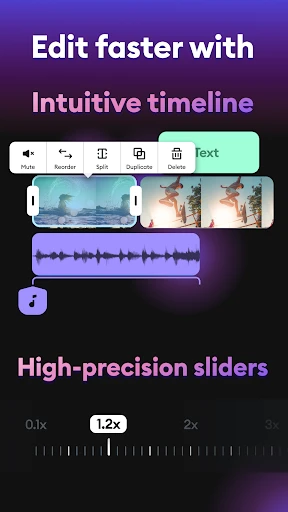
When you first open Splice, you'll be greeted with a clean and intuitive interface that makes it easy to navigate through its features. The app's design is straightforward, which is great because it doesn't overwhelm you with too many options right off the bat. Instead, it guides you through the process of creating your first video project with ease. You can import videos, photos, and music from your device, which is a breeze thanks to Splice's seamless integration with your phone's gallery and music library.
Feature-Rich Editing Tools
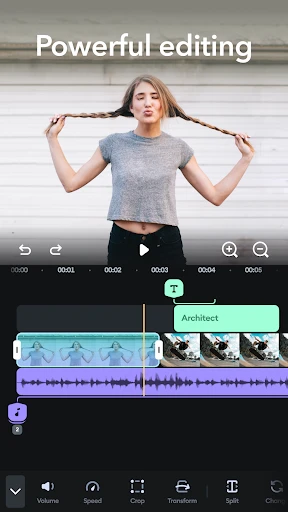
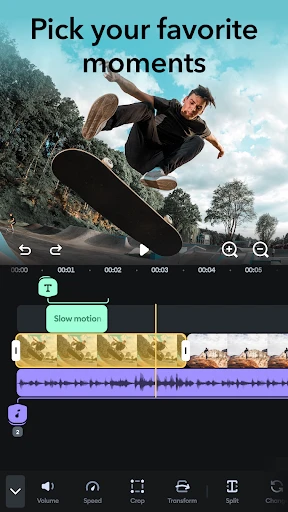
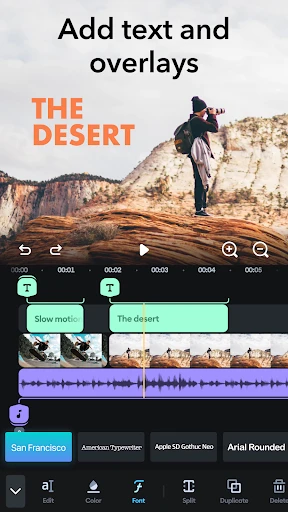
Splice offers a plethora of editing tools that allow you to cut, trim, and merge clips with precision. The app includes a variety of transitions and effects that you can apply to your videos to give them a professional touch. One of the standout features is the ability to add text overlays and titles, which can be customized with different fonts, colors, and animations. This feature is perfect for creating engaging video content for social media platforms.
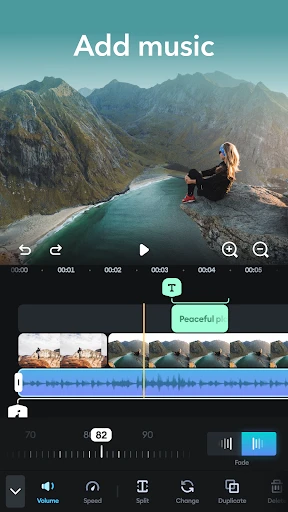
Another impressive aspect of Splice is its audio editing capabilities. You can easily add background music or voiceovers to your videos, and the app provides a library of royalty-free tracks to choose from. The audio editing tools allow you to adjust the volume, fade in and out, and even sync the audio with the video to ensure everything is in harmony.
Exporting and Sharing Your Creations
Once you're satisfied with your video project, Splice makes it incredibly easy to export and share your creations. The app supports various export resolutions, including HD and 4K, ensuring that your videos look crisp and professional. Sharing your videos is a breeze, with direct options to upload to social media platforms like YouTube, Instagram, and Facebook. This makes it an excellent choice for content creators who want to share their work with the world quickly and effortlessly.
Final Thoughts
Overall, Splice - Video Editor & Maker is a fantastic app for anyone looking to create high-quality videos on their mobile devices. Its user-friendly interface, combined with a comprehensive set of editing tools, makes it a top choice for both beginners and experienced video editors. Whether you're looking to create a quick social media post or a detailed video project, Splice has the tools you need to bring your vision to life. Give it a try, and you might just find that it's the perfect video editing app for your needs.
- Developer
- Bending Spoons
- Version
- Varies With Device
- Installs
- 5,000,000+
- Android Version
- Varies With Device
- Content Rating
- Everyone
- Price
- Free
- User-friendly interface for easy editing
- High-quality export options
- Extensive music library
- Advanced video editing features
- Regular updates with new features
- Requires subscription for full features
- Occasional app crashes
- Large file sizes for exports
- Limited free version capabilities
- Can be resource-intensive on older devices