
YouCut - Video Editor & Maker
Have you ever felt the urge to unleash your inner Spielberg? Well, YouCut - Video Editor & Maker might just be the app to make that happen! I recently took this app for a spin, and let me tell you, it was quite the adventure. Packed with user-friendly features and a bunch of editing tools, YouCut promises to be your go-to app for creating stunning videos right from your phone. So, let's dive into what makes this app tick.
Getting Started with YouCut
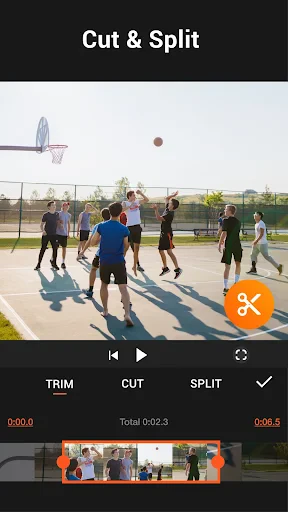
First off, downloading and installing YouCut is a breeze. The app is available for both Android and iOS, so no worries about compatibility. Once you fire it up, you're greeted with a clean and straightforward interface. Everything is laid out intuitively, which is perfect for those of us who aren’t exactly tech wizards. You’ll find all the basic editing tools like trimming, cutting, and merging videos right at your fingertips.
Features to Explore
One of the standout features of YouCut is its wide array of filters and effects. Whether you’re going for a vintage look or something more modern, there’s something for everyone. Plus, the app offers a decent music library, so you can add some catchy tunes to your clips. What I found particularly nifty is the ability to adjust the speed of your videos. Want to create a slow-motion effect or speed things up for a time-lapse? YouCut has got you covered!
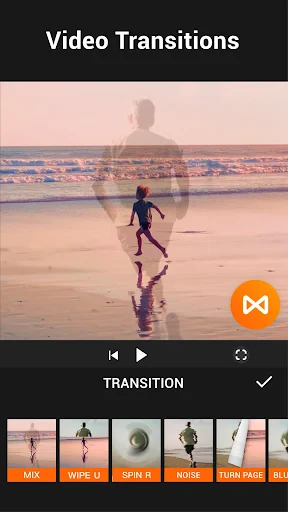
Another gem is the app’s slideshow maker. If you’re like me and love creating photo montages, this feature will be right up your alley. You can add transitions, text, and music to your slideshows, making them truly personalized. And speaking of personalization, the app also allows you to add text and stickers to your videos. It’s a fun way to add a little flair and make your creations stand out.
Editing Experience
Editing with YouCut is as smooth as butter. The app runs seamlessly without any annoying ads popping up every two seconds, which is a huge plus in my book. The timeline feature is intuitive, allowing you to easily drag and drop clips into place. Even if you’re a beginner, the learning curve is pretty forgiving. I was able to whip up a decent video in no time, and that’s saying something!
Another aspect worth mentioning is the export quality. YouCut allows for high-quality video exports, so your videos will look professional even when viewed on larger screens. Plus, there are no watermarks on the free version, which is quite rare for apps in this category.
Final Thoughts
All in all, YouCut - Video Editor & Maker is a fantastic app for anyone looking to dip their toes into video editing. Its user-friendly interface and robust feature set make it a joy to use, whether you’re a complete newbie or a seasoned editor. While it might not have all the bells and whistles of a desktop editing suite, it more than makes up for it with its convenience and ease of use. So, if you’re ready to start creating some amazing videos, give YouCut a try. You won’t be disappointed!



- Developer
- InShot Video Editor
- Version
- 1.662.1201
- Installs
- 100,000,000+
- Android Version
- 7.0
- Content Rating
- Everyone
- Price
- Free
- User-friendly interface for easy navigation.
- Wide range of editing tools available.
- Supports 4K video editing.
- No watermark on exported videos.
- Fast rendering and exporting.
- Limited music library options.
- Some features require in-app purchases.
- Occasional ads in the free version.
- Lacks advanced color grading features.
- No cloud storage integration.