Smart Home Manager
Welcome to Smart Home Manager
Hey there, tech enthusiasts! If you’ve ever dreamed of having control over your entire home with just a few taps on your phone, then you’re in for a treat. Today, I’m diving into the world of Smart Home Manager, a nifty app that promises to streamline your home automation experience. Let's see if it delivers on its promises or if it’s just another app in the crowded smart home arena.
Getting Started: First Impressions
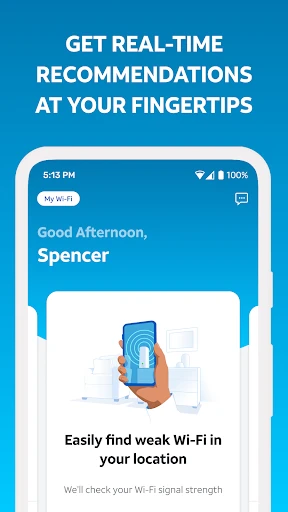
First things first, installing the Smart Home Manager is a breeze. Available on both Android and iOS, the app takes up minimal space and gets you started with a quick setup wizard. As someone who’s not the most tech-savvy, I appreciated the simplicity. The interface is clean and intuitive, making it easy to navigate through its features without feeling overwhelmed.
Feature Galore
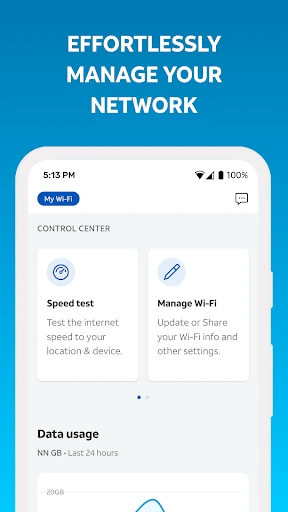
Once you’ve got it up and running, the app opens up a world of possibilities. You can connect a wide variety of smart devices—lights, thermostats, cameras, and more. The best part? You don’t need to stick to a single brand. The Smart Home Manager plays well with most major brands, which is a huge plus in my book.
Device Management: Easily add and manage devices. The app provides a centralized dashboard where you can see all your connected devices at a glance.
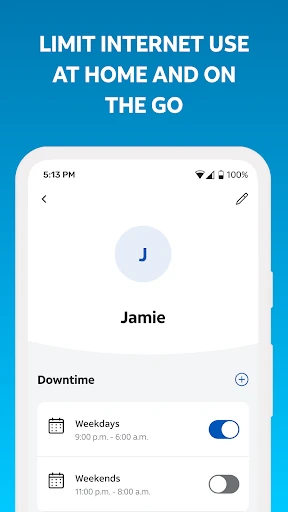
Automation: Set up custom routines to make your home truly smart. Imagine your lights dimming and your thermostat adjusting automatically when you start your movie night.
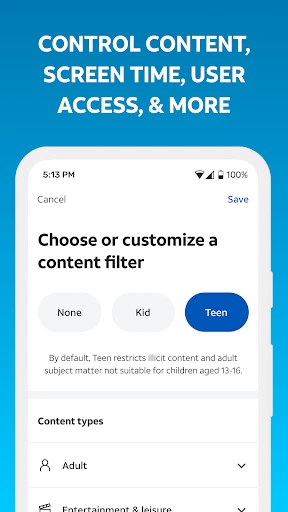
Notifications: Stay informed with real-time alerts, whether it’s a security breach or just a reminder that your system needs an update.
Performance and Reliability
Let’s talk about performance. In my experience, the Smart Home Manager is pretty reliable. I didn’t encounter any major glitches, which is always a relief. The app responds quickly to commands, and the automation routines trigger without noticeable delays. Of course, this largely depends on your internet connection, but the app seems well-optimized to handle a typical home network.
Room for Improvement
While there’s a lot to love, no app is without its flaws. I found the initial device pairing process a bit finicky with some older devices. It took a couple of tries before everything synced up perfectly. Also, while the user interface is mostly intuitive, a little more polish in the design wouldn’t hurt.
Final Thoughts
So, is the Smart Home Manager worth downloading? If you’re looking to bring all your smart devices under one roof, it’s definitely worth a shot. Its flexibility, ease of use, and reliable performance make it a strong contender in the smart home app market. Sure, there’s room for improvement, but the pros far outweigh the cons in my opinion.
Whether you’re a tech newbie or a seasoned smart home aficionado, give Smart Home Manager a try and see how it transforms your home living experience. Trust me, once you start automating, there’s no going back!
- Developer
- AT&T Services, Inc.
- Version
- 2.2505.440
- Installs
- 5,000,000+
- Android Version
- 7.0
- Content Rating
- Everyone
- Price
- Free
- Easy to set up and use
- Integrates with multiple smart devices
- User-friendly interface
- Customizable alerts and notifications
- Remote access to home devices
- Limited compatibility with some devices
- Requires stable internet connection
- Occasional app crashes
- Some features locked behind paywall
- Privacy concerns with data sharing