
SHAREit: Transfer, Share Files
Have you ever found yourself in a situation where you need to transfer files between devices, but the size of the files or the lack of a stable internet connection makes it a hurdle? Well, let me introduce you to SHAREit, an app that claims to solve all your file-sharing problems without any fuss. I’ve had the chance to explore this app, and here’s my take on it.
Seamless File Transfer
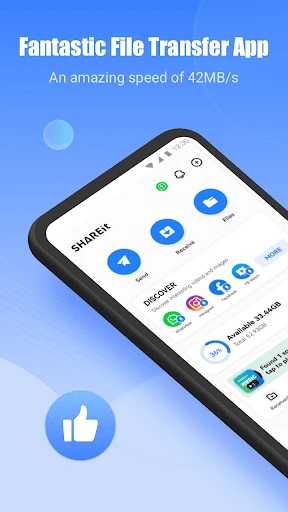
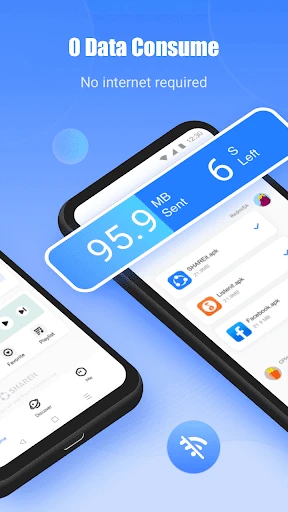
SHAREit is primarily designed to make file sharing between devices as smooth as butter. Whether you’re transferring photos, videos, music, or even apps, SHAREit promises to do it all in a jiffy. The app supports a wide range of file formats and sizes, which is a huge plus. The beauty of SHAREit is that it doesn’t rely on your internet connection. Instead, it uses a direct Wi-Fi connection, which not only speeds up the process but also ensures that you’re not at the mercy of a dodgy internet connection.
Speed That Impresses
Let’s talk about speed. SHAREit boasts of a transfer speed that’s 200 times faster than Bluetooth. Skeptical? I was too, but after giving it a whirl, I was genuinely impressed. The app managed to transfer a 1GB file in just a couple of minutes. It’s not just about speed, though; it’s also about the convenience of being able to transfer files across different platforms, be it Android, iOS, or even Windows.
More Than Just File Sharing
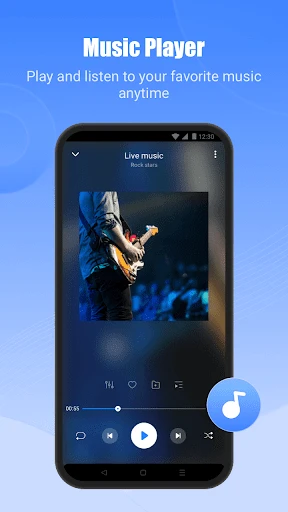
While SHAREit’s primary function is to transfer files, it’s packed with additional features that can come in handy. For instance, the app comes with a built-in media player, allowing you to play music and videos directly within the app. There’s also a nifty feature that lets you clean up junk files from your device, which is great for freeing up some much-needed space.
However, SHAREit’s attempt to do more than just file sharing has its downsides. The app’s interface can feel a bit cluttered with all the additional features packed in. If you’re someone who prefers a minimalist design, this might be a bit of a turn-off.
Privacy Concerns
Privacy is a big deal in today’s digital age, and it’s worth noting that SHAREit has faced its share of controversies regarding data security in the past. While the developers have reportedly addressed these issues, it’s always a good idea to be cautious about the permissions you grant to apps on your device.
On the bright side, SHAREit doesn’t require you to create an account or provide personal information to use its basic features, which is reassuring for those who are privacy-conscious.
In conclusion, SHAREit is a robust app that delivers on its promise of fast and convenient file sharing. It’s a must-have for anyone who frequently needs to transfer large files between devices, especially when internet bandwidth is limited. While the additional features might not be everyone’s cup of tea, the core functionality of SHAREit is spot on. Just remember to keep an eye on those app permissions, and you’re good to go!

- Developer
- Smart Media4U Technology Pte.Ltd.
- Version
- 6.25.88_ww
- Installs
- 1,000,000,000+
- Android Version
- 4.2
- Content Rating
- Everyone
- Price
- Free
- High transfer speed for large files.
- Supports multiple file formats.
- Cross-platform compatibility.
- No internet required for transfers.
- User-friendly interface.
- Contains ads and bloatware.
- Security concerns with file sharing.
- In-app purchases for some features.
- Occasional connectivity issues.
- May not work on older devices.