Roku Smart Home
If there's one thing we all love, it's having a smart home setup that's as seamless as it is efficient. Enter the Roku Smart Home app, a game-changer for anyone looking to integrate their home into the digital age without breaking the bank. I've spent some quality time tinkering with this app, and here's my lowdown on what makes it tick.
Getting Started with Roku Smart Home
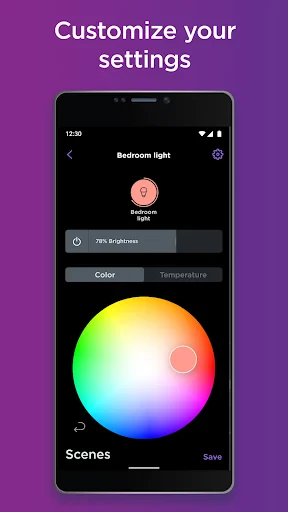
First things first, setting up the Roku Smart Home app was a breeze. You download it from either the Google Play Store or the Apple App Store, and before you know it, you're diving into a world of smart home possibilities. The interface is intuitively designed, perfect even if you're not the most tech-savvy person out there. Everything from pairing your devices to customizing settings is laid out in a way that's easy to navigate.
Features that Stand Out
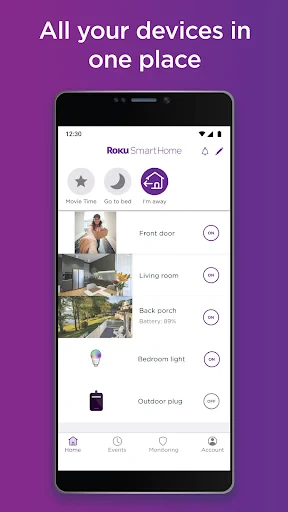
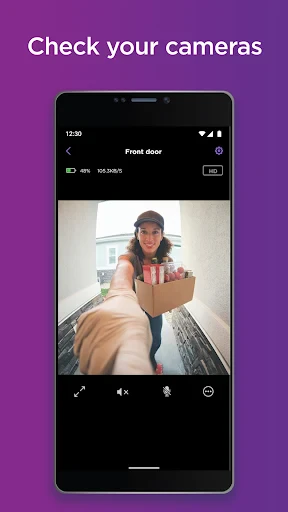
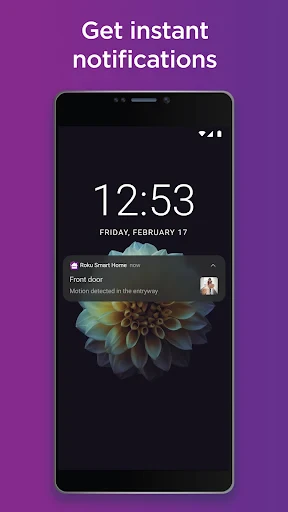
Roku Smart Home doesn’t just stop at controlling your TV or streaming devices. Nope, it goes beyond to offer control over a variety of smart devices like lights, cameras, and even smart plugs. Imagine dimming the lights for movie night without leaving the comfort of your couch. That's the kind of convenience Roku promises and delivers.
The app offers a unified dashboard, which is a real treat. You can monitor and manage multiple devices from a single screen. The app even supports voice control, so you can bark orders at your smart home setup like a pro.
Performance and Reliability
Now, I know what you might be thinking—"Does it actually work without a hitch?" From my experience, the Roku Smart Home app is pretty reliable. The connection with devices is stable, and there's minimal lag when issuing commands. The app updates regularly, ensuring it keeps up with the latest tech advancements and security protocols.
Battery consumption is another aspect where this app shines. It runs efficiently without draining your phone's battery, which is a big plus if you're like me and always on the move.
Room for Improvement
No app is perfect, and Roku Smart Home is no exception. While it does a fantastic job at integrating various devices, it currently lacks compatibility with some lesser-known brands. If you're using gadgets from smaller companies, you might encounter some hiccups. But given Roku's track record, I'm hopeful they'll expand their compatibility list soon.
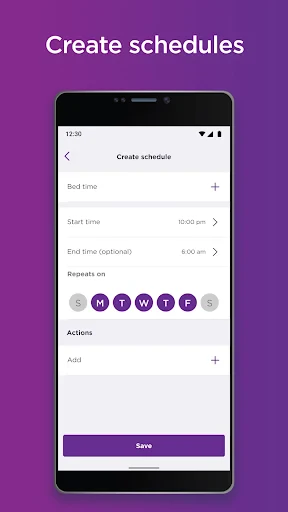
Another small gripe is the learning curve associated with some of the more advanced features. For those who love to tinker, this won’t be a deal-breaker, but for everyone else, a bit more guidance would be appreciated.
Final Thoughts
All in all, the Roku Smart Home app is a solid choice for anyone looking to make their home smarter without too much hassle. It's user-friendly, performs well, and offers a lot of functionality packed into a neat package. Whether you're a tech enthusiast or just someone looking to dip their toes into the world of smart homes, Roku has something to offer.
While there are areas for improvement, the app's current capabilities are impressive. It’s a testament to how far smart home technology has come, making life just a bit easier and a lot more fun. So, if you’re ready to take your home into the future, the Roku Smart Home app might just be your ticket.
- Developer
- Roku, Inc. & its affiliates
- Version
- 3.3.4.488
- Installs
- 1,000,000+
- Android Version
- 8.0
- Content Rating
- Everyone
- Price
- Free
- Easy integration with Roku devices
- User-friendly interface
- Affordable smart home solutions
- Wide range of compatible devices
- Reliable performance
- Limited third-party integrations
- Requires stable internet connection
- Occasional app glitches
- Basic automation features
- No advanced security options