YASNAC - SafetyNet Checker
Ever wondered if your Android device is as secure as it claims to be? Enter YASNAC - SafetyNet Checker, a nifty little app designed to give you peace of mind by checking your device's compatibility with Google's SafetyNet Attestation API. Now, before you get all tech-ed out, let me break it down for you in simple terms.
Why YASNAC?
So, here’s the deal: not all Android devices are created equal when it comes to security. Some apps, especially banking and payment apps, rely heavily on SafetyNet to verify the integrity of your device. If your device fails this test, you might be locked out of some apps or features. That’s where YASNAC comes in handy. It’s like having a bouncer at your smartphone’s door, making sure everything is legit before letting you in.
Getting Started with YASNAC
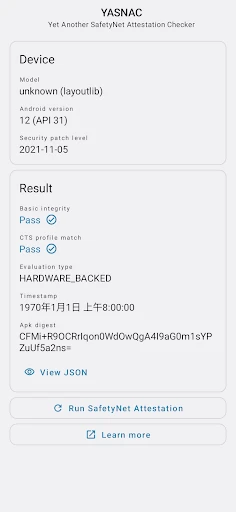
Downloading and setting up YASNAC is a breeze. Available on the Google Play Store, it installs in seconds. Once you’ve got it on your device, just fire it up and hit “Run SafetyNet Attestation.” Within moments, YASNAC will spit out a detailed report, letting you know whether your device passes the SafetyNet checks or not.
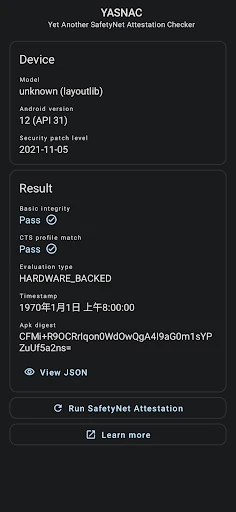
The app’s interface is clean and straightforward. No unnecessary bells and whistles, just the information you need right at your fingertips. For those of you who aren’t tech-savvy, YASNAC keeps things simple, which I appreciate. There’s nothing worse than an app that requires a manual just to navigate!
The Nitty-Gritty Details
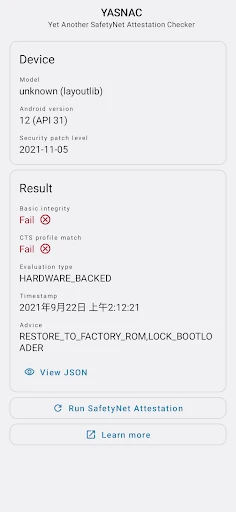
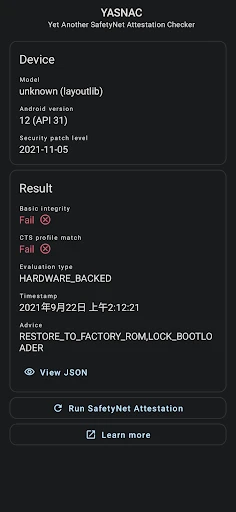
One of the standout features of YASNAC is its transparency. It provides detailed results of the SafetyNet Attestation, including the CTS profile match and basic integrity results. If these terms sound like hieroglyphics to you, don’t fret. Essentially, these are the checks that determine whether your device is safe to use for sensitive transactions.
What’s cool is that YASNAC doesn’t just leave you hanging with a pass or fail. It dives deeper, allowing you to understand what might be wrong if your device doesn’t pass. This can be particularly useful if you’re trying to troubleshoot issues with app compatibility or device rooting.
Practical Uses and Limitations
YASNAC is perfect for anyone who’s concerned about their device’s security status. Whether you’re a tech enthusiast who loves tinkering with your device or just someone who wants to ensure their phone is safe, this app is a great tool to have in your arsenal.
However, it’s worth noting that YASNAC won’t fix any security issues it detects. Its primary function is to inform you of your device’s status. Think of it as a diagnostic tool rather than a cure-all app.
Final Thoughts
In a world where digital security is paramount, having an app like YASNAC can be incredibly reassuring. It’s user-friendly, informative, and, most importantly, it works. While it doesn’t offer solutions to the problems it identifies, it equips you with the knowledge you need to make informed decisions about your device’s security.
So, if you’re curious about whether your Android device is up to snuff in terms of security, give YASNAC a try. It’s a small step towards ensuring your digital life remains secure, and honestly, who doesn’t want that peace of mind?
- Developer
- Xingchen & Rikka
- Version
- v1.1.5.r65.15110ef310
- Installs
- 500,000+
- Android Version
- 5.0
- Content Rating
- Everyone
- Price
- Free
- Quick and easy SafetyNet check
- User-friendly interface
- No ads for distraction-free use
- Open-source and transparent
- Supports multiple Android versions
- Limited to SafetyNet status only
- No additional security features
- Requires internet connection
- No support for iOS devices
- May not work on some custom ROMs