QuickBooks Online Accounting
Hey there, fellow number crunchers and small business maestros! If you’ve been on the hunt for an effective, no-fuss way to manage your finances, then let me spill the beans about QuickBooks Online Accounting. As someone who’s had their fair share of spreadsheet-induced headaches, discovering QuickBooks was like finding the unicorn of accounting apps. So, buckle up as I take you through my experience with this nifty tool.
Getting Started with QuickBooks Online
First things first, setting up QuickBooks Online is about as easy as pie. Seriously, you don’t need to have a degree in finance to get the ball rolling. The sign-up process is straightforward, and QuickBooks does a top-notch job of guiding you through the initial setup. You’ll be entering your business details and linking your bank accounts in no time, and the best part? It’s all done online, so no downloads or installations are bogging you down.
User Interface and Navigation
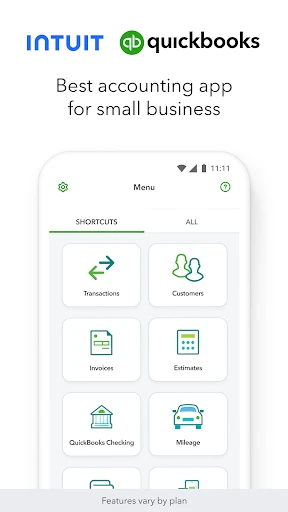
Now, let’s talk about the interface. If you’re anything like me, a cluttered dashboard is your worst nightmare. Luckily, QuickBooks Online boasts a clean, intuitive interface that makes navigation a breeze. Everything you need is right at your fingertips, from invoicing to expense tracking. The dashboard presents your financial data in an easy-to-digest format, so you can see where your money is going without needing a magnifying glass.
Features that Stand Out
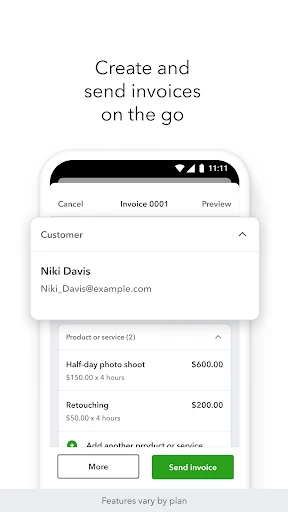
QuickBooks Online is packed with features that cater to businesses of all sizes. One of my personal favorites is the invoicing feature. It’s customizable, efficient, and you can even schedule invoices to be sent automatically. Talk about a time-saver! Plus, you can accept payments directly through the app, which means no more chasing clients for checks.
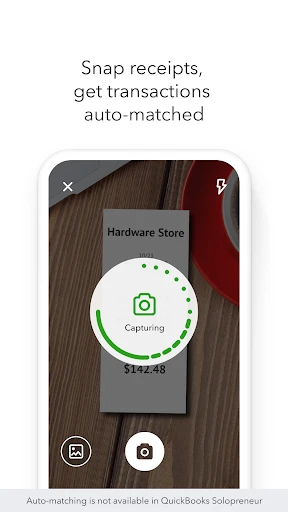
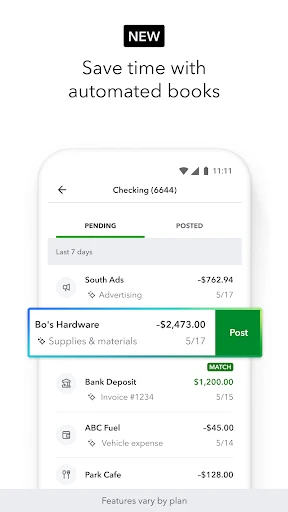
Another standout feature is expense tracking. You can snap photos of your receipts and upload them directly to the app. QuickBooks then sorts and categorizes them for you. It’s like having a personal accountant in your pocket! And for those who need to collaborate, QuickBooks allows multiple users, making it ideal for teams.
Security and Support
In today’s digital age, security is a biggie, and QuickBooks Online doesn’t disappoint. With bank-level encryption and regular security checks, you can rest easy knowing your financial data is safe and sound. Plus, if you ever hit a snag, QuickBooks offers stellar customer support. Whether it’s through chat, phone, or their comprehensive online resources, help is always just a click away.
So, who is QuickBooks Online for? Honestly, it’s perfect for small to medium-sized businesses, freelancers, and anyone who needs a reliable way to manage their finances without breaking the bank. The pricing is flexible, with several tiers to suit different needs and budgets.
In conclusion, QuickBooks Online Accounting has transformed the way I handle my business finances. It’s user-friendly, feature-rich, and offers peace of mind with its top-notch security. If you’re looking to streamline your accounting processes and focus more on growing your business, I wholeheartedly recommend giving QuickBooks Online a whirl. Trust me, your future self will thank you!
- Developer
- Intuit Inc
- Version
- 29.17.0
- Installs
- 5,000,000+
- Android Version
- 9
- Content Rating
- Everyone
- Price
- Free
- User-friendly interface simplifies accounting.
- Cloud-based access from any device.
- Real-time financial data updates.
- Comprehensive reporting tools.
- Integrates with many third-party apps.
- Monthly subscription fees can be costly.
- Requires internet access to use.
- Limited features in mobile app.
- Complex setup for advanced features.
- Customer support can be slow.