PS Remote Play
Have you ever found yourself wishing you could play your PlayStation games without being confined to your living room? Well, I’ve got some good news for you! Let me introduce you to PS Remote Play, a nifty app that lets you stream your PlayStation games to your mobile devices. This means you can play your favorite titles on the go, whether you're lounging in a cafe or tucked into bed. Let’s dive into what makes this app a game-changer.
Setting Up and Compatibility
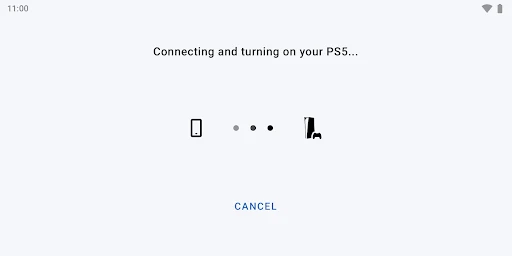
First things first, let’s talk about setting up PS Remote Play. I won't lie, I was a bit skeptical at the beginning, expecting a complicated setup process. But to my surprise, it was pretty straightforward. All you need is a PlayStation Network account and a high-speed internet connection. Just download the app, sign in, and pair it with your console. Voila! You’re good to go.
The app is compatible with a variety of devices, including smartphones, tablets, and even PCs. However, do keep in mind that it works best with newer PlayStation models, like the PS4 and PS5. If you're still rocking an older model, you might face some limitations.
Gameplay Experience
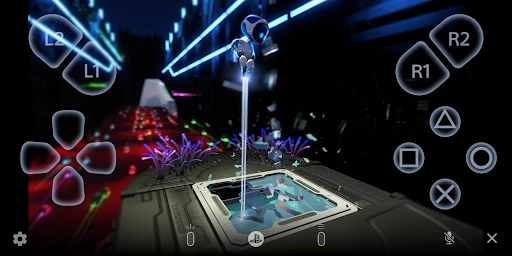
Now, onto the most important part—gameplay. I tested PS Remote Play with a few games, and I must say, the experience was surprisingly smooth. The app streams the games directly from your console, so the graphics and sound quality are top-notch. It felt like I was playing directly on my PS5, even though I was actually using my phone.
However, the experience does heavily depend on your internet connection. A stable, high-speed connection is crucial to avoid any lag or buffering issues. There were a couple of times when my Wi-Fi dipped, and I experienced some lag, but it wasn't a deal-breaker.
Controls and Usability
One thing that really impressed me was the control options. You can use your device’s touch screen, but I found it much more comfortable to connect a DualShock or DualSense controller. It made the gaming experience feel more authentic and less clunky. The app’s interface is intuitive and user-friendly, which means you’ll spend less time figuring out what’s what and more time actually playing.
Final Thoughts
In a nutshell, PS Remote Play is a fantastic app for any PlayStation enthusiast who wants to take their gaming experience beyond the confines of their living room. While it does rely heavily on a strong internet connection, the convenience and flexibility it offers are well worth it. Whether you want to continue your gaming session in bed or sneak in some gameplay during your lunch break, PS Remote Play has got you covered. So, grab your device, download the app, and happy gaming!
- Developer
- PlayStation Mobile Inc.
- Version
- 8.0.0
- Installs
- 10,000,000+
- Android Version
- 9
- Content Rating
- Everyone
- Price
- Free
- Stream PS4/PS5 games to your devices.
- Easy setup with PlayStation Network account.
- Supports multiple controllers for gameplay.
- High-quality graphics and sound experience.
- Access to game library remotely.
- Requires stable internet connection.
- Limited to PlayStation consoles.
- Some input lag might occur.
- Mobile data usage can be high.
- Device compatibility limitations.