ProShot
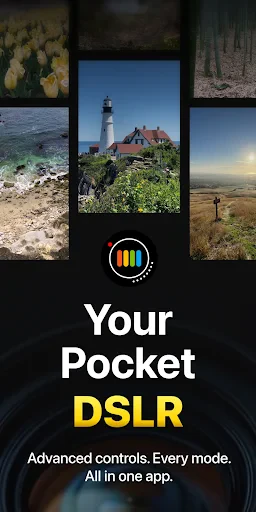
When it comes to capturing life's moments in stunning detail, most of us rely heavily on our smartphone cameras. But what if I told you there’s a way to elevate your smartphone photography to near-professional levels? Enter ProShot, an app that transforms your device into a powerful camera with an array of advanced features.
Unleashing the Power of ProShot
First things first, let’s dive into what makes ProShot a game-changer in the world of mobile photography. From the get-go, the app presents a user-friendly interface that’s inviting yet packed with features. Whether you’re a novice or a seasoned photographer, you'll find ProShot's design intuitive and easy to navigate.
Manual Controls at Your Fingertips
One of the standout features of ProShot is the extensive manual control it offers. You can adjust the ISO, shutter speed, white balance, and exposure, much like a professional DSLR. This level of control means you can fine-tune your shots to perfection, adapting to various lighting conditions and creative scenarios.
RAW Shooting for Maximum Flexibility
For those who love post-processing, the ability to shoot in RAW format is a huge plus. This feature allows you to capture all the data from the sensor, giving you the flexibility to edit your photos without losing quality. It’s like having a digital negative that you can tweak to your heart’s content.
Video Capabilities That Impress
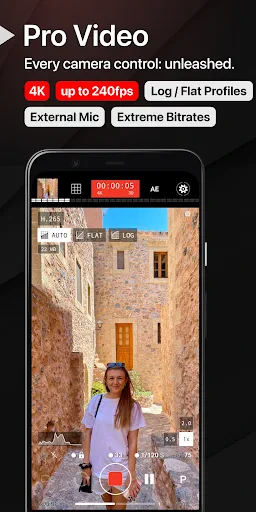
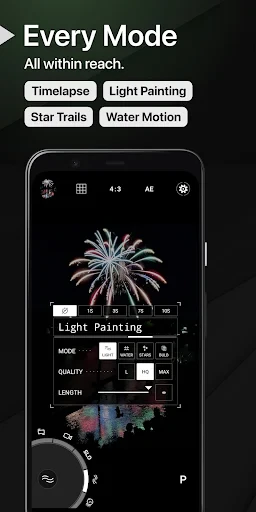
ProShot isn’t just for still photography enthusiasts. The app also excels in video recording, offering features like adjustable frame rates, resolution settings, and even time-lapse options. Whether you’re shooting a short film or just capturing everyday moments, ProShot provides the tools to do so with cinematic flair.
Performance and Usability
In terms of performance, ProShot is a solid contender. It runs smoothly on both Android and iOS devices, with minimal lag even when using its more advanced features. The app's developers have clearly put a lot of effort into ensuring it performs well across different platforms.
Battery and Storage Considerations
It’s worth noting that using features like RAW shooting and high-resolution video can be taxing on your device’s battery and storage. Make sure you’re prepared with extra storage space and a power bank if you plan on using ProShot extensively during a shoot.
Final Thoughts on ProShot
Overall, ProShot is a fantastic app for anyone serious about mobile photography. Its combination of professional-grade features and ease of use makes it a must-have for photographers looking to push the boundaries of what’s possible with a smartphone camera. Whether you're capturing stunning landscapes, candid portraits, or dynamic videos, ProShot provides the tools you need to make your vision a reality.
So, if you’re ready to take your photography to the next level, give ProShot a try. It’s like having a professional camera right in your pocket, ready to capture the world as you see it.


- Developer
- Rise Up Games
- Version
- 8.29
- Installs
- 500,000+
- Android Version
- 7.0
- Content Rating
- Everyone
- Price
- $6.99
- Offers full manual control over camera settings.
- High-quality RAW and JPEG output options.
- Intuitive and user-friendly interface.
- Supports 4K video recording.
- Customizable presets for quick access.
- Requires a learning curve for beginners.
- Battery usage can be intensive.
- Limited post-processing features.
- Occasional app crashes reported.
- Not all features available on all devices.