GIF Maker, GIF Editor
In the world of social media and instant communication, creating engaging content is key. That's where GIF Maker steps into the limelight, offering a perfect blend of creativity and fun. Whether you're a meme enthusiast or just love to share quirky moments, this app is designed to make your content pop!
Unleash Your Inner Creator
Starting with the basics, GIF Maker is your go-to app for crafting those eye-catching animations that flood your social feeds. The app is surprisingly user-friendly, even for those who aren't tech-savvy. Upon opening the app, you're greeted with a clean interface that screams simplicity. Everything you need is right at your fingertips.
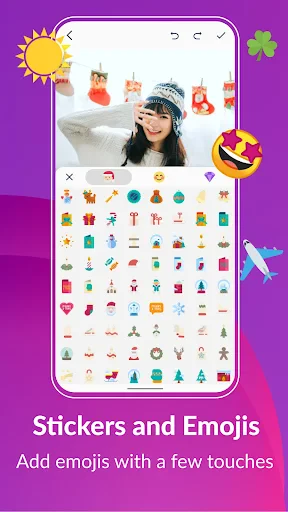
Now, let's talk about features. You can create GIFs from videos, photos, camera shots, and even screen recordings. The app supports a wide range of formats, ensuring that you can turn almost anything into a GIF. The editing tools are robust, allowing you to trim, crop, and adjust the speed of your GIFs. Plus, with options to add filters, stickers, and text, your creativity is the only limit.
Why Choose GIF Maker?
One of the standout features is the app's ability to support high-quality GIFs. That's right; gone are the days of pixelated animations. With GIF Maker, you can ensure your GIFs maintain their quality, making them perfect for professional use or just impressing your friends. Additionally, the app allows you to share your creations directly to your favorite social media platforms, making the process seamless and hassle-free.
Another great aspect is the real-time editing capability. You can see your changes as you make them, which is a huge time-saver. No more waiting around to see how your edits will turn out. It's all instant!
Room for Improvement?
While GIF Maker is packed with features, there's always room for improvement. Some users might find the ad presence a bit distracting. However, considering the app is free, it's a small price to pay for the wealth of features it offers. There are in-app purchases available if you wish to remove ads and unlock additional features.
Also, while the app is generally intuitive, a brief tutorial for first-time users could enhance the user experience, especially for those who are new to GIF creation.
In conclusion, if you're looking to spice up your content with some animated flair, GIF Maker is a fantastic choice. It's packed with features that cater to both casual users and professionals alike. Despite a few minor drawbacks, the app delivers on its promise of easy and fun GIF creation. So, go ahead, give it a try, and watch your creativity come to life!


- Developer
- GIF Maker & GIF Editor & Video Maker
- Version
- Varies With Device
- Installs
- 10,000,000+
- Android Version
- Varies With Device
- Content Rating
- Everyone
- Price
- Free
- Easy to use interface for beginners.
- Wide range of editing tools available.
- Supports multiple file formats.
- Fast processing speeds.
- High-quality output GIFs.
- Contains ads in free version.
- Limited features in free version.
- Occasional app crashes reported.
- Watermark on outputs in free version.
- Requires internet for some features.