PhotoScan by Google Photos
Have you ever stumbled upon old photo albums tucked away in the attic, filled with memories but gathering dust? Well, if you're anything like me, you’d want to preserve those memories in the digital realm. Enter PhotoScan by Google Photos – a nifty little app that promises to bring your beloved old photos into the digital age. Let’s dive in and see how it fares!
Getting Started with PhotoScan
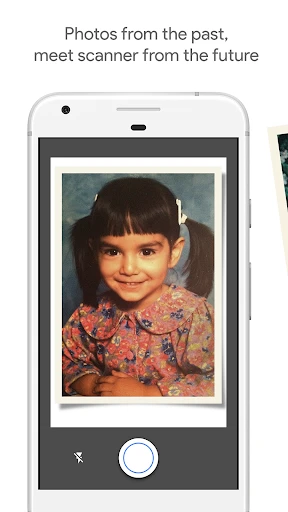
Setting up PhotoScan is as straightforward as it gets. Available on both Android and iOS, the app is free to download and quick to install. Once you’ve got it on your device, the interface is refreshingly simple. No unnecessary frills – just a clear path to start digitizing your photos. I found the onboarding process intuitive, guiding me through the basics with ease.
Scanning Your Memories
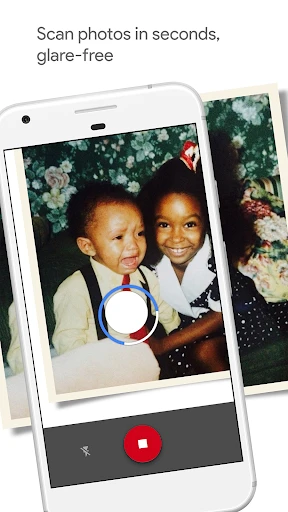
Now, the magic happens when you start scanning. Unlike just snapping a picture of a photo with your phone camera, PhotoScan uses a clever technique to eliminate glare and enhance image quality. You’ll be prompted to hover your phone over the photo and capture it from different angles. The app then stitches these angles together to create a high-quality, glare-free digital image.
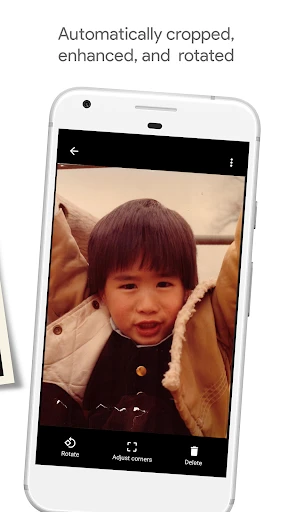
What I appreciate here is how the app handles photos that are less than perfect. Even if your photo has a few creases or imperfections, PhotoScan does a commendable job at cleaning them up. It’s like having a mini photo lab in your pocket!
Integration with Google Photos
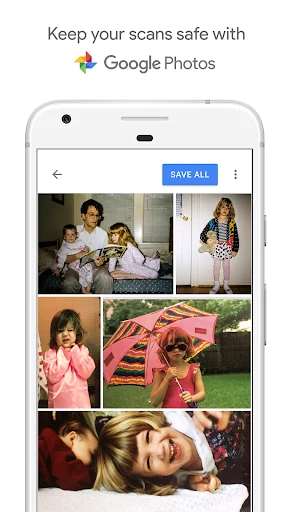
Once your photos are scanned, they can be seamlessly saved to Google Photos. This integration is a huge plus if you’re already using Google’s ecosystem. Not only can you store your photos in the cloud, but you can also organize them, create albums, and even share them with family and friends directly from the app.
I found this feature particularly handy as it eliminates the need for additional backup solutions. Knowing that my photos are safely stored and easily accessible anytime gives me peace of mind.
A Few Quirks
While PhotoScan is a solid app, it’s not without its quirks. The scanning process, though effective, can be a tad time-consuming. You’ll need to be patient, especially if you’re working through a big stack of photos. Additionally, the app works best in well-lit environments, so you might find yourself hunting for the perfect lighting conditions.
Another point worth mentioning is that while the app excels at scanning standard-sized photos, it might struggle a bit with larger or unusually shaped ones. It’s not a deal-breaker, but something to keep in mind if your collection includes such photos.
Final Thoughts
All things considered, PhotoScan by Google Photos is a brilliant tool for anyone looking to digitize their photo collection. It’s user-friendly, effective, and integrates beautifully with Google Photos for seamless storage and sharing. While it has a few minor hiccups, its benefits far outweigh them, making it a must-have for photo enthusiasts and nostalgic souls alike.
If you’ve been putting off digitizing your photo albums, now’s the perfect time to give PhotoScan a try. Trust me, your future self will thank you for preserving those precious memories!
- Developer
- Google LLC
- Version
- 1.7.1.539739820
- Installs
- 50,000,000+
- Android Version
- 5.0
- Content Rating
- Everyone
- Price
- Free
- Easy to use interface for quick scanning.
- Automatically enhances image quality.
- Integrates with Google Photos for organization.
- Supports sharing scanned photos easily.
- No ads for a seamless experience.
- Requires good lighting for best results.
- Limited editing features post-scan.
- Occasional glare issues in scans.
- No batch scanning option available.
- Needs more frequent updates for features.