

Obsidian
Ever stumbled upon an app that felt like finding a hidden gem? That's exactly how I felt when I downloaded Obsidian. At first glance, it might seem like just another note-taking app, but let me tell you, it's so much more than that. It's like having a digital brain where all your thoughts, ideas, and plans seamlessly connect.
Unveiling the Magic of Obsidian
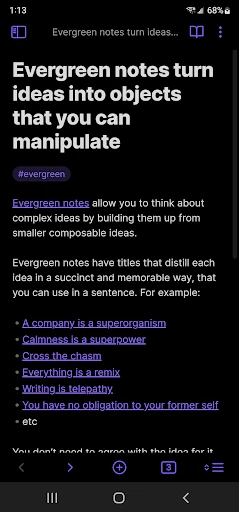
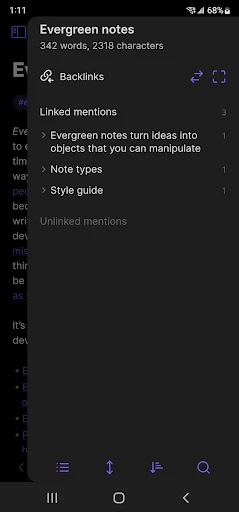
So, what makes Obsidian stand out in a sea of productivity apps? For starters, it's the way it turns your notes into a network of linked ideas. Imagine having a giant corkboard where every note is a sticky note, and you can draw strings to connect them. That's the magic of Obsidian's bidirectional links. It allows you to create a web of information that mirrors the way your brain naturally processes information.
Features That Spark Creativity
The app boasts a plethora of features, but a few truly spark creativity. The Markdown support is a lifesaver for those who love a clean, distraction-free writing environment. You can focus on your content without fussing over formatting. And the graph view? It's a visual treat. It provides a bird’s-eye view of how your notes interconnect, helping you discover insights you might've missed otherwise.
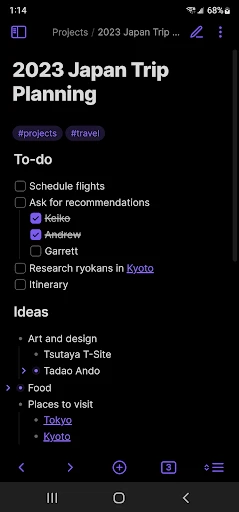
Plugins are another standout feature. Whether you want to integrate a task manager or a daily note system, Obsidian's community of developers has likely built a plugin for it. This flexibility means you can tailor the app to fit your unique workflow, making it a powerful ally in both professional and personal projects.
Getting Started with Confidence
Diving into Obsidian might feel overwhelming at first, but worry not. The app’s user-friendly interface gently eases you into its vast capabilities. Start simple: jot down a few notes, play around with linking them, and soon you'll find yourself navigating through your thoughts like a pro.
And let's talk about the community. The Obsidian community is a treasure trove of tips, templates, and tutorials. Whether you're a newbie or a seasoned user, there's always something new to learn. Plus, the developers are super responsive, constantly updating the app based on user feedback.
Why Obsidian Is Worth the Hype
In a nutshell, Obsidian doesn't just store your notes—it transforms how you interact with them. The ability to visualize and link ideas not only boosts productivity but also enhances creativity, making it a standout tool for thinkers and creators alike.
If you're looking for an app that evolves with your ideas and helps you see connections you never knew existed, give Obsidian a try. It's not just an app; it's a journey into your own mind’s potential. So, go ahead, download it, and see where it takes you. Trust me, you won't regret it.


- Developer
- Dynalist Inc.
- Version
- 1.8.10
- Installs
- 1,000,000+
- Android Version
- 5.1
- Content Rating
- Everyone
- Price
- Free
- Highly customizable interface
- Supports Markdown for note-taking
- Cross-platform compatibility
- Strong community support
- Robust plugin ecosystem
- Steep learning curve for beginners
- Mobile app lacks some desktop features
- No built-in cloud sync
- Limited task management features
- Can be overwhelming with too many plugins


