Video Editor & Maker - InShot
Hey there, fellow content creators and video enthusiasts! Have you ever found yourself scrolling through social media, marveling at those slick, professional-looking videos, and thinking, "I wish I could make something like that"? Well, I've got some great news for you. The InShot app is here to make your video editing dreams a reality. Whether you're a seasoned pro or a newbie just dipping your toes into the world of video editing, InShot has something for everyone.
A User-Friendly Interface
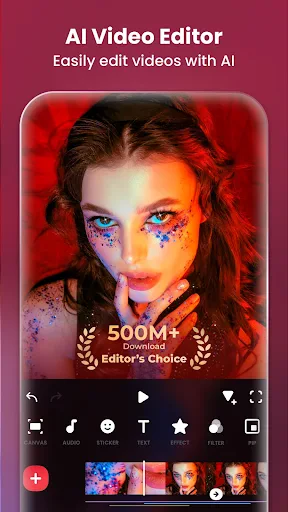
First things first, let's talk about the interface. InShot greets you with a clean and intuitive design that's super easy to navigate. You won't find yourself lost in a sea of options or buried under complicated menus. Everything is laid out in a way that just makes sense. The app guides you through the editing process step-by-step, making sure you don't miss a beat. I found this particularly helpful as it made the editing process less daunting and more enjoyable.
Features Galore
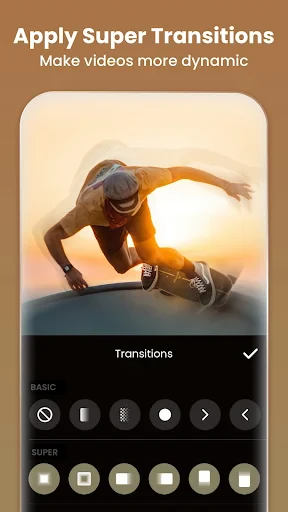
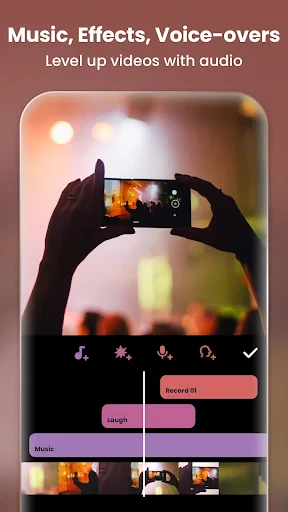
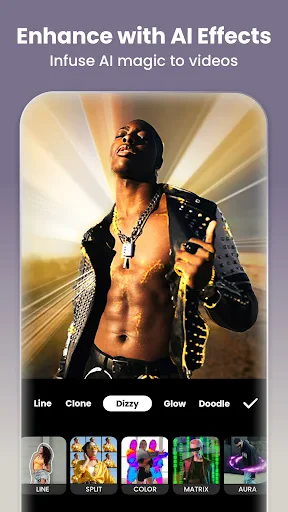
InShot isn't just about trimming videos and adding filters—though it does that exceptionally well. It's packed with features that let you unleash your creativity. From basic trimming and cutting to advanced features like speed control, voiceovers, and even the ability to add music tracks from your library, InShot has it all. And for those of us who love a bit of flair, the app offers a variety of effects and transitions that can make your videos pop.
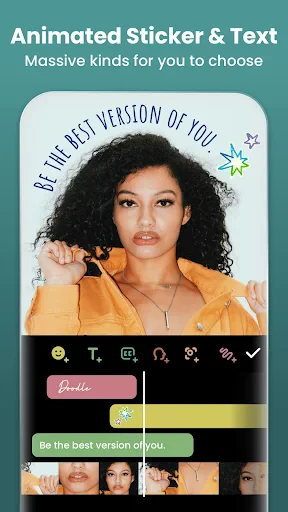
One feature that I particularly liked was the text and sticker options. The ability to add text overlays is a game-changer, especially if you're creating content for platforms like Instagram or TikTok. You can choose from a variety of fonts, colors, and styles to suit the mood of your video. Plus, the sticker library is extensive, offering everything from emojis to themed packs. It's a fun way to add a personal touch to your creations.
Exporting and Sharing
Once you've crafted your masterpiece, InShot makes it super easy to export and share your videos. You can choose the resolution and format that best suits your needs, and the app even gives you the option to share directly to social media platforms. It's a seamless process that saves you time and effort, allowing you to focus on what really matters: creating awesome content.
And here's a little tip from me to you: always make sure to preview your video before exporting. InShot provides a handy preview feature that lets you see exactly how your video will look once it's finished. It's a lifesaver for catching any last-minute tweaks or changes you might want to make.
Final Thoughts
InShot is a powerhouse of a video editor that's perfect for anyone looking to elevate their video content. It's user-friendly, packed with features, and makes the editing process enjoyable and rewarding. Whether you're creating videos for fun, for your social media presence, or for a professional project, InShot has got you covered. So go ahead, give it a try, and watch your video editing skills soar!
If you're ready to dive into the world of video editing with InShot, you can find the download links on our website. Happy editing!
- Developer
- InShot Video Editor
- Version
- 2.123.1487
- Installs
- 500,000,000+
- Android Version
- 7.0
- Content Rating
- Everyone
- Price
- Free
- User-friendly interface for beginners.
- Supports multiple video formats.
- Offers high-quality export options.
- Includes a variety of editing tools.
- Regular updates with new features.
- Contains ads in free version.
- Limited features without subscription.
- Occasional crashes reported.
- Watermark on videos in free version.
- In-app purchases can be costly.