OBD2 Car Scanner - ELM Torque
Revving Up Your Ride: A Deep Dive into OBD2 Car Scanner - ELM Torque
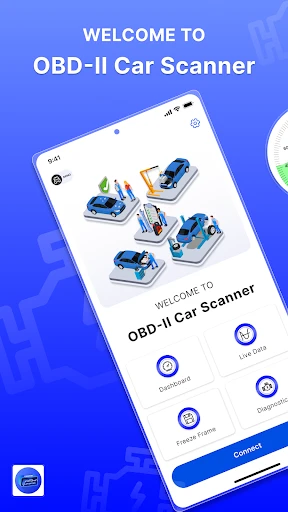
Hey there, car enthusiasts! Ever found yourself in a tight spot with your car and wished you had a mechanic right in your pocket? Well, say hello to the OBD2 Car Scanner - ELM Torque, the app that could easily become your new best friend when it comes to understanding your vehicle’s health. Let’s hop in and see what this app brings to the table.
What is OBD2 Car Scanner - ELM Torque?
First things first, if you’re scratching your head wondering what OBD2 means, it stands for On-Board Diagnostics. It's like your car's way of communicating what's going on under the hood. The ELM Torque app uses this technology to help you monitor your car's performance, diagnose issues, and even save some bucks on mechanic bills. Cool, right?
Getting Started: Installation and Setup
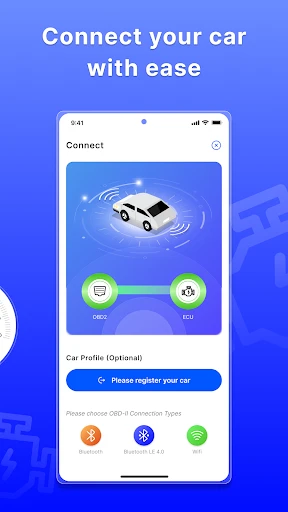
Installing the app is as breezy as a Sunday drive. Available for both Android and iOS, you just need to download it from your app store. Once installed, pairing it with an OBD2 adapter is a piece of cake. Just plug the adapter into your car’s OBD2 port, connect via Bluetooth, and voila! You’re ready to start scanning.
Features That Steal the Show
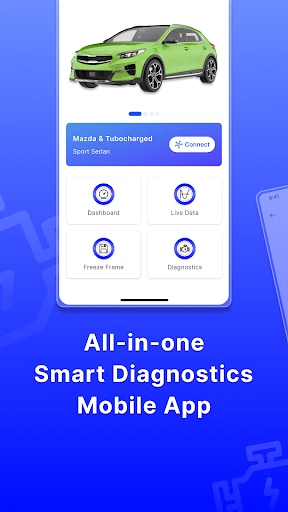
Now, onto the juicy details – the features. The app offers a treasure trove of functionalities:
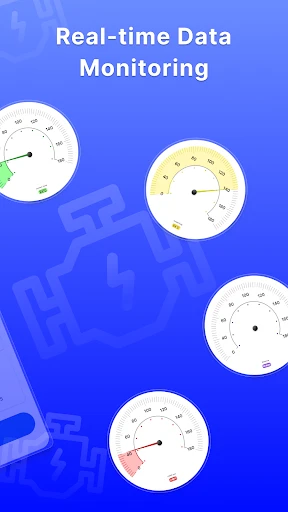
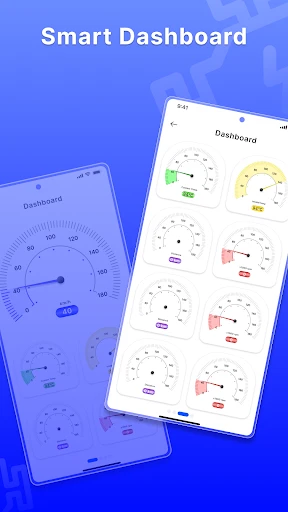
Real-time Data: It provides live updates on your engine performance, speed, RPMs, and more. It’s like having a performance dashboard right on your phone.
Diagnostic Trouble Codes (DTC): Ever had that annoying check engine light pop up? This app lets you read and clear those codes, giving you insight into what might be wrong.
Fuel Economy: Track your fuel usage and efficiency over time. This feature is perfect for those who love to keep tabs on their spending at the pump.
Customizable Dashboard: Tailor the interface to suit your needs. Choose which gauges you want to see and where, making it as personalized as your Spotify playlist.
Under the Hood: Performance and Usability
In terms of performance, the app is as smooth as a freshly paved highway. The connection is stable, and the data refresh rate is impressive, ensuring you’re always in the know. The user interface is straightforward, making it a joy to navigate even for those who aren’t tech-savvy.
One thing to note is that while the app is free, some features require a premium upgrade. It’s worth considering if you’re planning to use it extensively. Trust me, the extra cost pays off in the long run with the additional tools and insights you gain.
Conclusion: Is It Worth the Download?
So, is the OBD2 Car Scanner - ELM Torque worth downloading? In my opinion, absolutely! For anyone who loves their car and wants to keep it in tip-top shape, this app is a game-changer. It’s a handy tool that empowers you to take charge of your vehicle’s health, potentially saving you from unexpected breakdowns and hefty repair bills.
Whether you’re a car fanatic or just someone who doesn’t want to be blindsided by car troubles, give this app a spin. It’s like having a mini-mechanic with you at all times. So, go ahead, download it, and take control of your ride’s destiny!
- Developer
- Digital Car Key LLC
- Version
- 1.7.0
- Installs
- 100,000+
- Android Version
- 6.0
- Content Rating
- Everyone
- Price
- Free
- User-friendly interface for beginners.
- Supports a wide range of car models.
- Real-time data display feature.
- Customizable dashboard options.
- Affordable compared to competitors.
- Requires ELM327 device to function.
- Limited features in free version.
- Occasional connectivity issues.
- No offline mode available.
- Interface can lag on older devices.