Noteshelf - Notes, Annotations
Ever found yourself juggling between different apps to take notes, annotate PDFs, or simply jot down your thoughts? Well, let me introduce you to Noteshelf - Notes, Annotations. This app is like that trusty notebook you always carry around, but with the added perks of modern technology. Let's dive into what makes Noteshelf a must-have for all you note-takers out there.
All-in-One Notebook
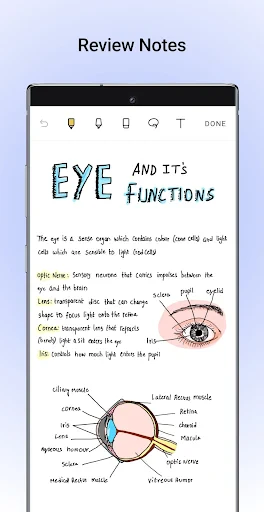
First off, the interface! Noteshelf greets you with a neat and organized dashboard that's super user-friendly. Whether you're a digital artist or someone who loves to keep things simple, you'll find the design intuitive and easy to navigate. Creating a new notebook is just a tap away, and you can customize it with different covers and paper styles. It’s like having your own stationery shop right in your pocket!
Annotate Like a Pro
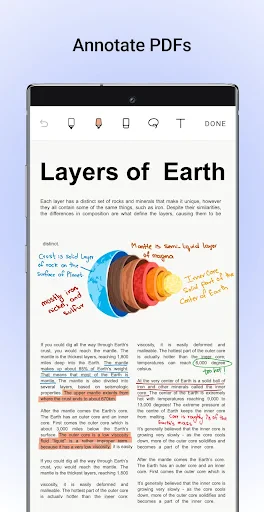
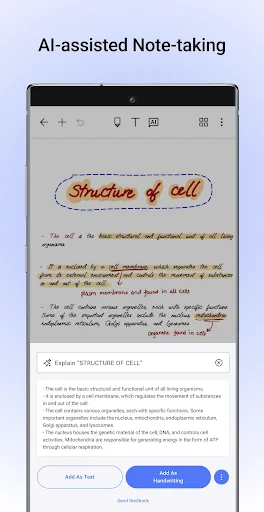
One of the standout features of Noteshelf is its annotation capabilities. Got a PDF or a document to review? Import it directly into the app and start annotating. Highlight text, add comments, or even draw right on the page. It's perfect for students reviewing lecture notes or professionals going through reports. The best part? You can switch between typing and handwriting effortlessly. And yes, it supports Apple Pencil and other styluses, making the writing experience smooth and natural.
Sync Across Devices
In today's world, having your notes accessible across multiple devices is crucial. Noteshelf understands this need and offers seamless sync with iCloud and Dropbox. So, whether you're on your iPad, iPhone, or Android device, your notes are just a tap away. No more emailing notes to yourself or worrying about manual backups!
Audio Notes for the Win
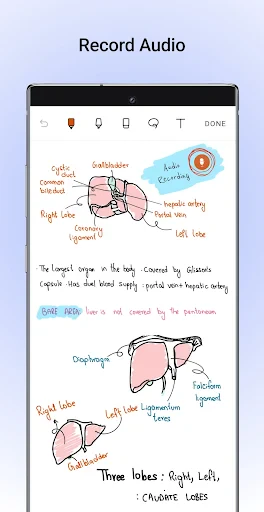
Ever been in a meeting or a lecture where the speaker talks faster than you can type? Noteshelf has got you covered with its audio note feature. Record the audio while taking notes, and you can even play it back later to fill in any gaps. This feature is a game-changer for students and professionals alike, ensuring you never miss a crucial detail.
Customization Galore
Personalization is key when it comes to productivity apps, and Noteshelf doesn’t disappoint. From choosing different paper templates, like ruled, grid, or plain, to selecting your pen color and thickness, the app lets you tailor your note-taking experience to your liking. Plus, if you're into digital planning, there are plenty of planner templates to help keep your life organized.
In conclusion, Noteshelf - Notes, Annotations is a powerhouse of a note-taking app that brings all the tools you need into one place. Whether you're a student, professional, or just someone who loves jotting down thoughts, this app is worth checking out. The combination of its user-friendly interface, robust features, and cross-platform accessibility makes it a top contender in the world of digital notebooks. So why not give it a try? You might just find it becomes your go-to app for all things notes!
- Developer
- Fluid Touch
- Version
- 9.0.7
- Installs
- 100,000+
- Android Version
- 9
- Content Rating
- Everyone
- Price
- $7.99
- Intuitive user interface for easy navigation.
- Wide variety of note-taking tools.
- Seamless syncing across devices.
- Supports multiple file formats for import.
- Advanced organization features.
- Premium features require subscription.
- Occasional syncing issues reported.
- Limited handwriting recognition.
- No collaborative editing feature.
- Resource-intensive on older devices.