
Qustodio Parental Control App
Introducing Qustodio: Your Digital Parenting Partner
Hey parents! Ever felt like you're in a never-ending battle with screens, trying to ensure your kids are safe in the digital world? If you’ve been nodding along, let me introduce you to Qustodio—an app that's like having a digital nanny right in your pocket. I’ve had the chance to dive deep into what this app offers, and trust me, it’s a game-changer.
Setting It Up: Easier Than You’d Think
First off, let's talk about setup. I know you're probably thinking, "Great, another app that’s going to take forever to configure." But nope, Qustodio has made it super easy. Just download it from the App Store or Google Play, and you're halfway there. The instructions are straightforward, and within minutes, you’ll have it running on both your device and your kid's. Plus, they have a handy setup wizard that guides you through everything. It’s almost like having tech support sitting next to you.
Features That Stand Out
What really caught my attention with Qustodio is the impressive range of features. Let’s break it down:
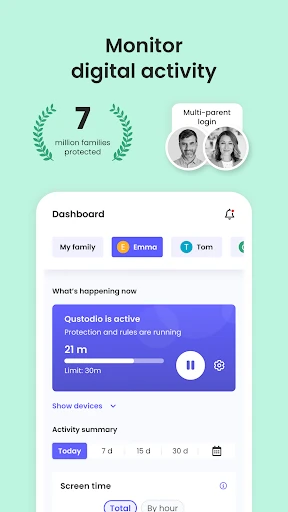
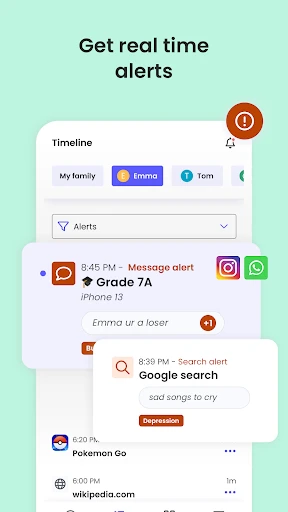
Comprehensive Monitoring: You can keep tabs on what apps your kids are using, their screen time, and even their browsing history. It’s like having eyes at the back of your head!
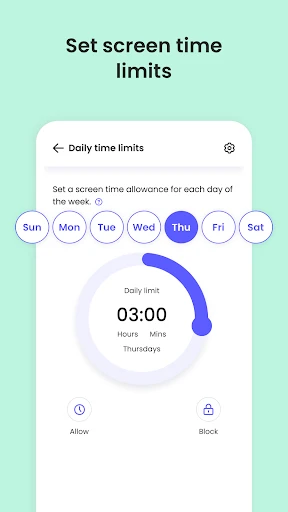
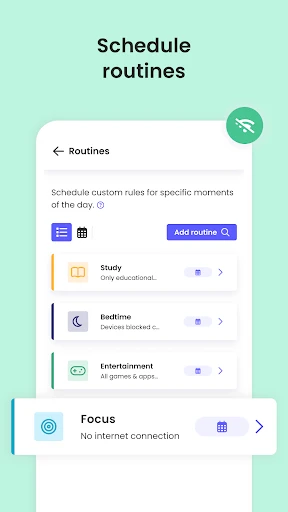
Time Management: Set daily screen time limits and schedule breaks. Imagine telling your kids it's time to play outside, and their devices actually back you up.
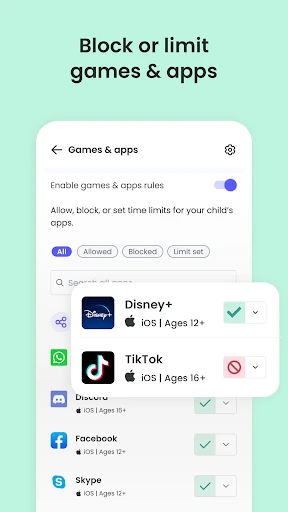
Content Filtering: Block inappropriate content effortlessly. You can adjust filters based on age, which means no more worrying about unsuitable material.
Location Tracking: Know where your kids are at any given time. It’s peace of mind, especially when they’re out and about.
Social Media Monitoring: Keep an eye on their activity on platforms like Facebook and Instagram. It's not about spying; it’s about safety.
Real-Life Experience: Smooth Sailing or Rocky Road?
Using Qustodio has been pretty smooth. The app runs quietly in the background, ensuring that it doesn’t interfere with your child’s device performance. I didn’t notice any lagging or crashing, which is a huge plus. The dashboard is super user-friendly, and the reports are easy to understand. It’s like having a personal assistant giving you all the info you need, without the tech jargon.
What’s the Catch?
Of course, no app is perfect. While Qustodio offers a robust free version, some of the more advanced features are locked behind a paywall. If you’re willing to invest a bit, the premium version is definitely worth it. However, if you're on a tight budget, the free version still provides excellent basic monitoring and control.
A Final Word
In a world where screens are everywhere, Qustodio acts as a guardian angel, helping parents navigate the digital landscape. It offers peace of mind knowing you have a handle on your child’s online activities without having to hover constantly. So, if you're looking for a reliable, user-friendly parental control app, Qustodio should definitely be on your radar. Give it a try, and you might just find it’s the digital parenting partner you’ve been searching for.
- Developer
- Qustodio LLC
- Version
- 182.27.2
- Installs
- 5,000,000+
- Android Version
- 7.0
- Content Rating
- Everyone
- Price
- Free
- Comprehensive monitoring features.
- User-friendly interface.
- Real-time location tracking.
- Customizable time limits.
- Cross-platform compatibility.
- Limited free version features.
- Complex initial setup.
- Can be bypassed by tech-savvy kids.
- Subscription can be expensive.
- Occasional app glitches.